Keysight N9915-90020 User’s Guide 163
SA (Spectrum Analyzer) Mode (Option 233–Mixed Analyzers)FUTURE
SA Mode Settings
Field Strength Measurements
To measure the strength of any signal transmitted through the air, an antenna
must be connected to the FieldFox. The Field Strength feature allows you to
enter the frequency response of the receiving antenna (the Antenna Factor)
and associated cabling, and then have amplitude corrections automatically
compensate the displayed trace for that response.
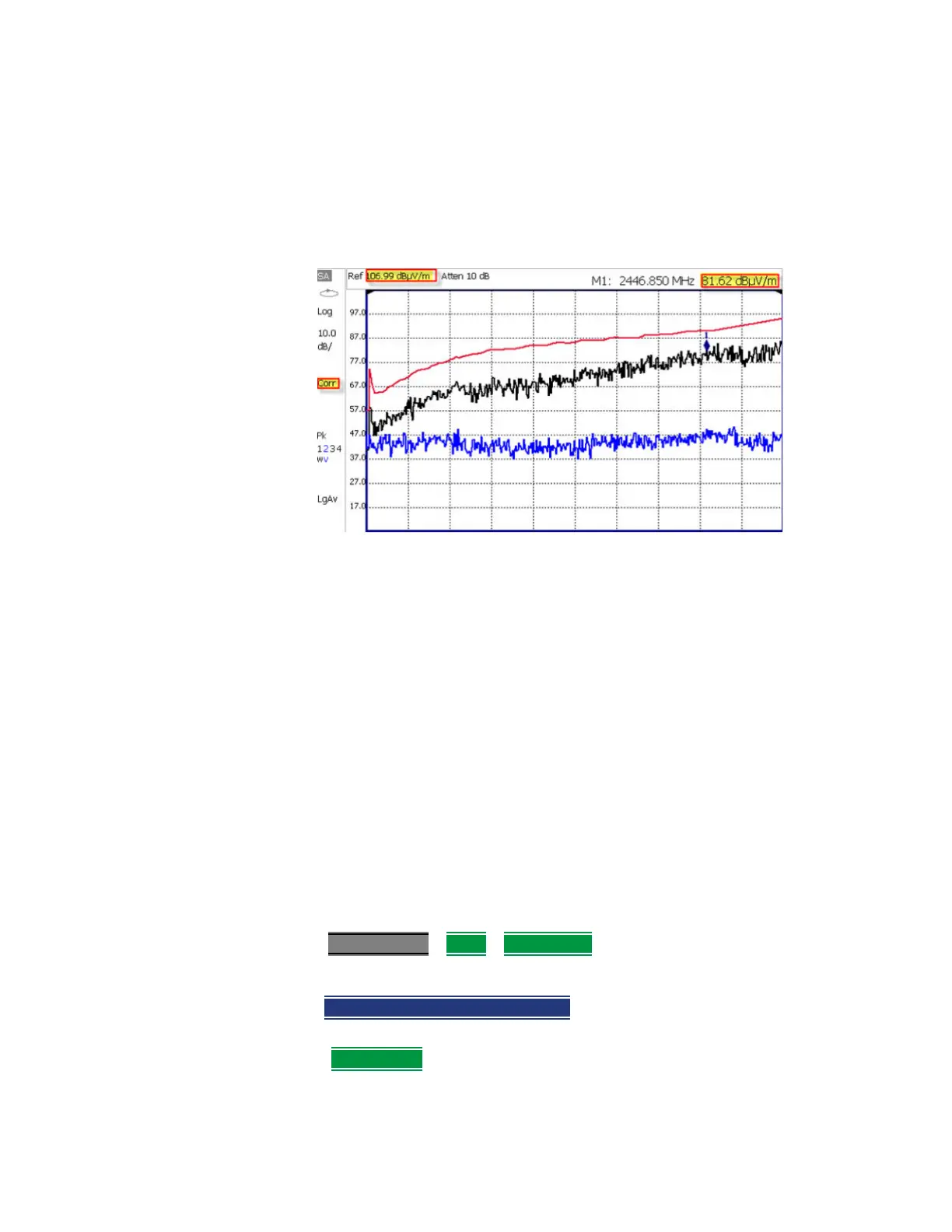
Setting Field Strength Measurements
Trace 1 - Corrected trace with antenna factor. (Antenna = ON, Apply Corr =
ON)
Trace 2 - Uncorrected trace (Apply Corr = OFF). The Trace 2 trace state is
“View.” For information, refer to
“Trace Display States (SA Mode)” on page 203
Pink Trace - Current correction factor. See below.
— Learn how to set Y-Axis Units on “How to Set Y-axis Units” on page 160.
— Use a Band Power marker to measure total power over a range of
frequencies. Learn how in “Band/Interval Power Marker” on page 217
How to select and edit corrections for Field Strength measurements
The Antenna and Cable correction data survives a Mode Preset and Preset.
All Correction ON/OFF states survive a Mode Preset, but NOT a Preset.
—Press Scale/Amptd
> More > Corrections
— Then choose from the following:
— Apply Corrections Auto Disabled Use Auto and Disabled correction
for all settings. (Default = Auto).
— Antenna Off – Opens a softkey menu to enable/disable a antenna
and edit, save, create a new antenna factors table, recall, and set a
storage device location.













 To Next Page