Keysight N9915-90020 User’s Guide 433
5G Rapid Prototype Phased Array Antenna – Option 360
How to Set Up Phased Array Antenna Settings
How to Set Up Phased Array Antenna Settings
This section reviews the steps in setting up an Option 360 measurement. If you
are not familiar with this process or would like more information, refer to
“How
to Define a Set Up a Scan and Use Option 360”
This section consists of:
— “Option 360 Setup Procedure”
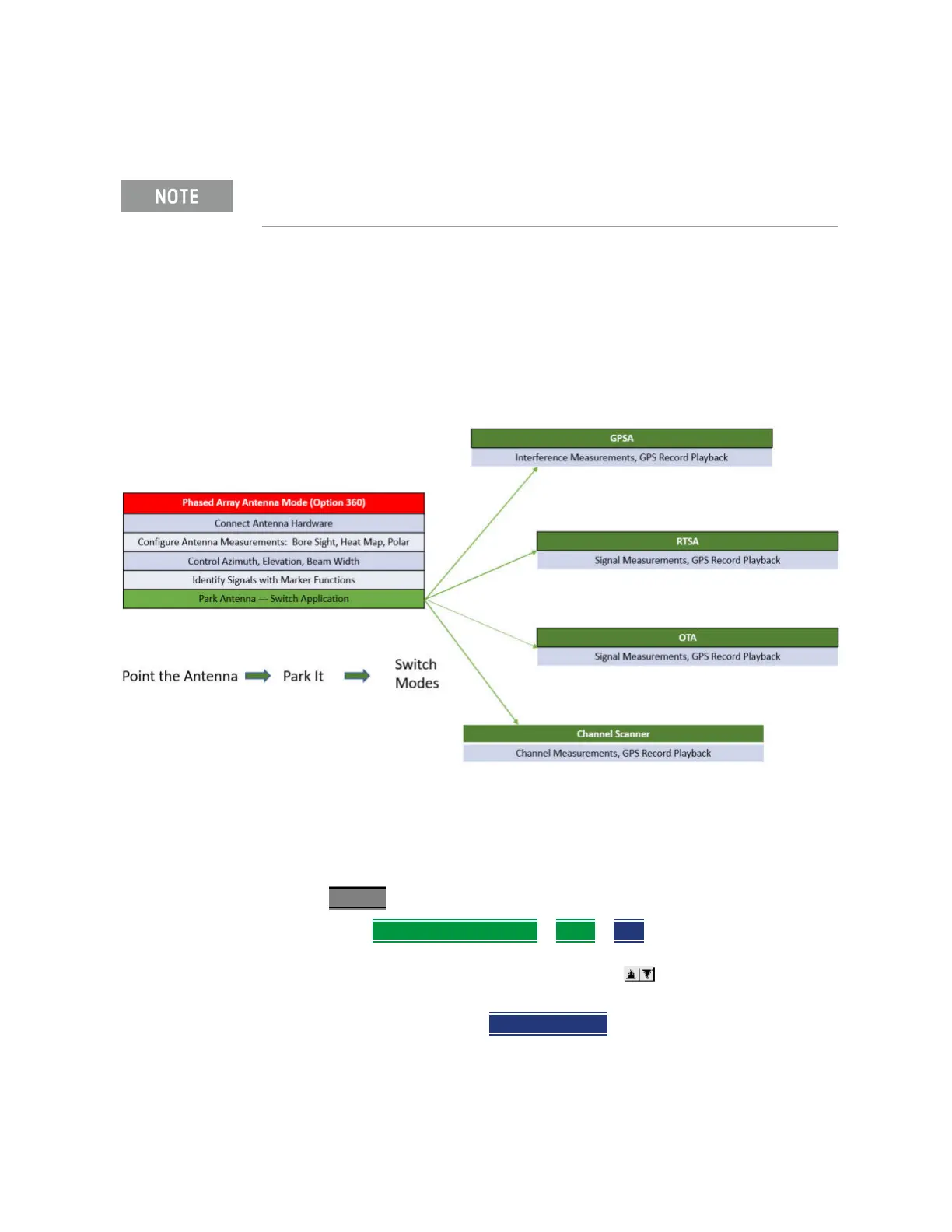
Figure 14-11 Setting Up Option 360 Using Other Modes
Option 360 Setup Procedure
1. Connect your equipment similar to Figure 14-1 on page 425.
2. Set FieldFox to use static IP address:
Press System
— Then System Configuration
> More > LAN
a. In the Setting screen, use the arrows, the rotary knob,
or numeric keypad to highlight Obtain IP.
b. Press Edit >
Obtain IP Static
IMPORTANT! See also, “Alignments” on page 206, in NA mode,Chapter 9,
“SA (Spectrum Analyzer) Mode (Option 233–Mixed Analyzers)FUTURE.”













 To Next Page