Data Analysis FeaturesDELETE_IF
All about Markers
Keysight N9915-90020 User’s Guide 737
How to display the Marker table
1. Press Marker
.
2. Then
More
3. Then Marker Table On Off.
Coupled Markers (NA Mode)
Coupled Markers, available in NA mode only
1
and allows you to simultaneously create and move
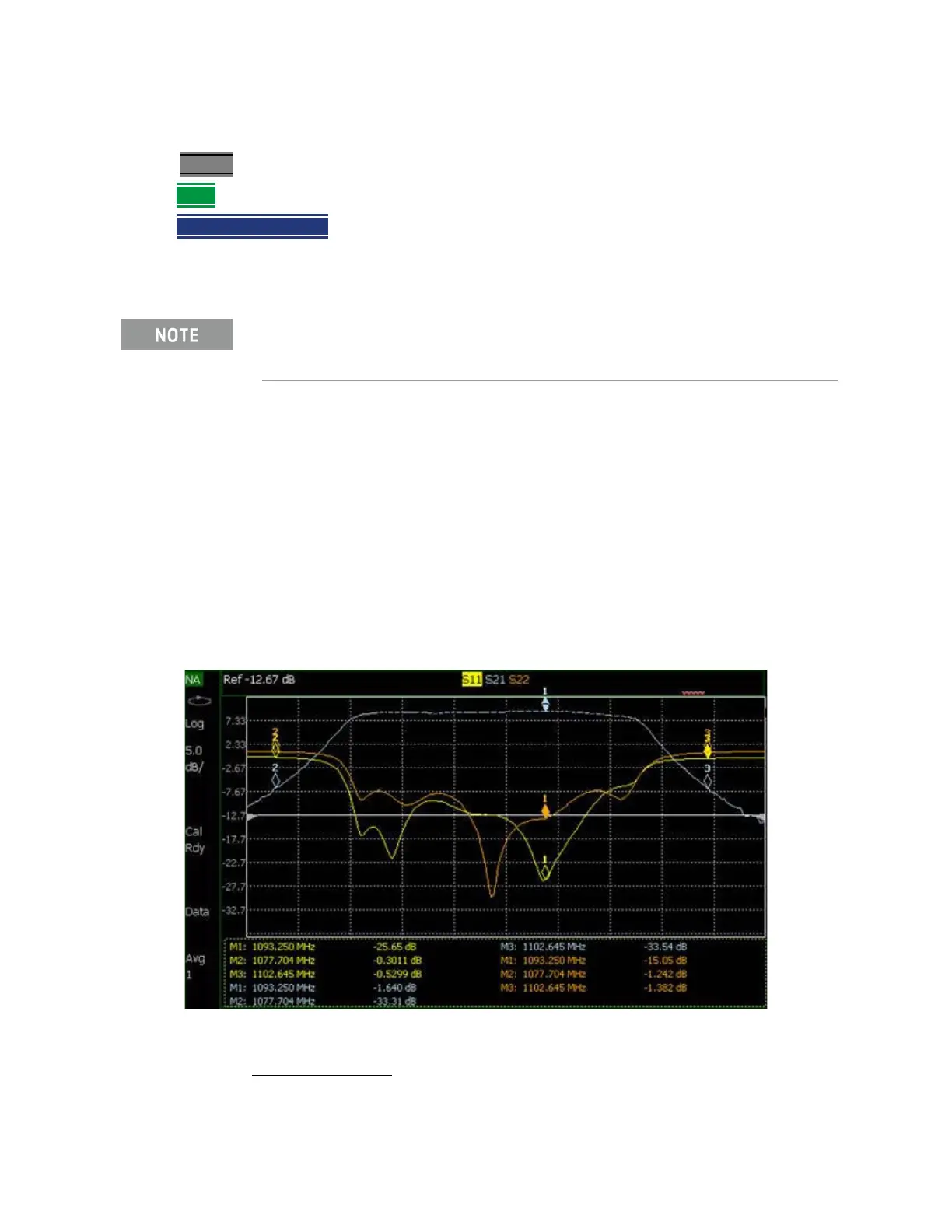
markers that have the same number for all traces. For example, when marker 2 is created on a
trace, a marker 2 is created for ALL traces. When any marker 2 is moved, they all move together to
the same X-axis position.
— Coupled markers are allowed only in NA mode and are relevant only in multi-trace
configurations.
— You can have markers that are coupled and others that are uncoupled.
— Peak functions move the marker to the peak on the active trace, while all other markers move to
the same X-axis position.
Figure 30-3 Coupled Markers move on ALL traces at the same time (NA shown).
I/Q Analyzer (IQA) mode has coupled markers. but the behavior is different
than the NA mode Coupled Markers behavior. Refer to
“Coupled Markers
(Waveform Only)” on page 316
.
1. IQA mode has coupled markers, but the behavior is different than NA mode’s coupled markers. Refer to
“Coupled Markers (Waveform Only)” on page 316.













 To Next Page