Keysight N9915-90020 User’s Guide 805
System SettingsFUTURE
System Configuration
The voltage is output through an SMB (m) output connector located on the
left-side panel. See the connector in
“Left Side Panel” on page 43.
An optional SMB (f) to BNC (m) bias-tee power cable is available with Keysight
part number: N9910X-713.
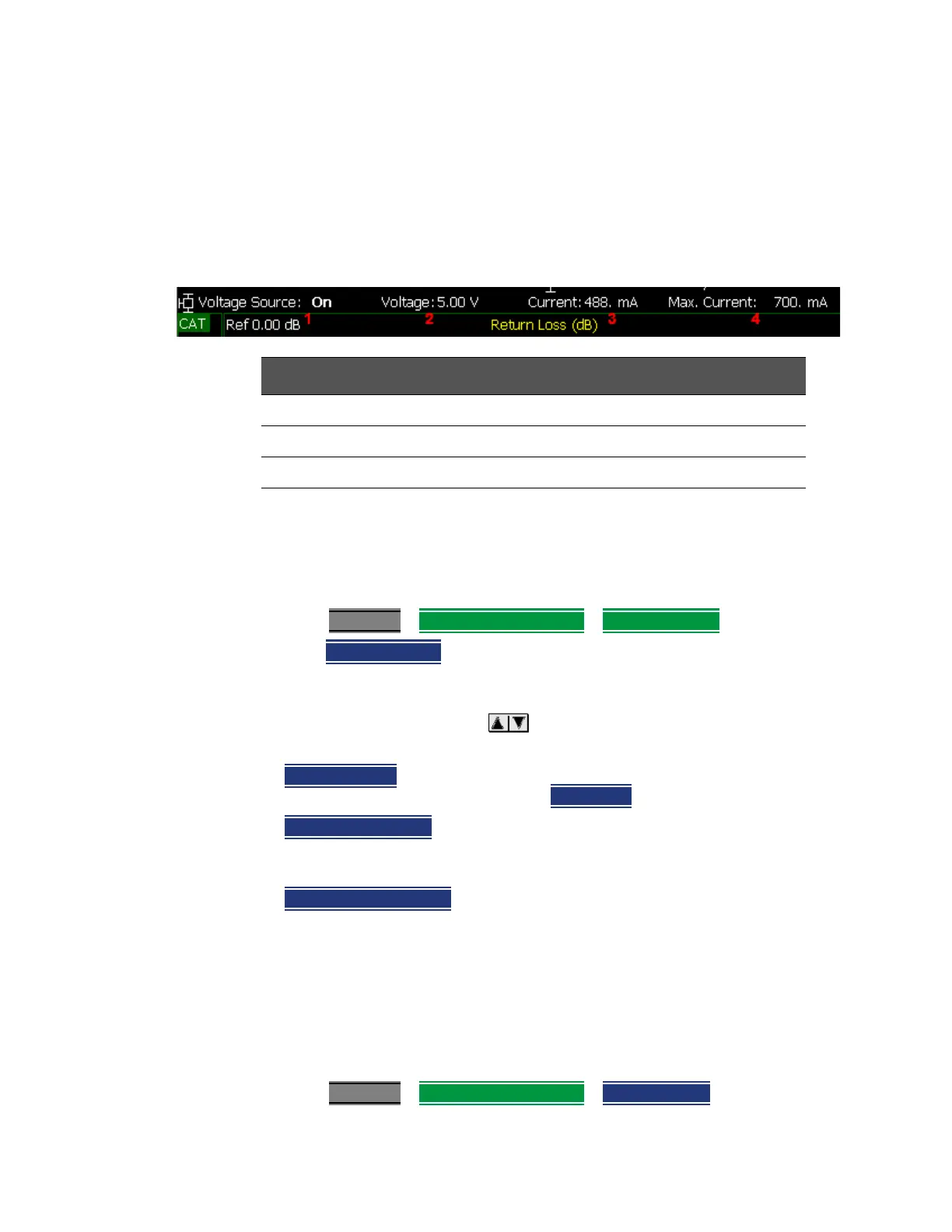
The following status line is provided near the top of the FieldFox screen.
Figure 31-11
How to make Voltage Source settings
1. Press System 7
> System Configuration > Voltage Source
2. Then Source ON OFF to enable and disable the voltage source output.
Then choose:
— Then Voltage x.xx V Using arrows, the rotary knob, or numeric
keypad, enter a value between 0.001 and 32 volts.
—
Clear Overload If the voltage source becomes ‘TRIPPED’ press to re-enable
the voltage source output. Then set
Source ON.
—
Status Line ON OFF
Turn ON and OFF the voltage source status line that
appears near the top of the screen. The status line is always ON while
making Voltage Source settings.
—
Hi Impd. Load ON OFF
Enables/Disables low current use (Step) and high
current use (Ramp). Default = OFF (Low current (Step)).
Security Level
For security reasons, you can prevent frequency information from appearing on
the FieldFox while in SA, NA, or CAT modes.
How to set Security Level
1. Press System 7
> System Configuration > Security Level
Voltage Source Status Line
1. Voltage source state: ON, OFF, TRIPPED.
2. Voltage setting from 1.00 V to 32.00 V with.01 V resolution.
3. Current: The amount of current (in Amperes) being drawn from the source.
4. Max Current: A conservative estimate of maximum current possible
given the present voltage setting. The actual ‘trip’ level may be
slightly different.













 To Next Page