Keysight N9915-90020 User’s Guide 155
SA (Spectrum Analyzer) Mode (Option 233–Mixed Analyzers)FUTURE
SA Mode Settings
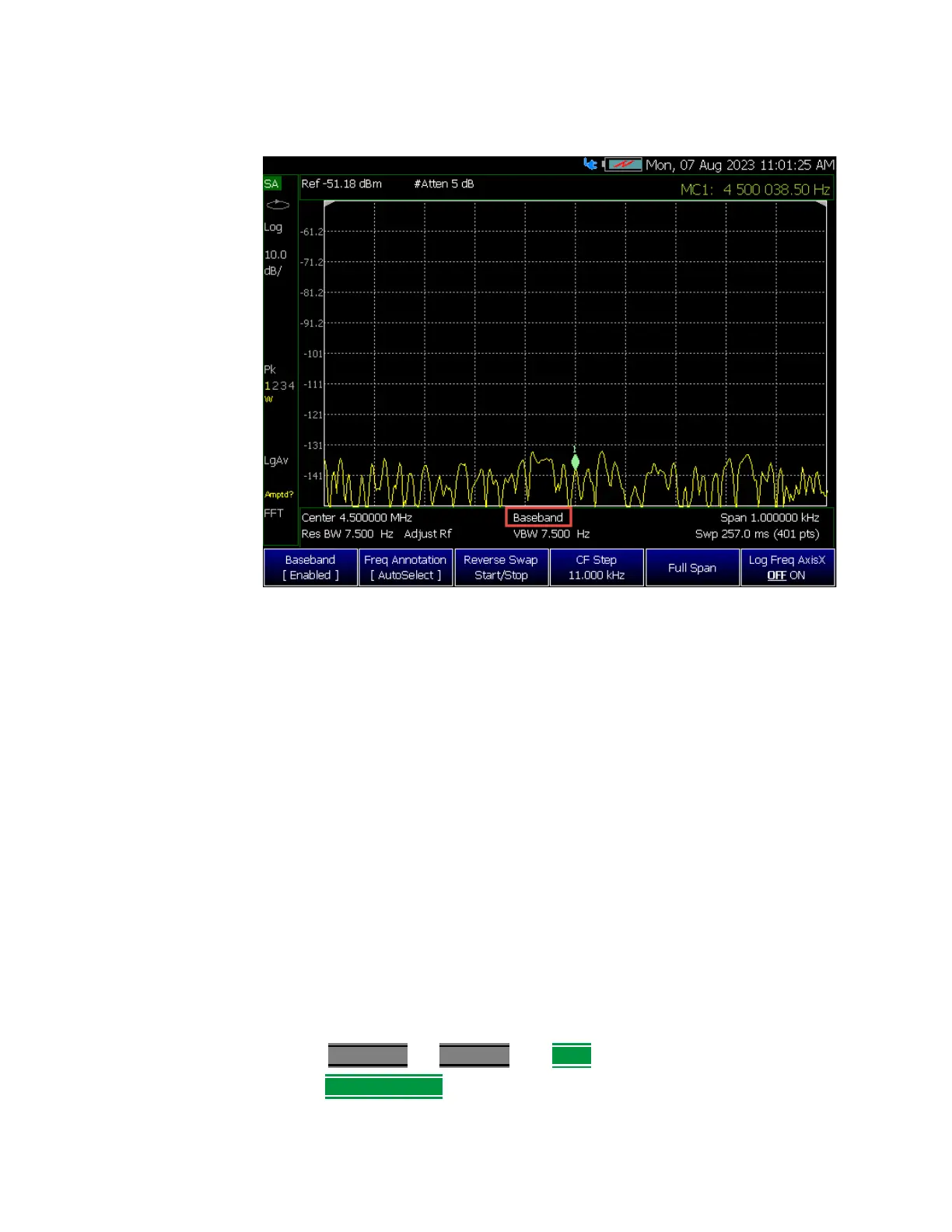
Figure 9-2 Baseband Display Annotation When Enabled (SA Mode)
Radio Standard
A Radio Standard is a collection of settings that are applied to the FieldFox for
specific RF protocols. When a Radio Standard is applied, the FieldFox
frequency and channel settings change to that of the standard.
By default, the FieldFox locates the center frequency of the standard in the
middle of the screen and sets the frequency span to cover all of the Uplink and
Downlink frequencies. The selected Radio Standard name appears in the
center of the screen below the X-axis.
After a Radio Standard has been selected, the frequency range can be
changed by selecting channel numbers rather than frequency. Learn how in
“How to set Frequency Range” on page 151.
When a Channel Measurement is selected such as ACPR, other relevant
settings will be changed such as Integration BW. Learn more about Radio
Standards and Channel Measurements in
“Radio Standards and Channel
Measurements” on page 220
.
How to select a Radio Standard
—Press Measure 1
OR Freq/Dist then More
—Then
Radio Standard













 To Next Page