604 Keysight N9915-90020 User’s Guide
Pulse Measurements Mode – Option 330
Pulse Measurement Settings
—Then Trigger
—Then
Qualification
— Then set the qualification value using the numeric keypad or the rotary knob
(default: 100 ns, minimum: 25 ns, maximum: 50
µs).
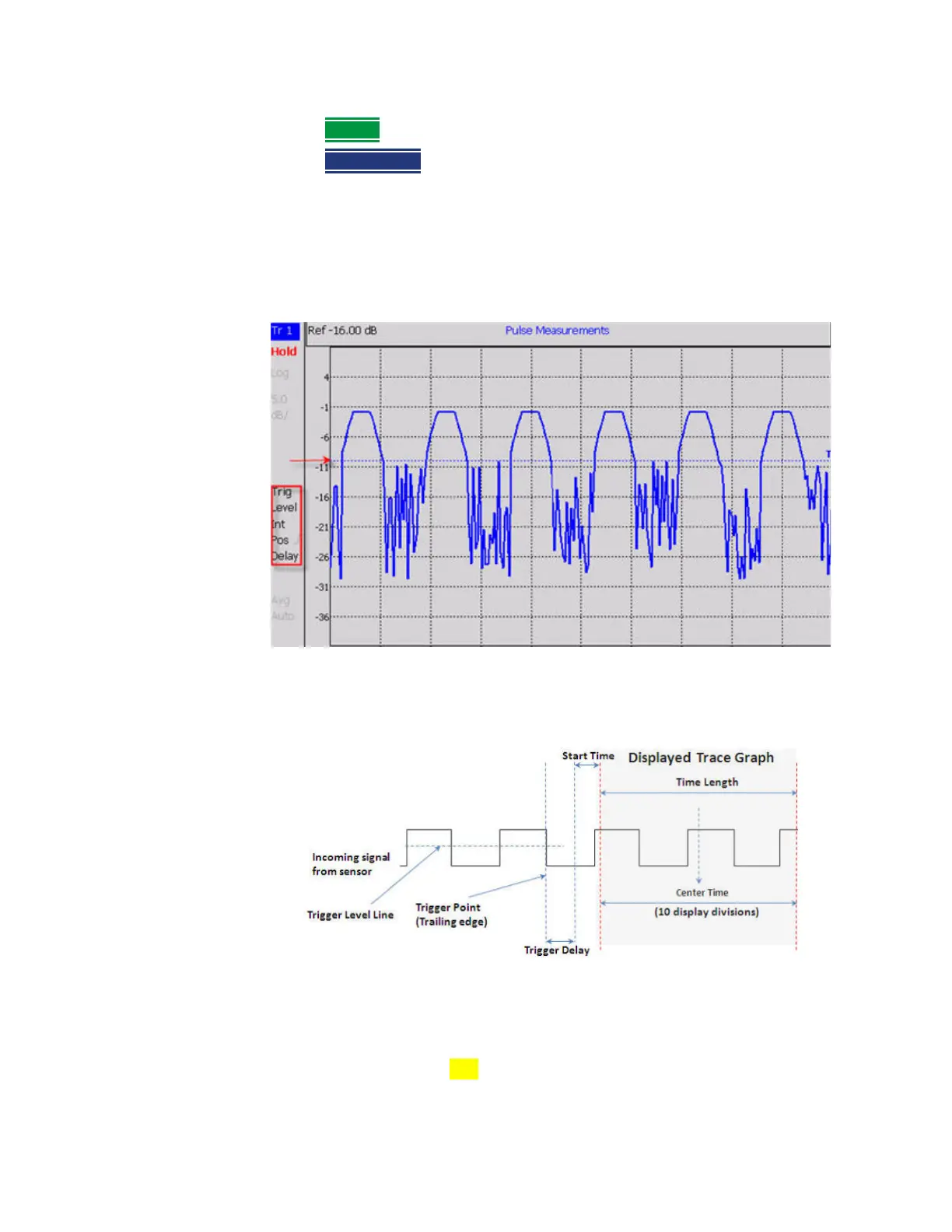
Trigger Settings Annotation
Trigger settings are annotated on the FieldFox screen as highlighted in
red in
the following image:
In the previous graphic, the settings are: Trig Level = -10 dBm, Trig Type (Int),
Pos Slope (/), Delay
Marker Settings
Markers are not allowed with Meter-style measurements.
Markers are displayed on Tr 1 and also on the zoom trace if the marker is
within the zoom window time span.













 To Next Page