606 Keysight N9915-90020 User’s Guide
Pulse Measurements Mode – Option 330
Pulse Measurement Settings
—Then Zone Search
— Then choose from the following:
— ON Available ONLY when the zoom window is enabled, the search is
limited to the zone defined by the zoom window.
— OFF The search is performed over the entire Tr 1 trace.
Then choose from the following:
— Target
, Peak, and Minimum. Learn more about these standard features
beginning in
“Searching with Markers” on page 740.
—
Rise Time Select, then set a value in dB. Delta markers are created and
placed at the Peak and at the specified value BEFORE the Peak.
— Fall Time Select, then set a value in dB. Delta markers are created and
placed at the Peak and at the specified value AFTER the Peak.
Auto Analysis
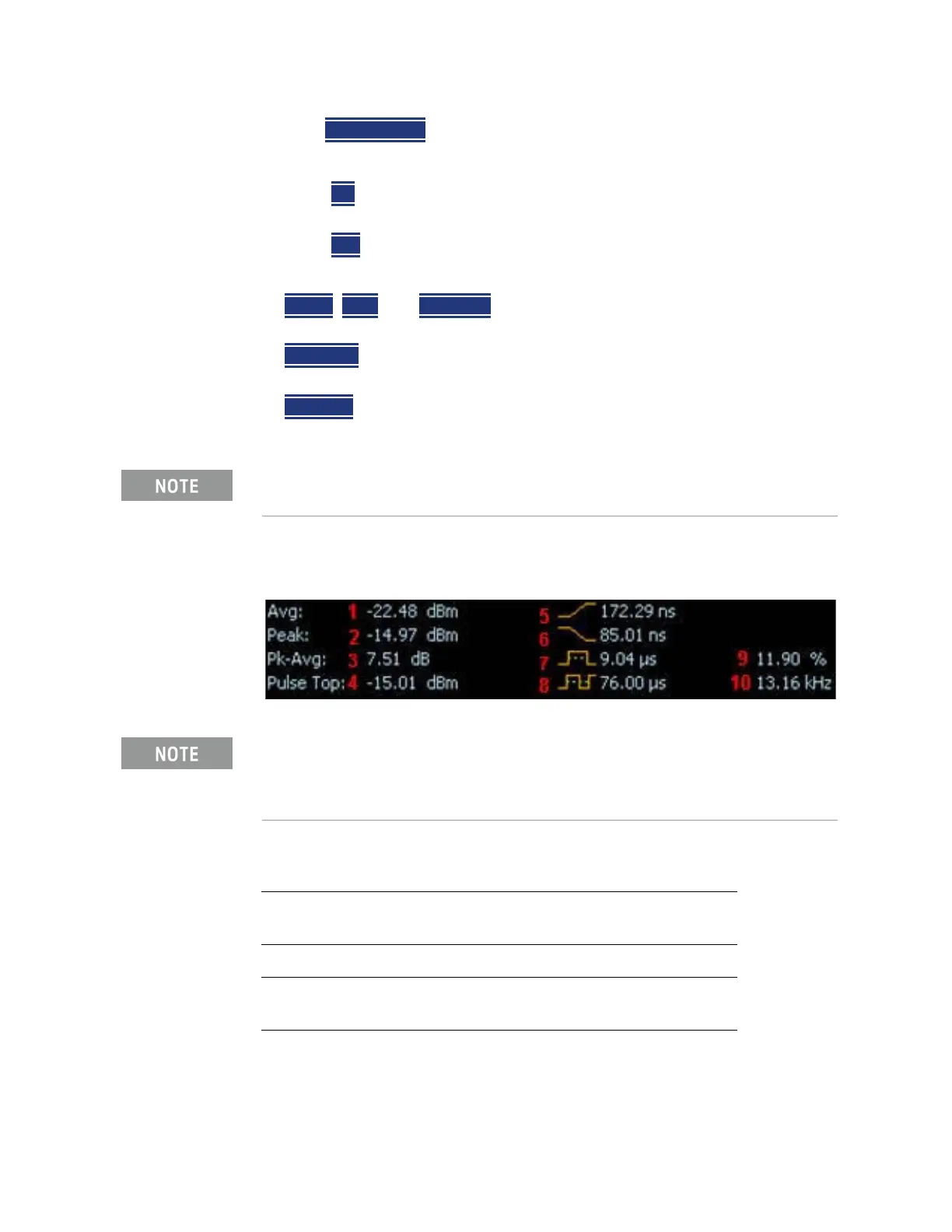
Auto Analysis reports the following TEN pulse measurements:
Rise and Fall time in Marker Search uses different criteria than in Auto
Analysis and will therefore result in different reported values.
For more information on peak power measurements refer to the
documentation for your power sensor. Learn more,
https://www.keysight.com/us/en/assets/7018-03076/application-notes/
5990-8708.pdf.
1 - Average Power Average power level of all measured data
points
2 - Peak Power Highest reading of all measured data
points
3 - Peak minus Average Difference between the above two results
4 - Pulse Top Power value based on the specified Pulse
Top setting.
5 - Rise Time The time it takes for a pulse to rise from
10% to 90% of its peak value.













 To Next Page