Keysight N9915-90020 User’s Guide 523
Indoor and Outdoor Mapping – Option 352 (Requires Spectrum Analyzer Mode (Option
233), and GPS Receiver (Option 307))
Troubleshooting
Miscellaneous Mapping Errors
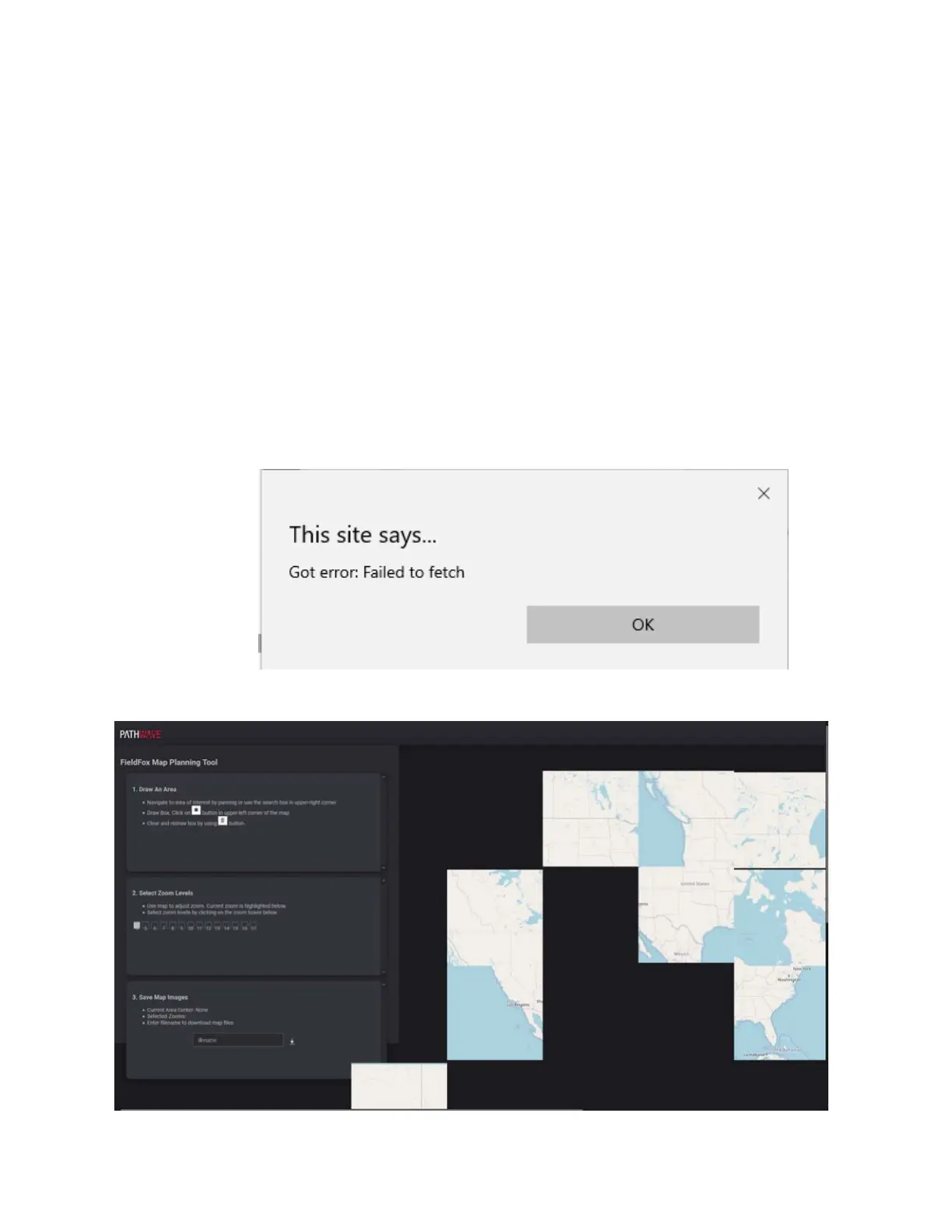
When you are you are on step 3. Save Map Images, you may see a “fetch” error
or a ’checkerboard’ map displayed. Refer to
Figure 16-28 and Figure 16-29 on
page 523
.
If you see a “fetch”, ’checkerboard’, or other map errors:
1. Close your current browser window with OpenStreetMaps.org.
2. Open a different browser.
3. If necessary, re-run the FieldFox mapping script (run.bat) to re-copy the
“localhost:5000” address into your clipboard.
4. Paste the “localhost:5000” address into a different browser and use
OpenStreeMaps.org to save your Map image zip file.
Figure 16-28 Example of “This site says... Got error: Failed to fetch” Error
Figure 16-29 Example of ’Checkerboard’ Mapping Error













 To Next Page