Keysight N9915-90020 User’s Guide 481
Indoor and Outdoor Mapping – Option 352 (Requires Spectrum Analyzer Mode (Option
233), and GPS Receiver (Option 307))
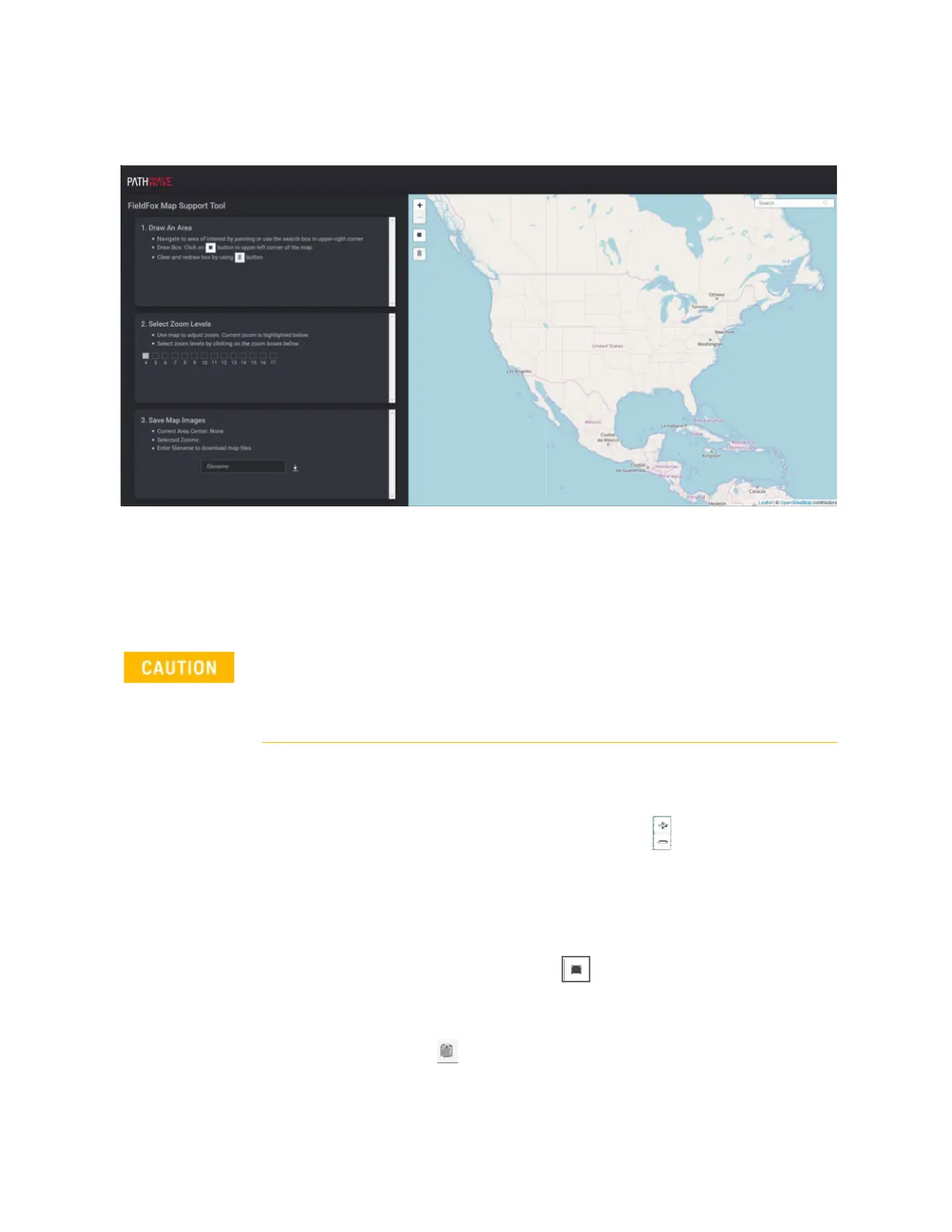
Downloading and Using the FieldFox Map Support Tool
Figure 16-7 FieldFox Mapping Opens in HTML5 Compatible Browser (Overview)
4. If the FieldFox is connected directly to the LAN, begin here: Select Draw
An Area to map and download the selected area:
For this step and sub-steps, refer to
Figure 16-8 on page 483.
a. Step 1. Select Draw An Area to map:
— Enter a location in the search area and click on the map and
use the Zoom In/Zoom Out buttons ( ) to select the area to
map. Also, your mouse scroll wheel can be used for zooming
in and out.
Hint: The larger the map area selected for final mapping, the
longer it takes for the file download.
— Click on the box button ( ) and click and drag to select the
map area.
Hint: To clear and redraw the box choices, click the trashcan
button ( ).
b. Step 2. Select Zoom Levels to Save and Download:
IMPORTANT!
The more Zoom boxes that you check, the more data is selected for
download. For faster downloads click Zoom boxes. Refer to
Figure 16-8 on
page 483
.













 To Next Page