390 Keysight N9915-90020 User’s Guide
Over–the–Air Measurements (OTA) – LTE FDD Option 370, LTE TDD Option 371, 5G TF
Option 377, 5G NR / 5G NR EVM Conducted Option 378
How to Set Up Over–the–Air (OTA) Mode Settings
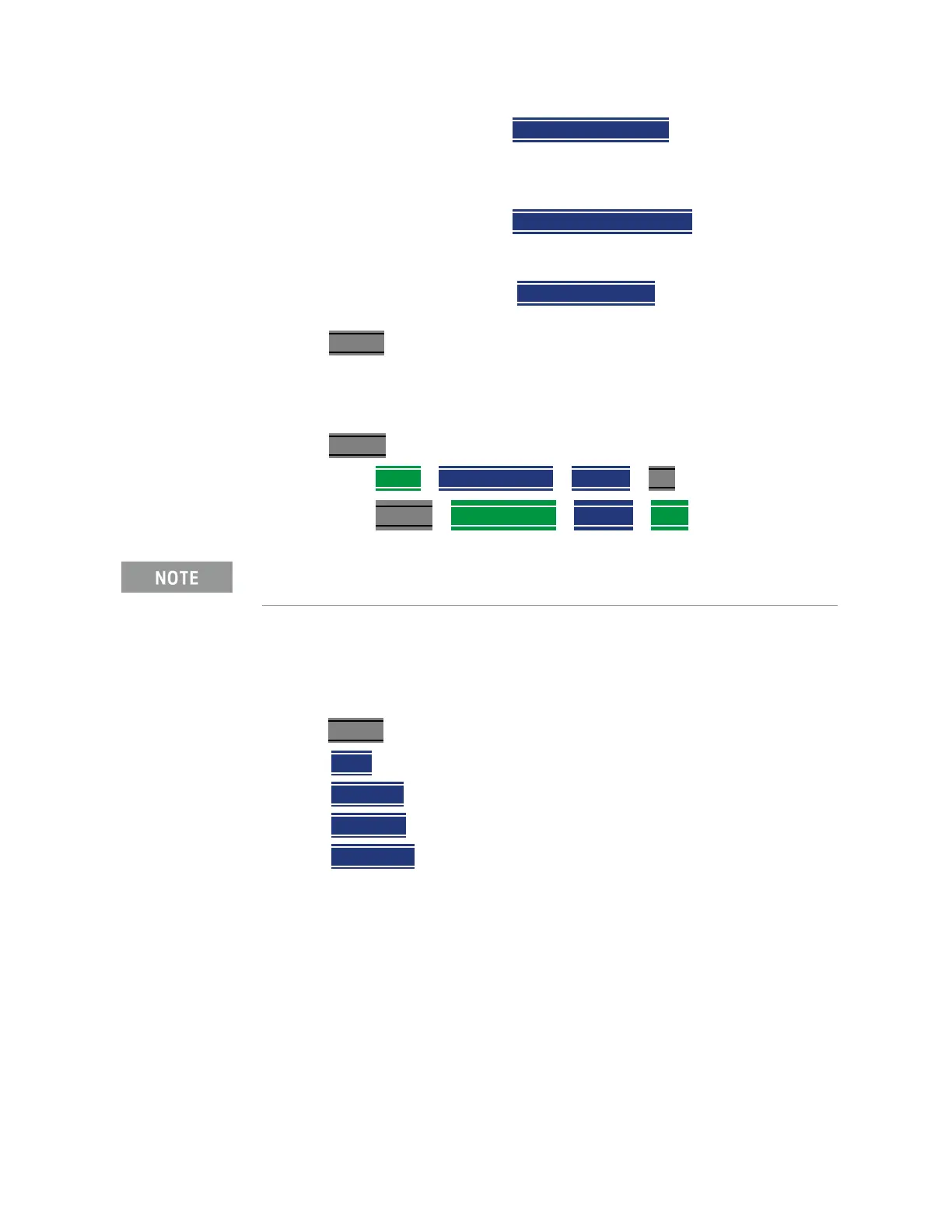
Then Phase Comp OFF ON Enables/disables the
phase compensation to compensate for phase
differences between symbols during the
upconversion or downconversion.
Then
SS Meas DMRS OFF ON Enables/disables
the current synchronized signal’s demodulation
reference signal.
Then
Multi-Cell OFF ON Enables/disables the
Multi-Cell.
8. Press Trace 6
— And, set up your Windows and component carriers (CCs) as
indicated in
“How to Set Up Over–the–Air (OTA) Mode Settings” on
page 365
.
9. Press System
— Press GNSS > GNSS Receiver > Internal > Esc
— Press System > FrequencyRef > Internal > Back
Step 2: Select Trace Type
Select one of the following display orientations:
—Press Trace 6
—choose:
— Table or
—
Bar Chart or
—
Spectrum or
—
Strip Chart or
IMPORTANT! It is not sufficient to be locked to the GNSS satellite, the
frequency reference must be locked to GPS.













 To Next Page