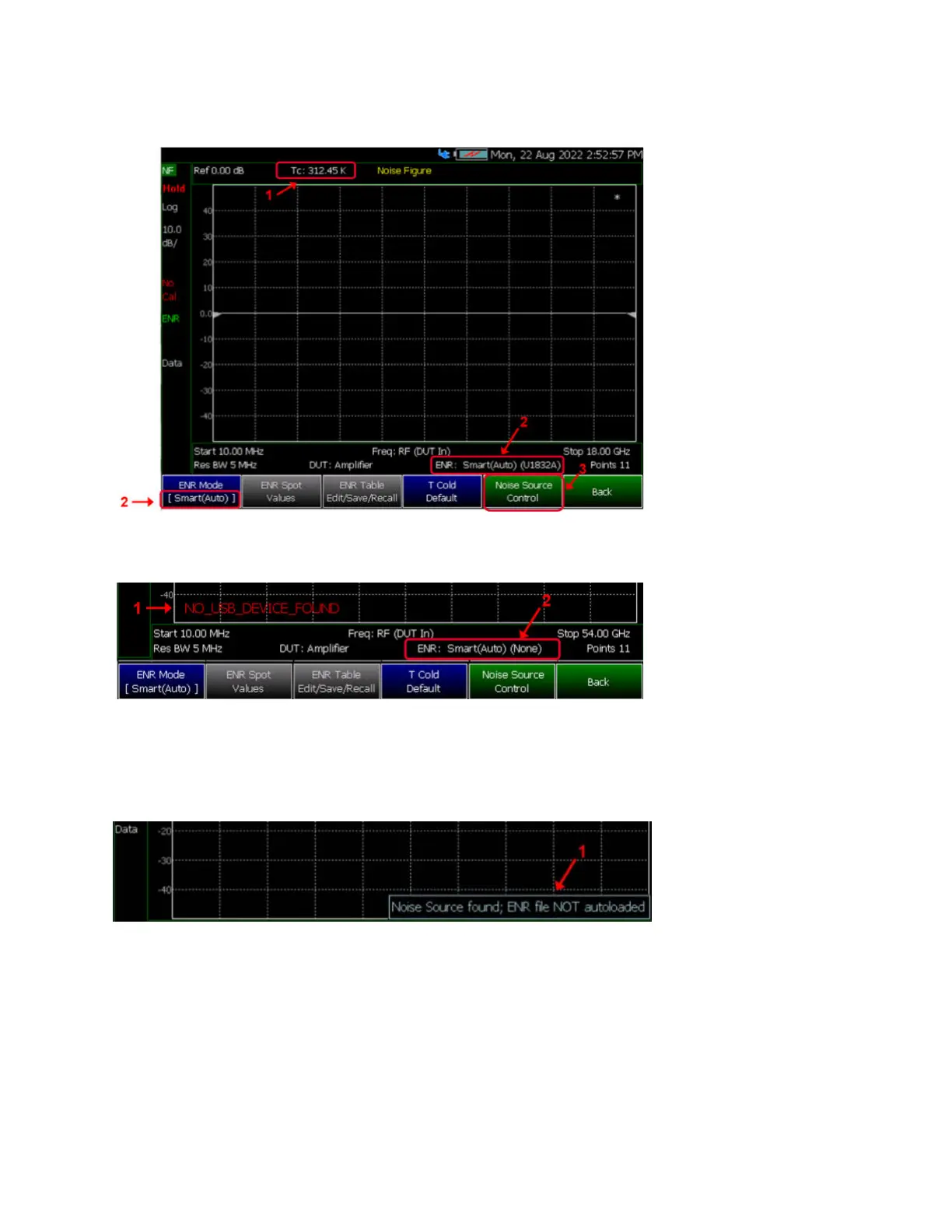
Top Figure:
1. Automatically loaded T
Cold value from the USB
Noise Source, measured in
Kelvin.
2. “Smart (Auto)” under ENR
Mode notation.
– The device model will say
“(None)” if there is no USB
Noise Source connected.
3. Noise Source Control menu
allows user to manage the
USB Noise Source.
2nd Figure:
1. General warning message
annotation notifying that
“NO_USB _DEVICE_FOUND”
no USB Noise Source is
connected.
2. When in Smart (Auto)
mode, if there is no connected
device then ENR model is
“None”.
3rd Figure:
1. User set Auto load ENR to
OFF. Information to user that
the latest ENR data was not
automatically loaded into the
ENR Table.













 To Next Page