808 Keysight N9915-90020 User’s Guide
System SettingsFUTURE
System Configuration
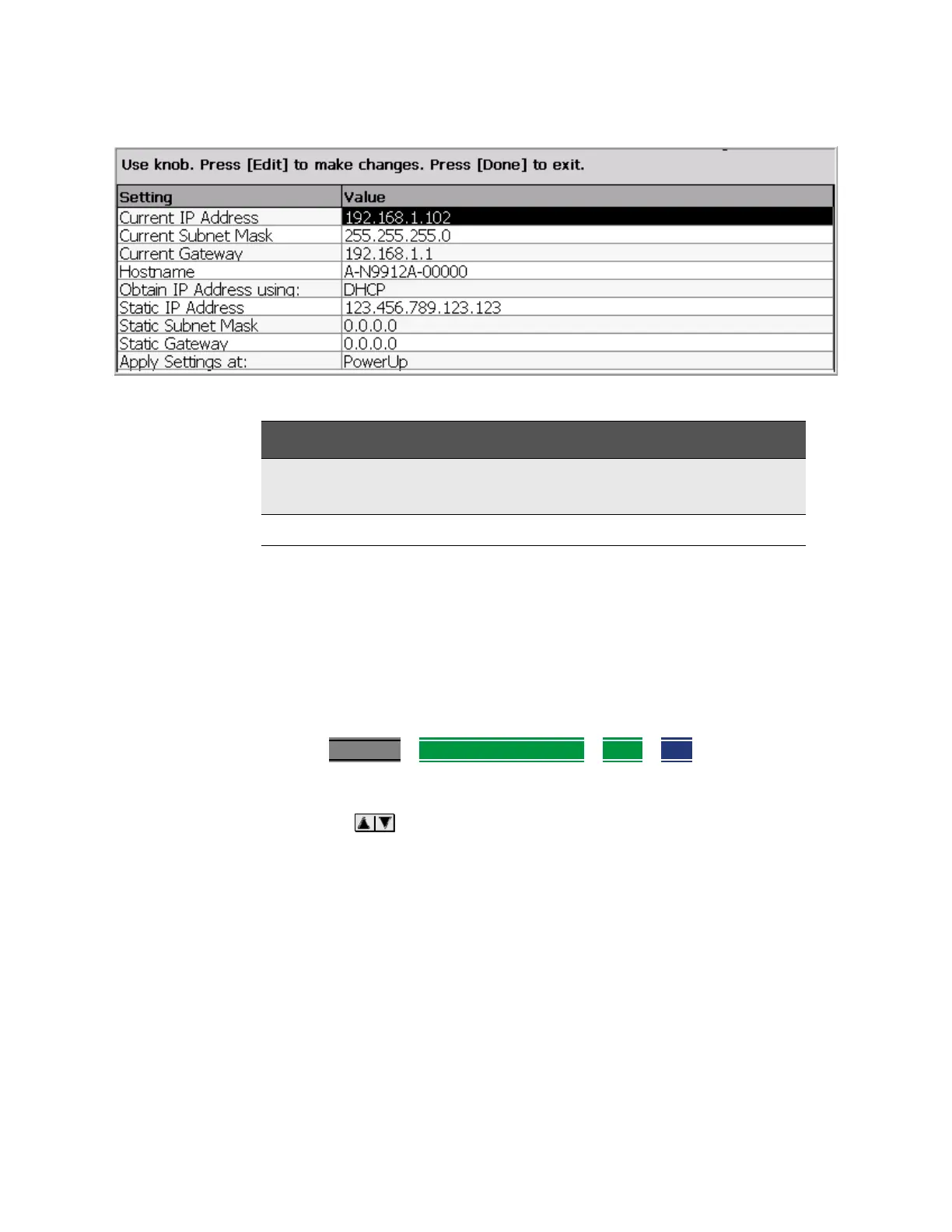
How to configure LAN settings
The first three ‘Current...’ settings can NOT be edited.
1. Press System 7
> System Configuration > More > LAN.
2. Then choose from the following:
— Use the arrows to select one of the following, then press Edit.
— Hostname Change the name that can be used to address the FieldFox if
your server supports this feature. The default hostname is generated
automatically.
— Obtain IP Choose from:
— DHCP - IP Address is assigned dynamically. If your server supports
this feature, the IP Address for the FieldFox is assigned each time it is
started.
— Static - Set the IP Address manually. The Address remains until you
change it.
Table 31-1 LAN LEDs
LAN LEDs
When FieldFox is connected to the LAN, the flashing LAN LEDs have the following
definitions:
Green: Flashing indicates packets are being transferred.
Yellow:
— Flash, pause = 10 Mbit link speed
— Flash, flash, pause = 100 Mbit link speed
— Flash, flash, flash, pause = 1 GBit link speed













 To Next Page