DiffServ
244
Managed Switches
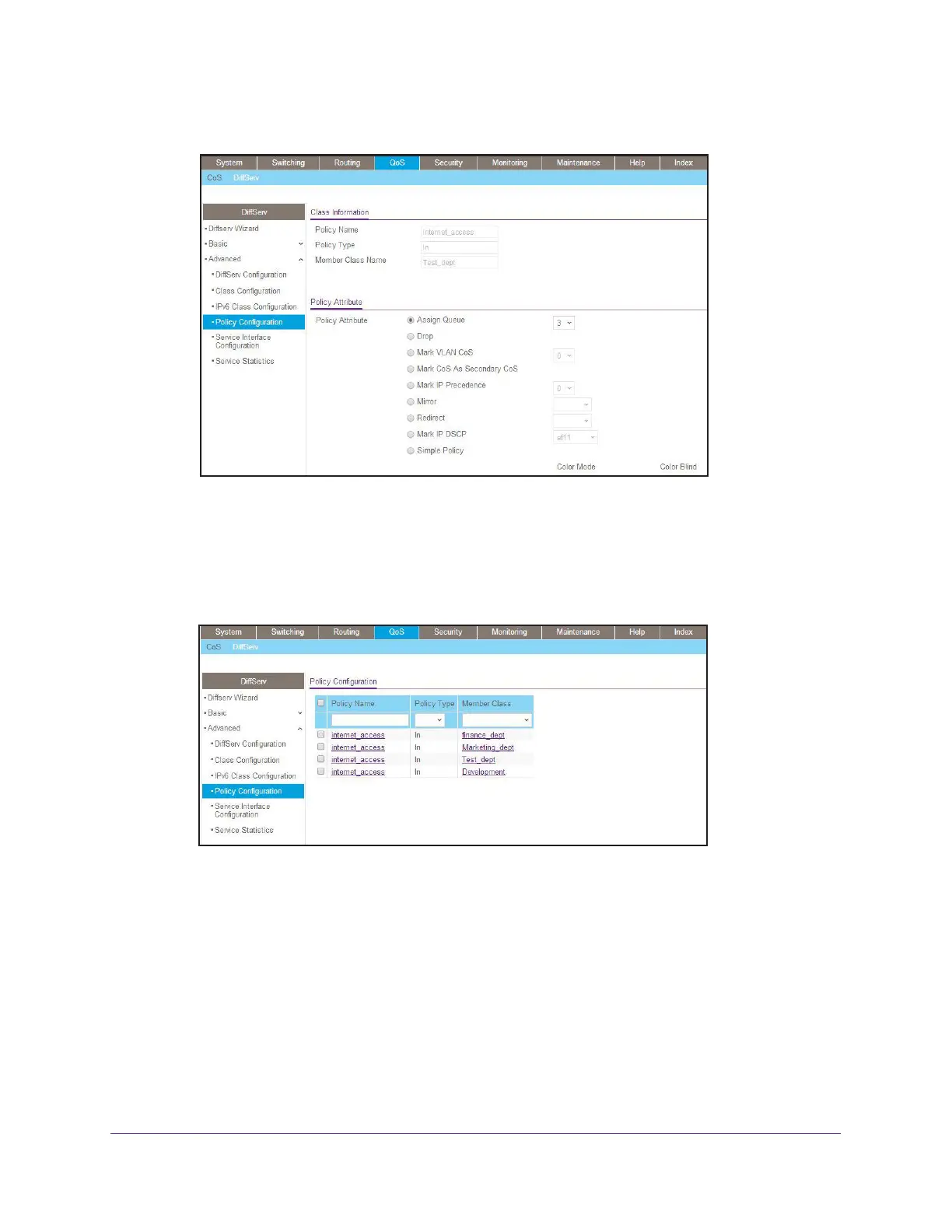
A screen similar to the following displays.
c. In the Assign Queue list, select 3.
d. Click Apply.
13. Assign queue 4 to development_dept.
a. Select QoS > DiffServ > Advanced > Policy Configuration.
A screen similar to the following displays.
b. Click the internet_access check mark for development_dept.




 To Next Page