・ Click the BGet Information button to display the Paper
Information on Printer dialog box. On the Paper Information on
Printer dialog box, you can obtain information on the paper in the
printer and configure printer driver settings for the feed source and
type of paper.
This function requires that the Status Monitor be installed.
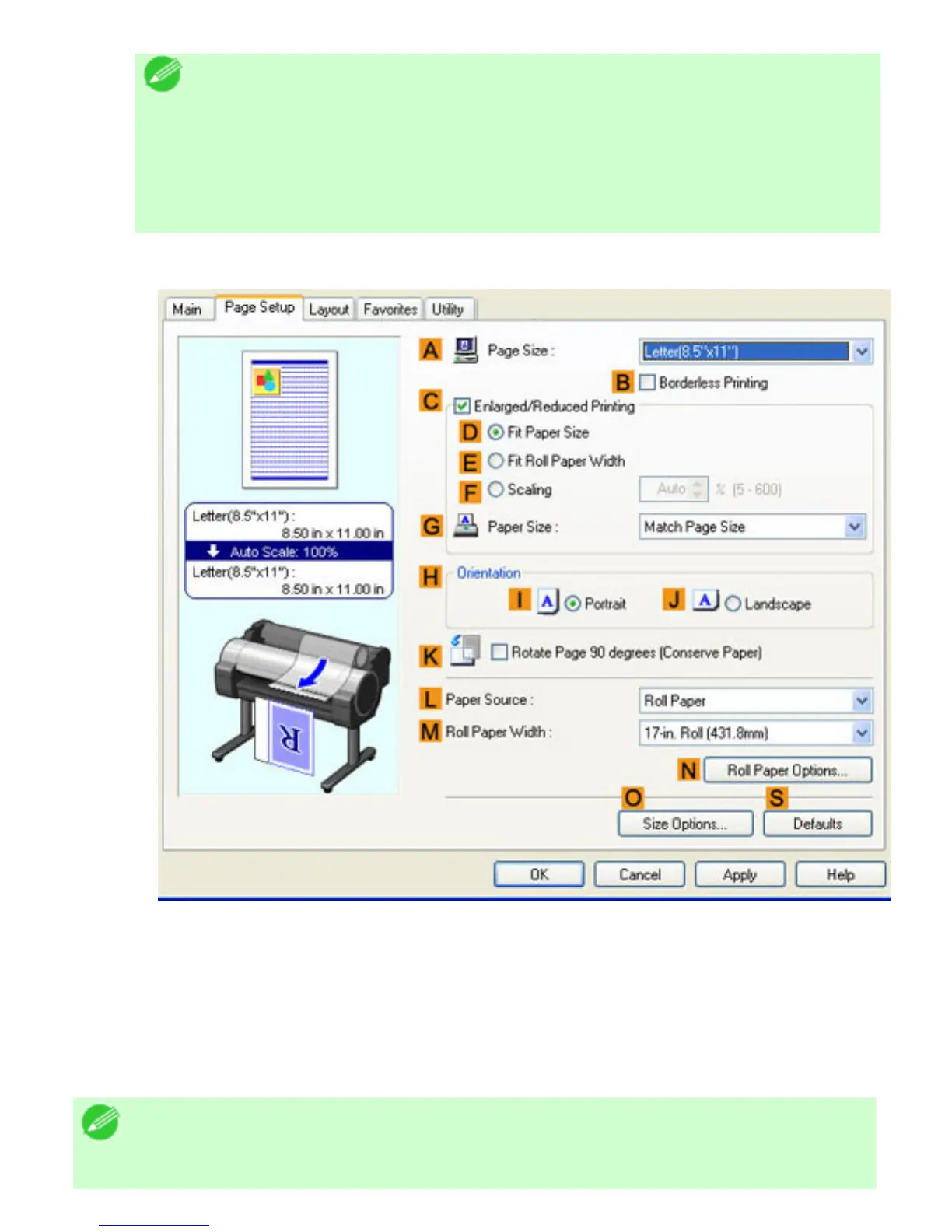
5. Click the Page Setup tab to display the Page Setup sheet.
6. In the APage Size list, select the size of the original as specified in the application.
7. In the LPaper Source list, select how paper is supplied.
8. If you have selected Roll Paper in LPaper Source, select the width of the loaded roll in
MRoll Paper Width.
Note












 To Next Page