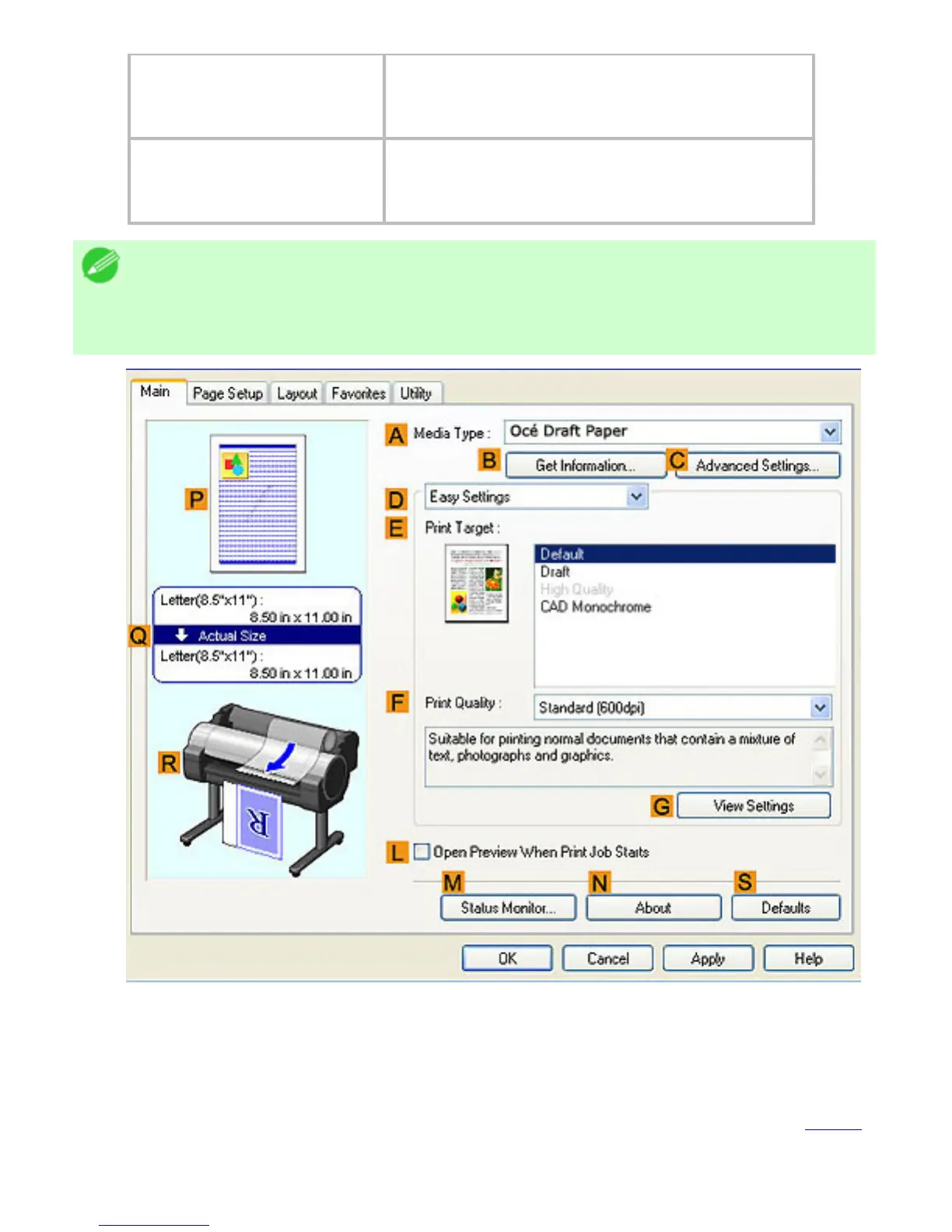
QMiddle, bordered area
The page size, paper size, and method and
percentage of enlargement or reduction are
indicated.
RBottom illustrations
Illustrations indicate the feed source,
orientation, borderless printing selection, and
other settings information.
Note
・ To confirm the Print Target specified in Easy Settings, click
GView
Settings on the Main sheet to display the View Settings dialog box.
Checking a print preview
You can check an image of the original just as it will be printed.
When you activate this feature, Preview or PageComposer is started before printing. Confirming
how documents will be printed this way helps prevent printing errors.
For details on print previews, see "Checking the Layout in a Preview Before Printing (3.11.1)"












 To Next Page