Pane displayed when the ISize tab is
clicked
Paper size details are indicated
numerically.
Pane with printer and paper
illustrations
Illustrations indicate the paper source,
orientation, borderless printing selection,
and other settings information.
Note
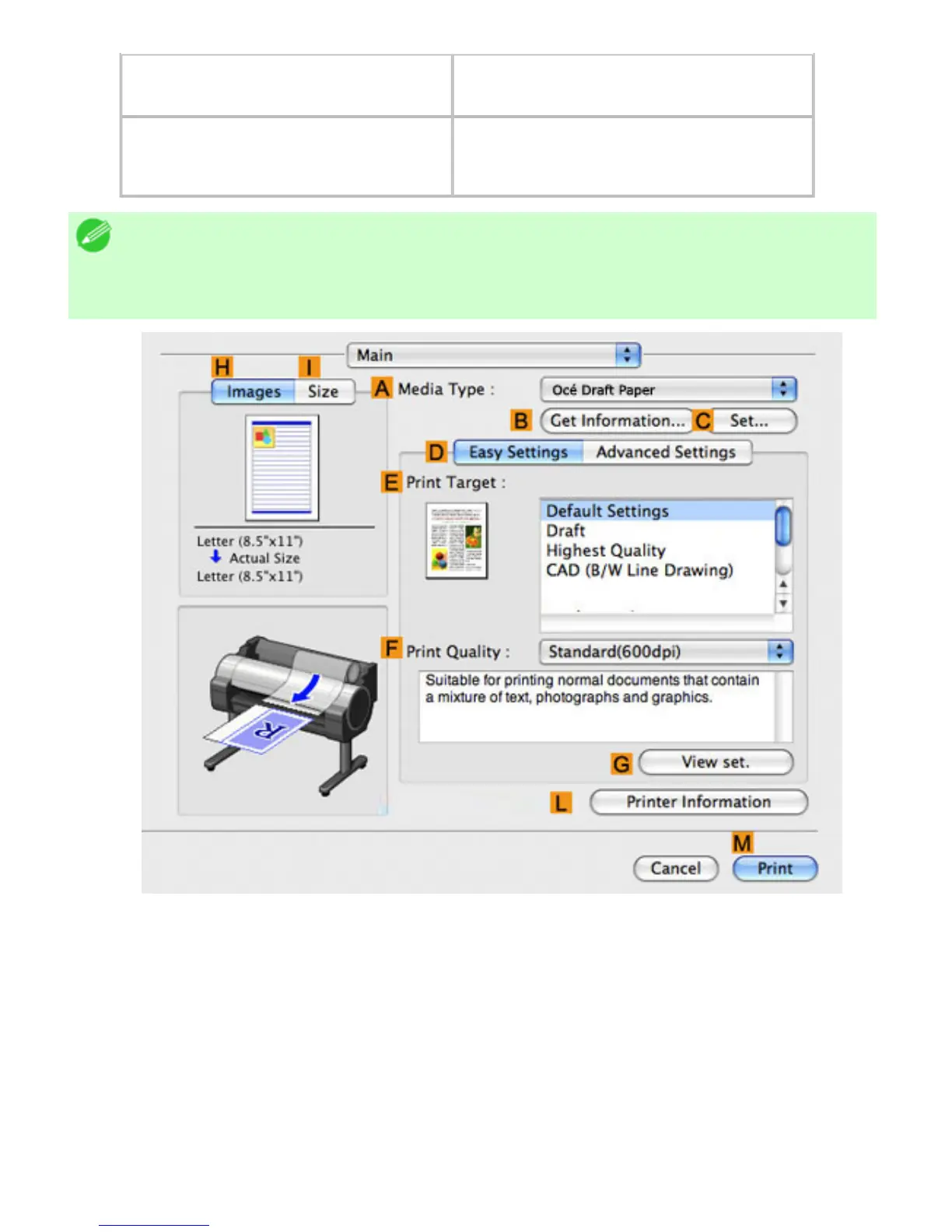
・ To confirm the Print Target specified in Easy Settings, click
GView set. on the
Main pane to display the View settings dialog box.












 To Next Page