Operation
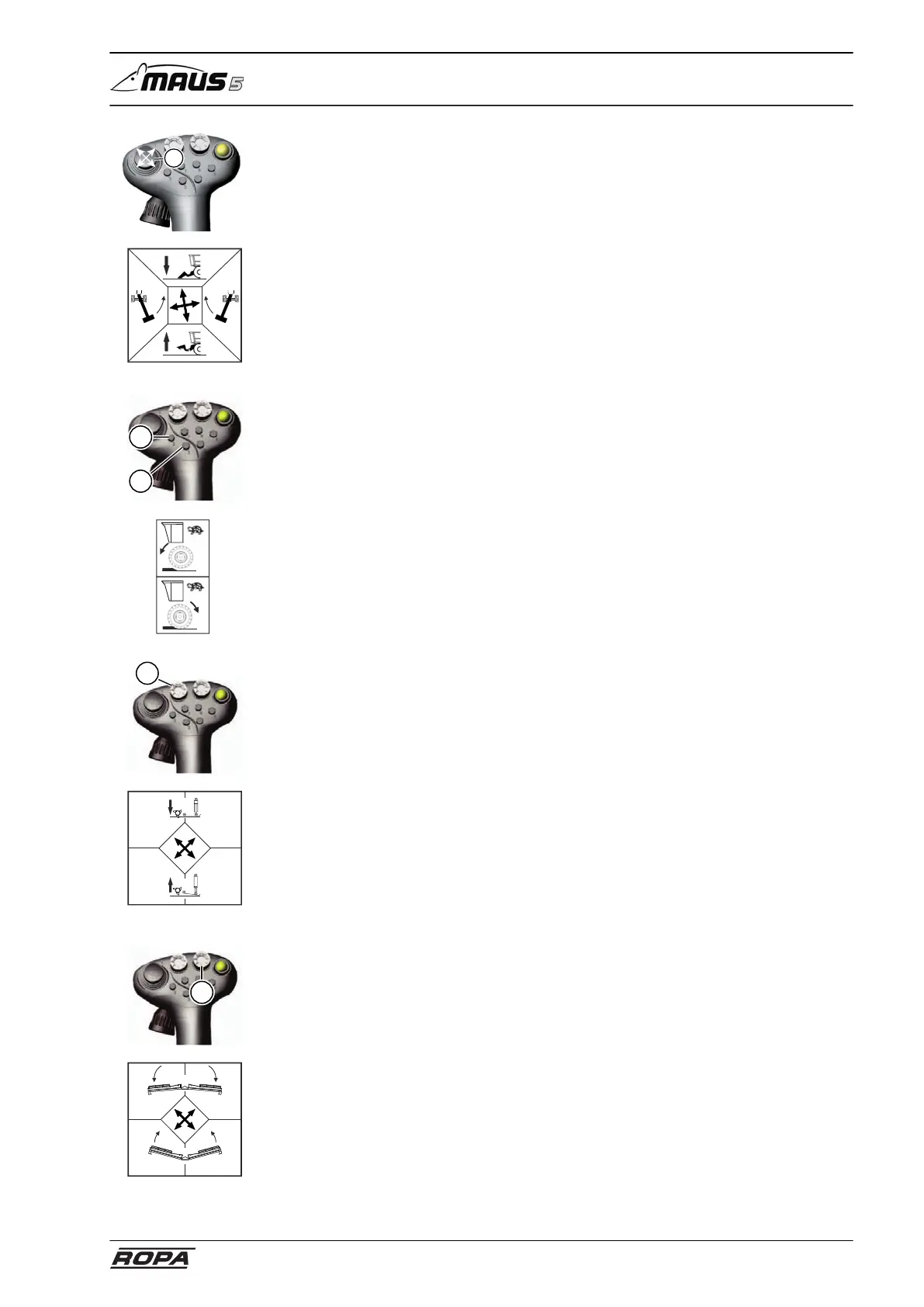
Right joystick with multi-functional handle
133 / 476
Mini joystick (1)
FORWARD Lower pickup
BACKWARD Raise pickup
RIGHT Swivel counterweight arm to the left
LEFT Swivel counterweight arm to the right
Before swiveling the counterweight arm, it must be unlocked with the R-Select and by
pressing the key +. Always swivel the counterweight arm in the opposite direction to
the truck conveyor!
3
2
Key (2) Drive train forward
Pressing this key only switches the drive train forward in "Turtle" operating mode.
Pressing this key again stops the drive train.
Key (3) Drive train backward
Press this key only to switch the drive train in reverse in "Turtle" operating mode so
long as the key is pressed. If the machine is driving forward during loading, then you
stop forward movement by pressing this key.
4
RL
L
R
X-Y button (4) Support feet
FORWARD LEFT Raise supporting foot left
FORWARD RIGHT Raise supporting foot right
Pickup rollers work deeper in the ground
REAR LEFT Lower supporting foot left
REAR RIGHT Lower supporting foot right
Pickup rollers work more shallow in the ground
5
RL
R
L
X-Y key (5) fold pickup
FORWARD LEFT Fold out pickup side section left
FORWARD RIGHT Fold out pickup side section right
REAR LEFT Fold in pickup side section left
REAR RIGHT Fold in pickup side section right
With this, you also change the relief pressure of the pickup side sections.



 To Next Page