APPEAR AS Confidential 90/352
If a monitoring port is available on the hardware you can monitor any of the demodulated DVB-S/S2 input signals,
one of the DVB-S/S2 input ports can be assigned to the output ASI monitor interface. The demodulated DVB-
S/S2 input signal will then be copied onto the monitor port for further analyzing or monitoring of the transport
stream. Normal operation will not be affected if the monitoring port is used.
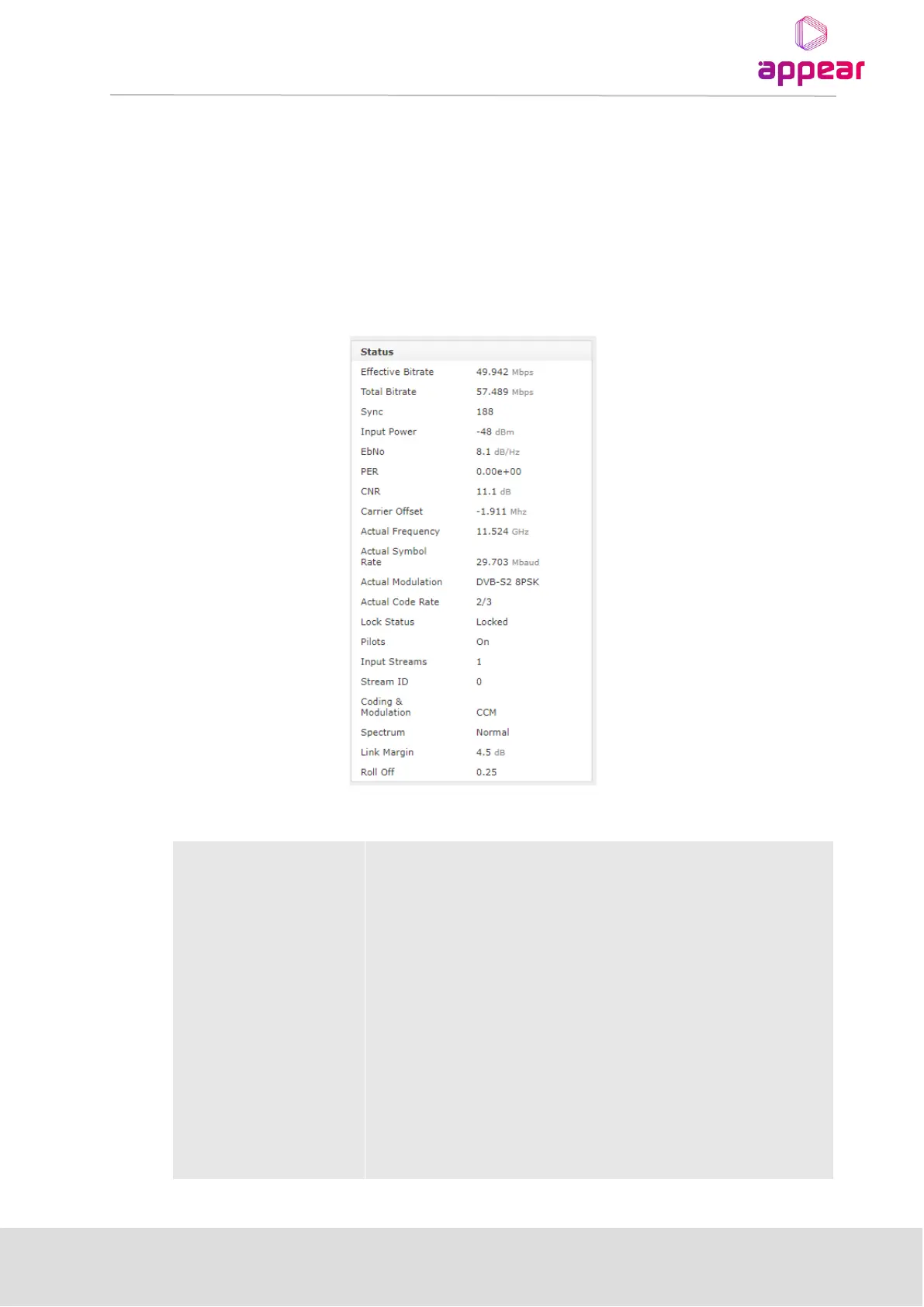
Refer to the general input analysis description at the start of this chapter to analyze the input. Click on the letter
representing the input channel (A, B, C or D) to display the status parameters for the specific input port. The
resulting display is shown in the figure below.
When clicking on an input port, the status parameters for this port are available in the right-hand status bar.
Depending on the version of the module, various parameters are displayed.
The following information is displayed:



 To Next Page