9
Operation
178/198 CCD CAM 100 – Installation and Operating Manual
9.10.4.2 Page 2 - Edge Definitions
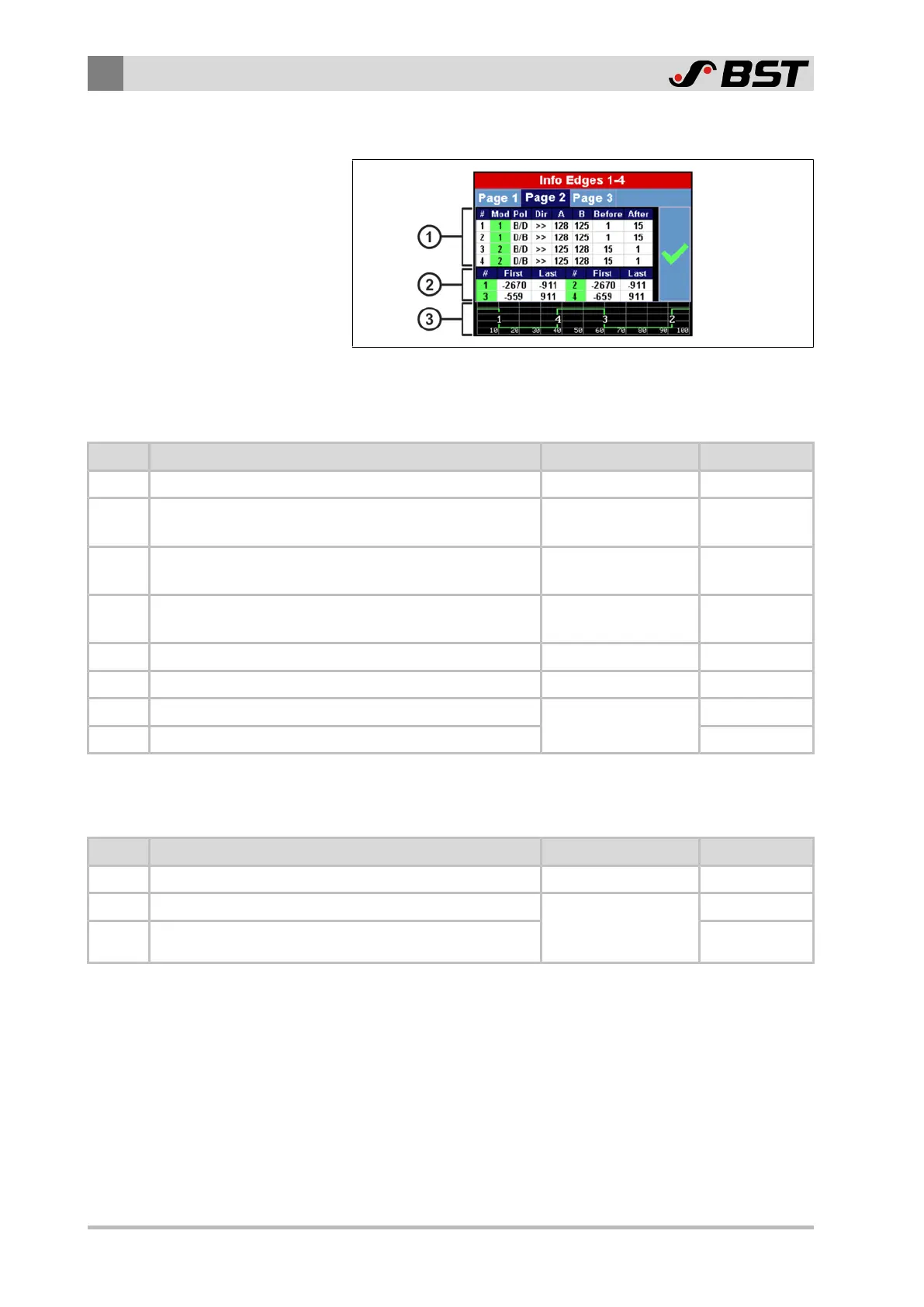
Fig.121: Page 2 of the Info Edges 1-4 menu
Area ① of the table displays information regarding the definition
of the edges.
Column Display Function Range of Values Example Value
# Edge number 1…4 1
Mod Running number of the contrast transition
depending on the
edge definition
1
Pol Polarity of the contrast transition
B/D (bright => dark)
D/B (dark => bright)
B/D
Dir Search direction for the edge detection
>> (from left to right)
<< (from right to left)
>>
A Position of the first trigger threshold 0 … 255 128
B Position of the second trigger threshold 0 … 255 125
Before Minimum width of the area before the contrast transition
depending on the
area definition
1
After Width of the area behind the contrast transition 15
Area ② of the table displays information regarding the search
areas set for the edge detection.
Column Display Function Range of Values Example Value
# Edge number 1…4 1
First Start of the search area (position of the left limit) depending on the
definition of the
search areas
-2670
Last End of the search area (position of the right limit) -911
Area ③ below the table displays the video curve with the numbers
of the edges detected.


 To Next Page
 Loading...