Commissioning
8
CCD CAM 100 – Installation and Operating Manual 89/198
8.9.4 Preparation Measures
Before starting the alignment work, you have to carry out the
following preparation work:
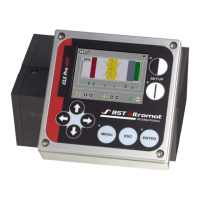
At the web guiding controller
►
Select Manual operating mode (see Setting Web Guiding
Controller to Manual Mode, page 89).
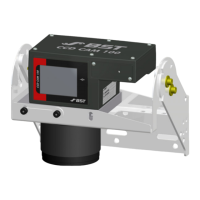
At the CCD camera
►
Loosen the locking screws of the mounting bracket and of the
zoom lens (see Loosening the Locking Screws, page 90).
8.9.4.1 Setting Web Guiding Controller to Manual Mode
WARNING
Mortal danger from guiding device movements!
During commissioning, parts of your body may be crushed, cut or
hit. Before starting with commissioning:
►
Set the operating mode Manual mode on the web guide con-
troller.
►
Make sure that no persons are in the vicinity of the pivoting/
traversing area of machine components that are positioned by
the actuator (e.g. pivoting frame guide, swivelling roller guide,
rewinder, unwinder).
►
Cordon off the work area to prevent access by unauthorised
persons.
►
Press the Manual Mode key on the web guiding controller.
The web guiding controller switches to Manual Mode.


 To Next Page