DEQX User Manual
12.2 HOW TO USE AUTOSET EQ
The Autoset EQ feature provides a calculated starting point for further manual EQ
adjustments. It will aim for “minimal disturbance” by creating narrow filters and
choosing conservative gains. If multiple plots are selected, it will only make corrections
that have the same effect on all measurements. (For example, it will not reduce a peak
if that peak is not present in all of the selected plots.)
To use it, first select the plots that you want the EQ to be calculated against. Then click
the Autoset EQ button. The options for Autoset EQ are as shown at right below. (The
greyed-out option “Only EQ common response” is always on.)
Min Freq, Max Freq
Set the minimum and maximum frequencies
that Autoset EQ will assign to filter bands.
Number of bands
Sets the number of filter bands that you want
Autoset EQ to use. This can be up to ten, but
if greater than seven, Preference EQ (as
described on pages 34 to 37) will be disabled.
Maximum Boost, Maximum Cut
Set the maximum boost and cut that Autoset
EQ will assign to any filter. As a general rule,
avoid using more than 6 dB of boost.
EQ style
“Parametric” sets each filter band at the location where maximum cut or boost is
needed whereas “Graphic” equally spaces the filter bands. “Parametric” is usually
the best choice.
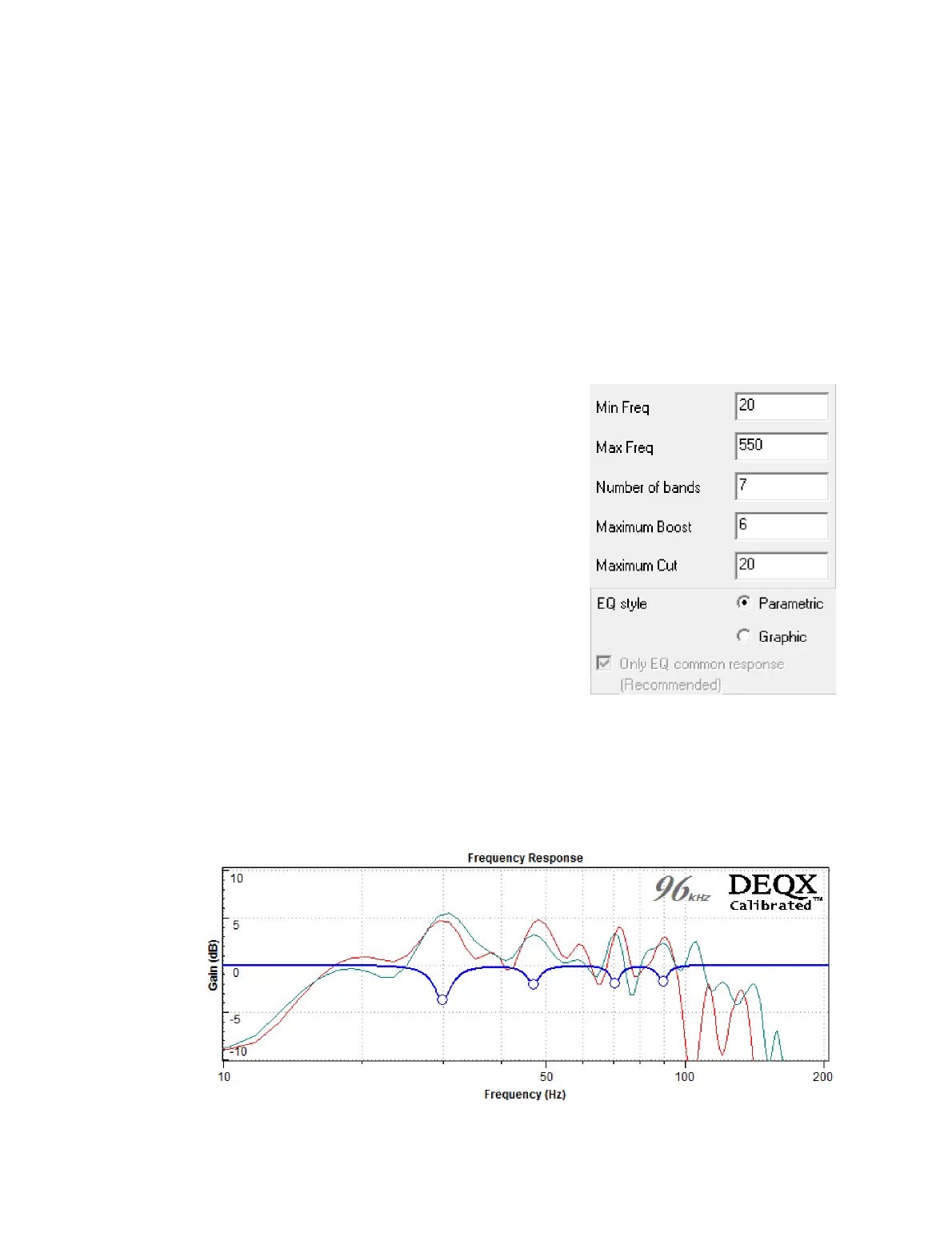
This example illustrates the effect of Autoset EQ on stereo subwoofers. This curve can
now be fine-tuned using manual EQ:



 To Next Page