DEQX User Manual
14.2 MULTI-AMP STEREO CONFIGURATIONS
Two DEQX units can be used to create an active speaker of up to 5-way, or 4-way with
mono or stereo subwoofers.
The master must be an HDP-4 or HDP-5 (these two
models are the only ones with a Digital Thru output). The slave can be a PreMATE,
HDP-Express II, or HDP-4. (Legacy models may also work as slaves – contact DEQX
Support if needed.)
Table 4 lists a comprehensive set of usable configurations. (It is assumed here that the
tweeter is handled by the master and the lowest frequency driver by the slave. The roles
can be reversed if desired.)
Figure 9 illustrates the connections for a “4-way with mono sub” configuration.
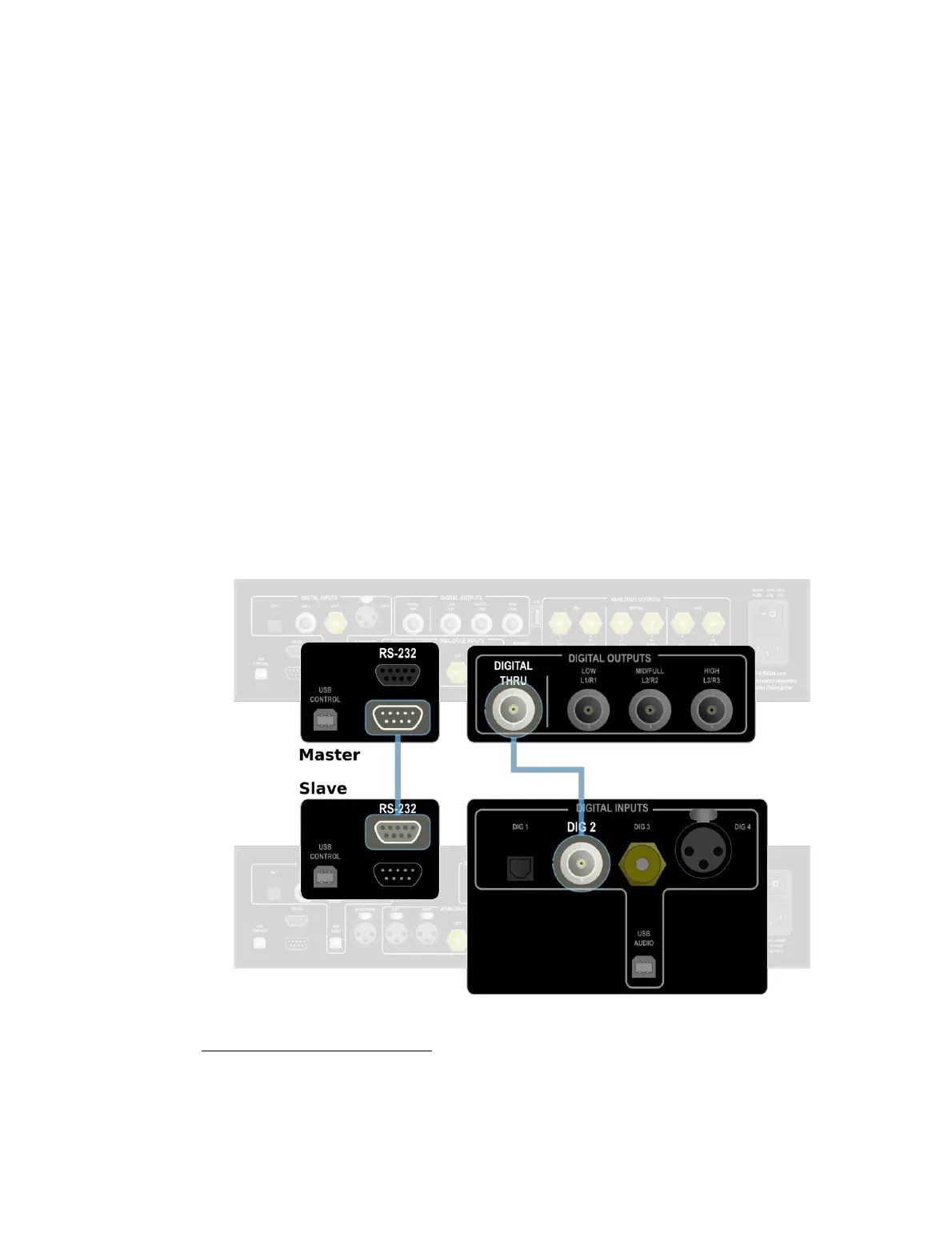
Connecting the master and slave units is straightforward. The RS-232 output of the
master is connected to the RS-232 input of the slave. In addition, the Digital Thru
output of the master is connected to the Digital 2 input of the slave. See Figure 8.
To configure the slave unit in DEQX-Cal, open the Options dialog (from the Tools menu)
and disable the front panel buttons and remote control. In the IO Manager, select
Digital 2 as the input source.
A 6-way speaker (or 5-way plus subs) is usually not practical, because of limitations in how low
the mid-high crossover on the “lower” unit can be set.
Figure 8. Connections between master and slave DEQX units



 To Next Page