Chapter 14. Using Multiple DEQX Units
When measuring, calibrating, and configuring the two DEQX units, it is easiest to use a
single project for both units. It is not possible to connect both DEQX units to the
computer at the same time, so simply reconnect the USB cable to the unit being
worked on. (If you choose to use multiple projects, create both first and then load them
both into DEQX-Cal with “Insert Project...” – see page 149.)
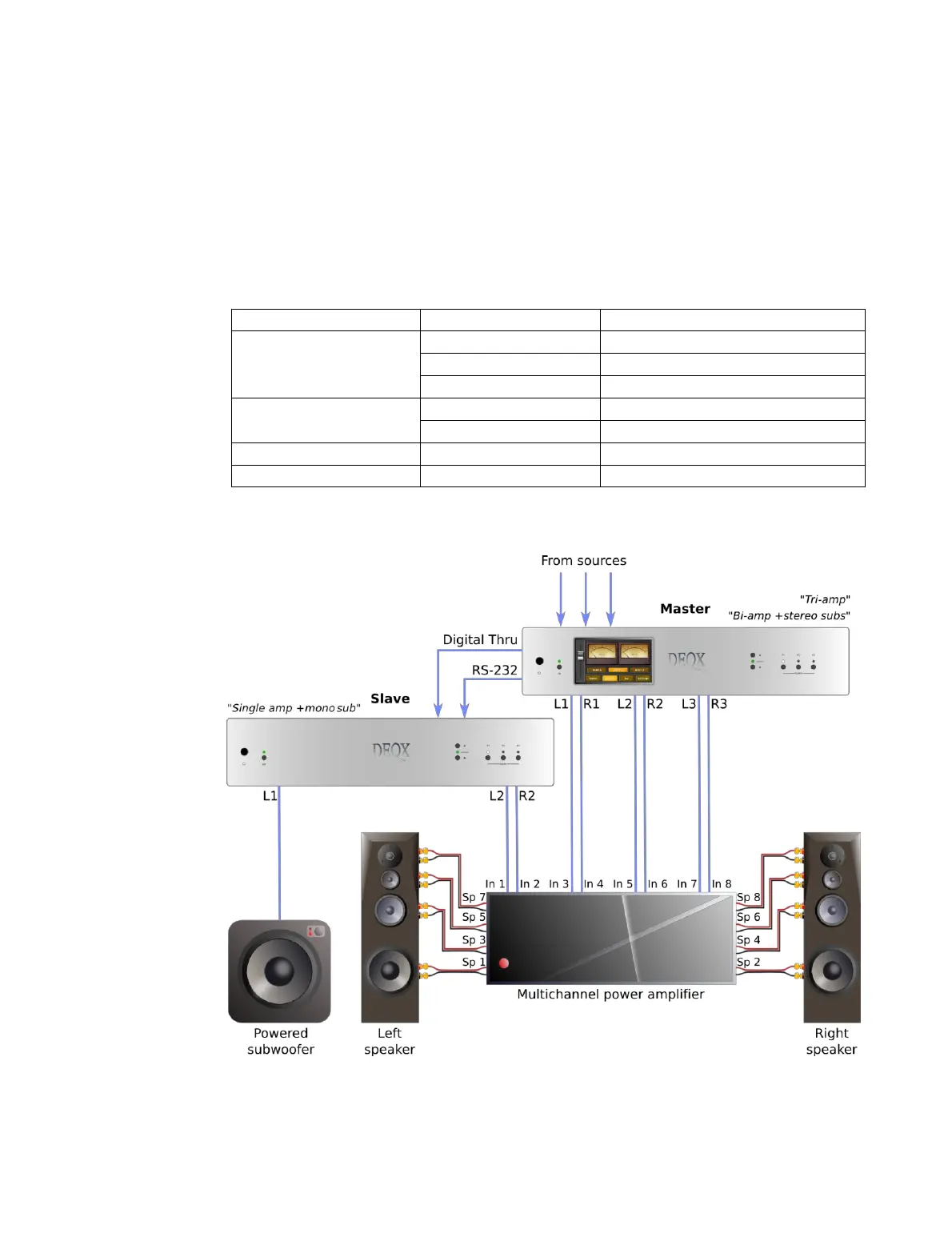
Table 4. Multi-amp active configurations with two DEQX units
*1 Speaker outputs disabled in the slave unit.
*2 Subwoofer outputs disabled in the master unit.
Single amp + mono/stereo sub/s
1
Single amp + mono/stereo sub/s
1
Single amp + mono/stereo sub/s
Single amp + stereo subs
1
Single amp + mono/stereo sub/s
Figure 9. Multi-way active speaker with master and slave DEQX



 To Next Page