DEQX User Manual
5.2.3 The Control Panel and IO Manager
The Control Panel is the real time control interface to the
DEQX. It is one of the windows in the main display area. To
open the control panel, click the DEQX Control Panel
button in the Wizard toolbar, or select it from the Tools
menu.
The Control Panel manages the “live” parameters of the DEQX, such as master volume,
profile selection, input selection, output channel level and delay, and room EQ for each
profile. (Some of these functions are also accessible from the DEQX Remote.)
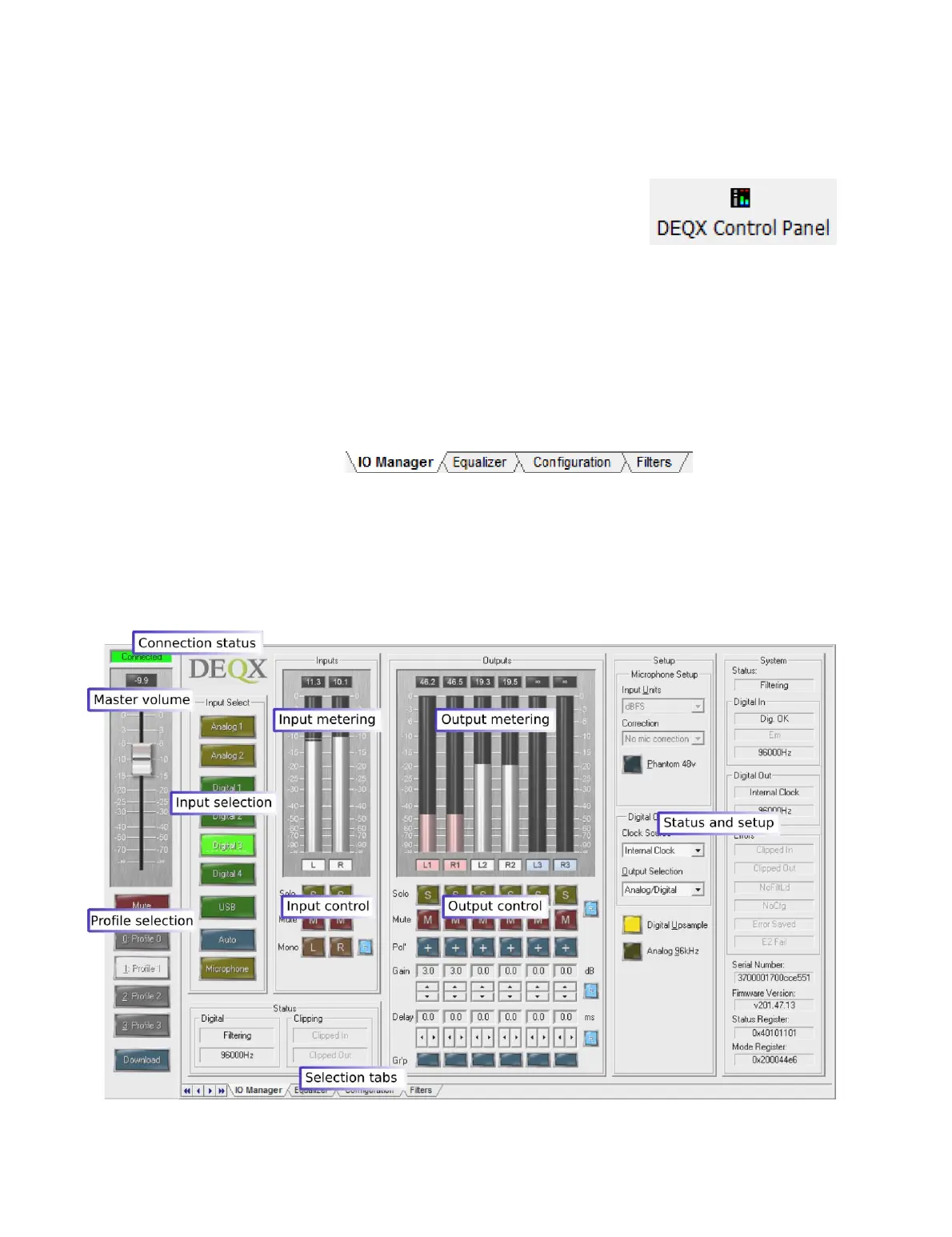
The screenshot below illustrates the main areas of the Control Panel. Other than the
leftmost master volume and profile selection strip, the display changes according to the
selected tab at the bottom.
The screenshot below is also annotated with the major areas of the IO Manager tab,
which is displayed by default and is the tab most commonly viewed. More detail on the
Control Panel and the IO Manager is provided in Chapter 15.



 To Next Page