DEQX User Manual
7.2 SET THE IMPULSE RESPONSE TIME WINDOW
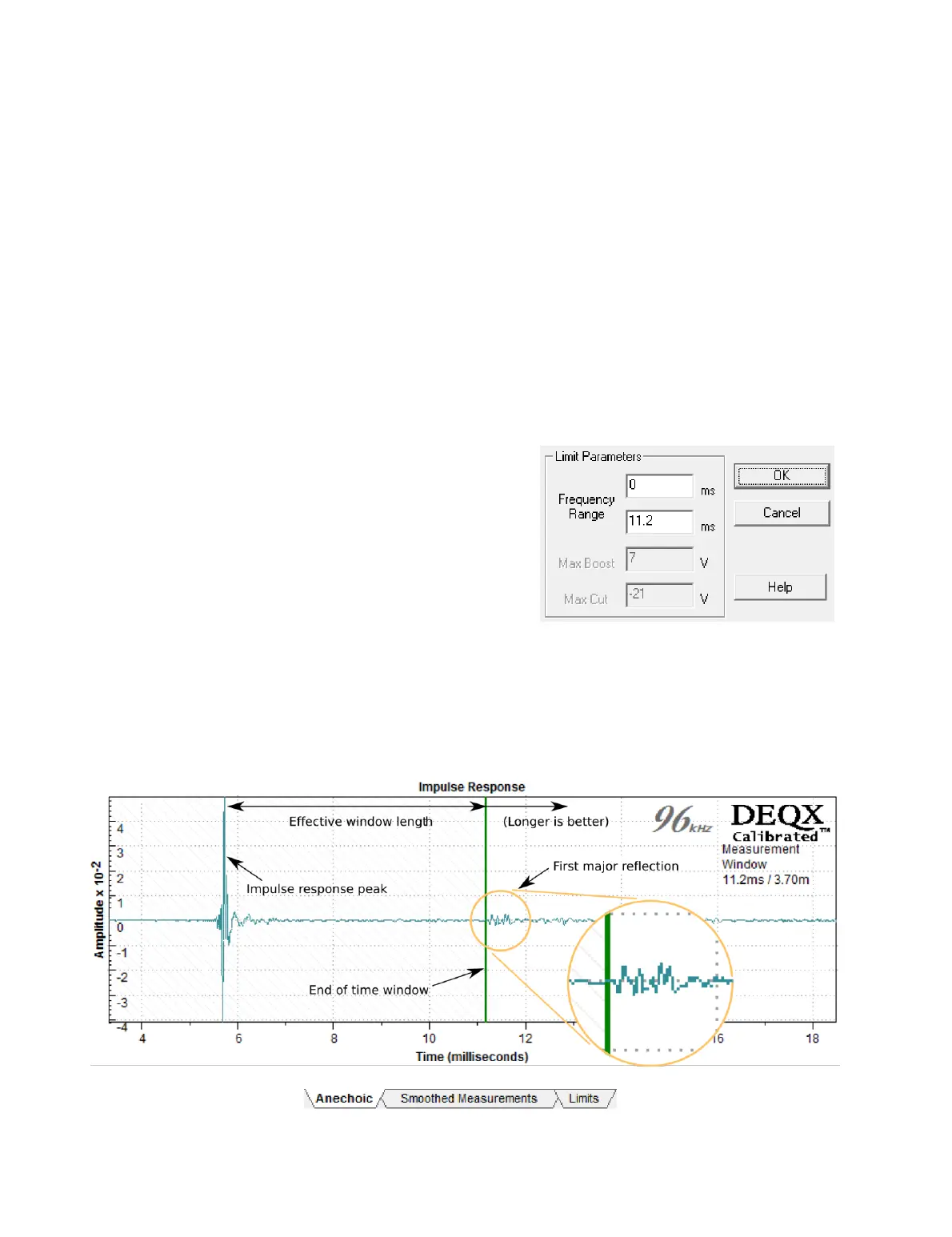
Screen 1 / Anechoic tab. This tab shows the measured time domain impulse response of
the speaker and the room. It is used to set a time “window” on the impulse response to
exclude room reflections, thus obtaining the anechoic response of the speaker alone.
The time window is shown as a shaded area to the left side of the plot, with a vertical
green bar marking its end (see the example below). When the calibration template
opens, the end of the window is set automatically based on the distance parameters
entered when the measurement was taken (page 47). To adjust it manually, click on and
drag the vertical green bar. Ideally, it should be positioned just before the first major
reflection, as shown below. (You may find this easier if you zoom in on the plot using
the “+” zoom icon in the toolbar.) A high quality measurement will have no significant
reflections before the first major room-related reflection.
You can also set the end of the time window
by double-clicking on the vertical bar to
open the dialog box shown at right. Change
only the higher limit (the lower text box) and
leave the lower limit (the upper text box) set
at 𝟢. (Ignore the Max Boost and Max Cut
parameters, as they cannot be set here.)
The effective length of the time window is the time difference between the impulse
response peak and the vertical bar. In the example below, the impulse response peak
occurs at 5.7 ms and the bar is set at 11.2 ms. Therefore, the effective window length is
(11.2 – 5.7) = 5.5 ms. The effective window length determines the frequency resolution
and thus the lowest correction frequency, as given by Table 3 on page 58.



 To Next Page