Chapter 11. Subwoofer Integration
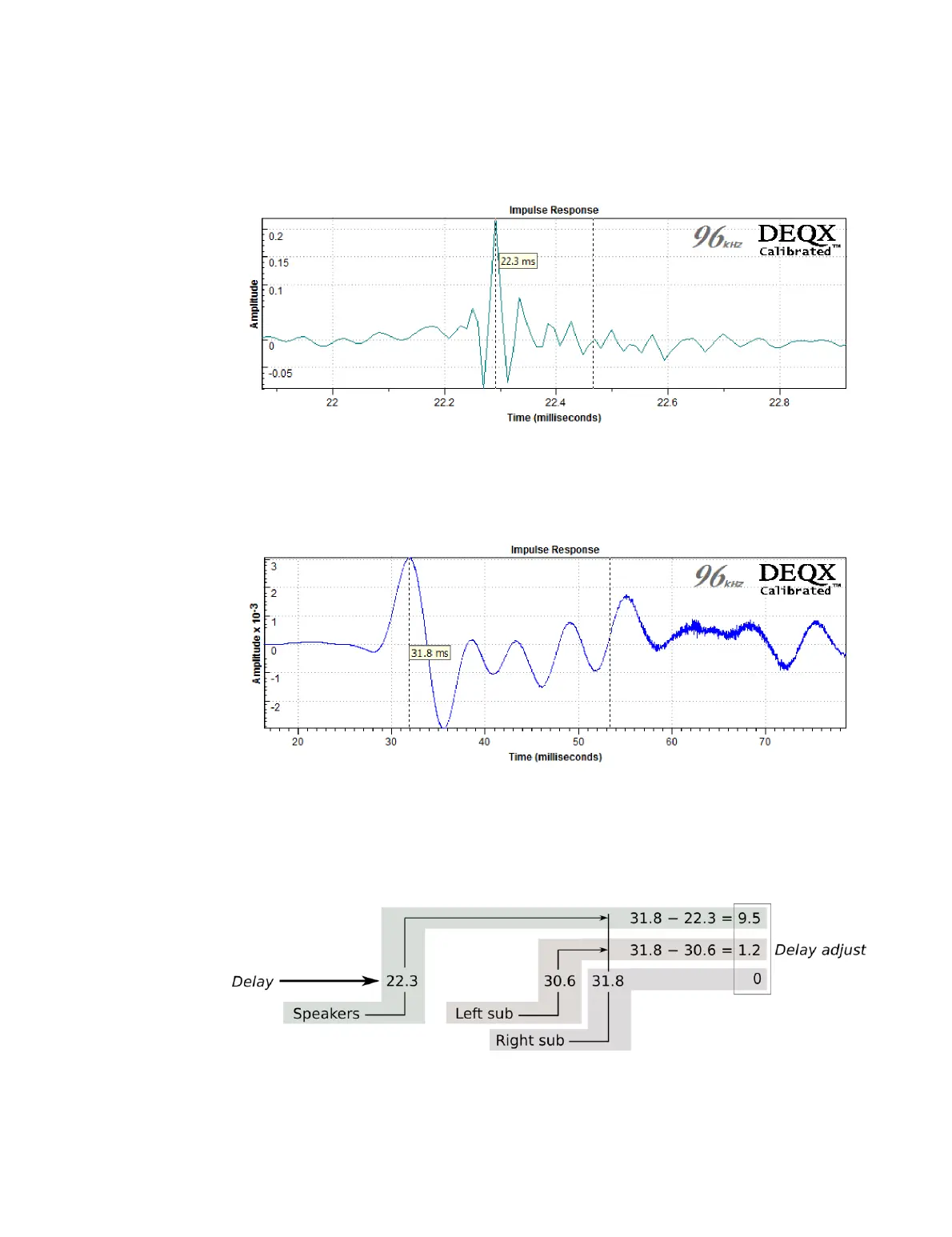
Right-click on the plot and select “Markers” then “Vertical.” Place one of the markers at
the impulse response peak. In this example, the delay of the speaker is 22.3 ms:
11.3.2 Determine subwoofer delay
Open the measurement of each subwoofer as described above, and click the Time
button to display its impulse response. Use a vertical marker to find the time delay of
the first peak. In this example, the delay of the subwoofer is 31.8 ms:
11.3.3 Calculate relative delays
The delay to be added to the speakers or to each subwoofer is given by this formula:
delay_adjustment = longest_delay – this_delay
This diagram illustrates for the above time delay values:
Note that both speakers should always have the same delay adjustment.



 To Next Page