DEQX User Manual
10.6 TO OPEN EXISTING ROOM MEASUREMENTS
There are three ways to open existing room measurements:
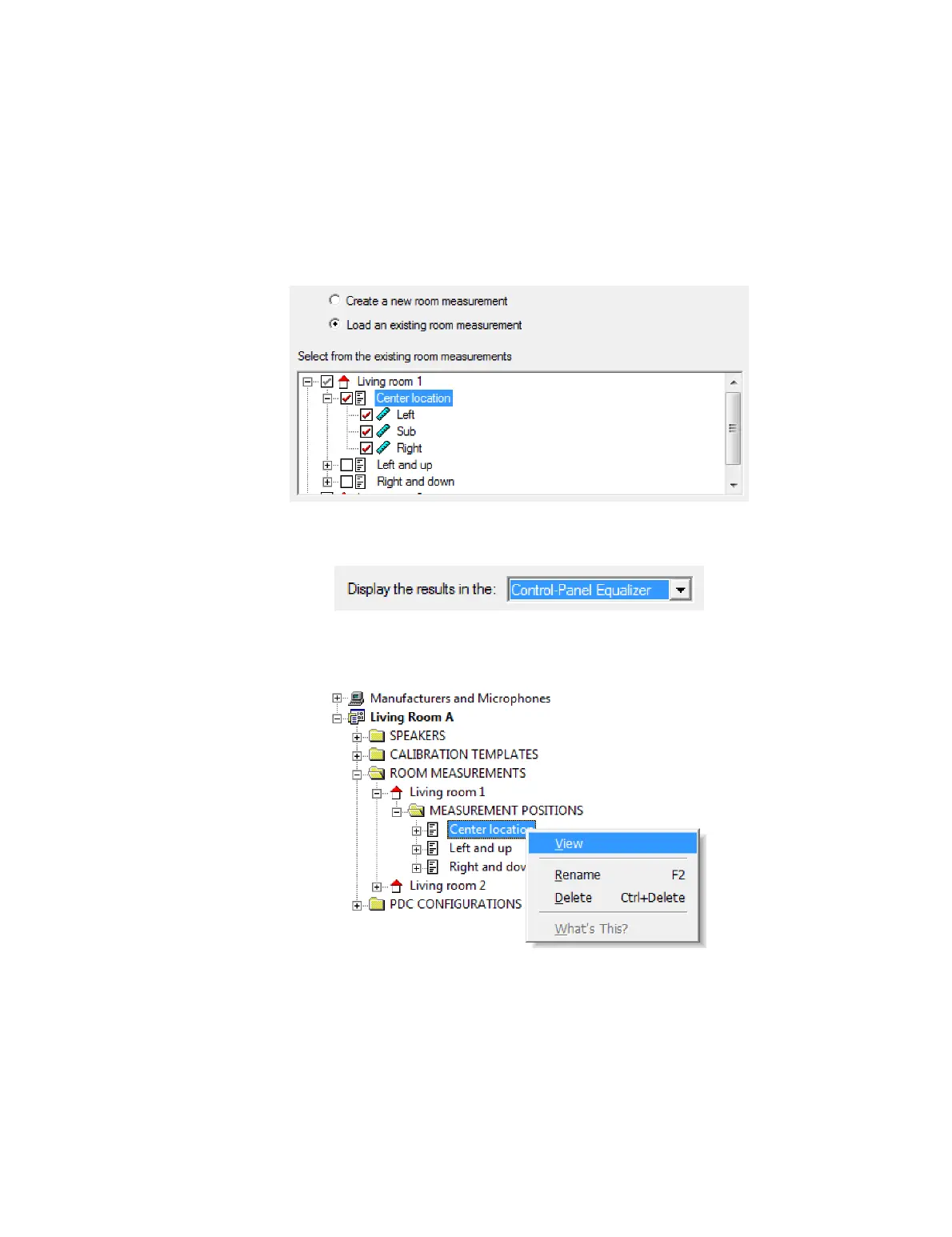
1. Using the room measurement wizard. Click the Measure Room button and on
Screen 2, select the option “Load an existing room measurement.” In the pane
underneath, select the measurement or measurements to open.
On Screen 3, select the data viewer in which to open the selected measurements.
By default, this is the Equalizer tab of the Control Panel:
2. From the project explorer. Unfold the ROOM MEASUREMENTS folder, navigate to
the measurement position that you wish to open, right-click and select “View” from
the popup menu:
You can also unfold a measurement position and open single room measurements
from within it. (See page 103 for an example.)
3. With drag and drop. Unfold the project as above, then drag a measurement from
the project explorer and drop it onto an open data viewer or onto the Equalizer tab
of the IO Manager. (You may need to bring the desired data viewer to the front by
selecting it from the Window menu before you do this.)



 To Next Page