DEQX User Manual
Use a crossover filter for this loudspeaker only
This option is available only in the bi-amp and tri-amp speaker configuration
modes. See page 122.
Bypass correction for this loudspeaker, but still use limit filters
The speaker output is enabled but no correction will be applied to it. You can still
set limit filters (high pass and low pass filters) on the Limits Filters tab.
Disable the processor outputs for this loudspeaker
This is the default setting. The corresponding speaker output is disabled.
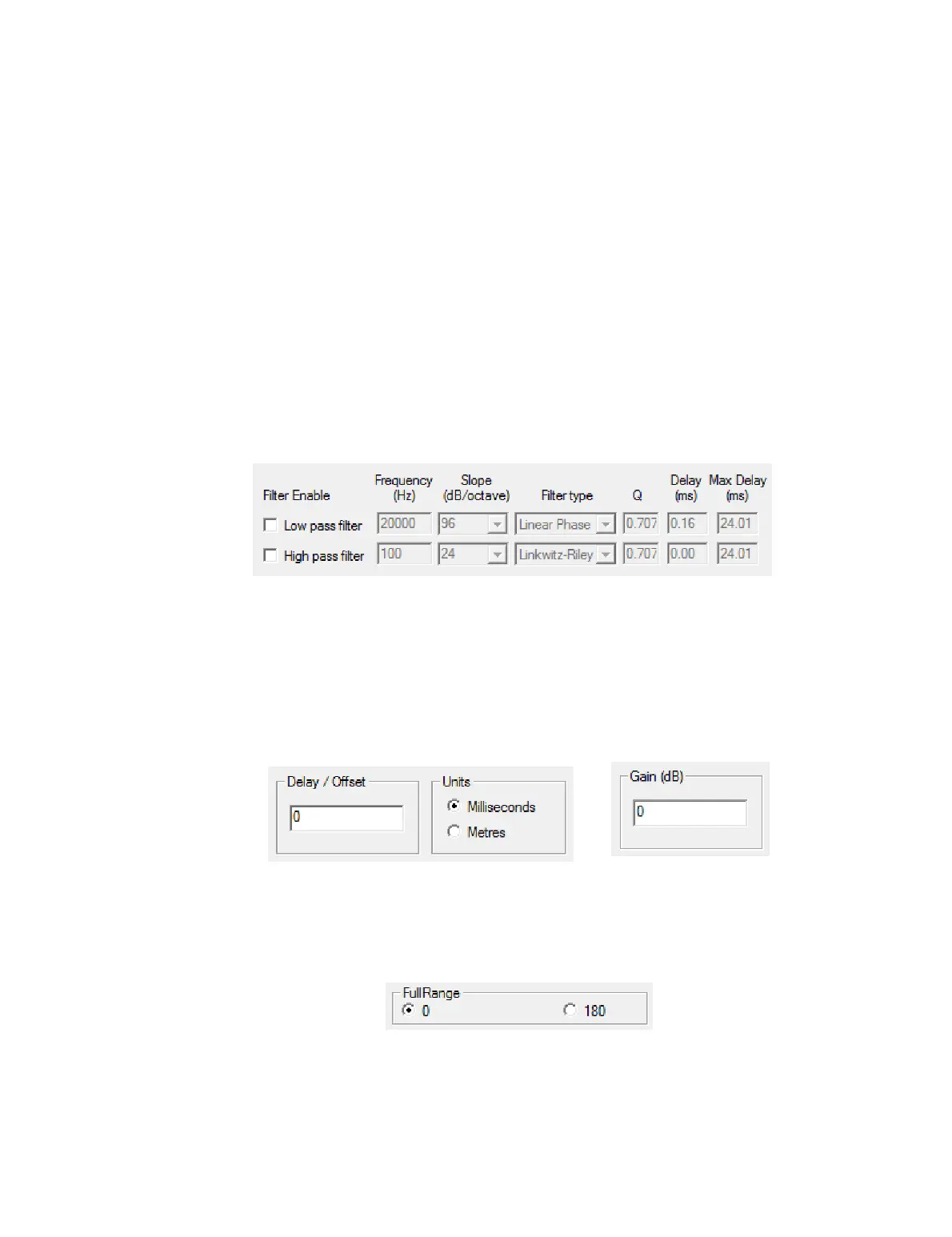
9.4.2 Limit Filters tab
This tab sets the limit filter parameters. There are two filters: low pass (aka high cut)
and high pass (aka low cut). By default, both filters are disabled.
See page 77 for information on how to use limits filters for a subwoofer crossover, and
pages 118 and 119 for information on how to use limit filters for the woofer-mid
crossover in a three-way active speaker.
9.4.3 Time/Level tab
This tab is used to set a delay on the speaker (or subwoofer) and to adjust its level. It is
typically used for subwoofer integration (Chapter 11).
9.4.4 Advanced tab
In single-amp mode, this tab can be used to invert the polarity of the speaker (or
subwoofer). In some cases, this can help with subwoofer integration. It can also be used
to correct for absolute phase with some types of amplification.
In bi-amp and tri-amp modes, this tab contains additional options – see page 124.



 To Next Page