Chapter 12. Room EQ
12.3 FINE-TUNE YOUR RESULTS
The EQ control points on the Equalizer tab are “live” – that is, the effect on the audio
will be heard immediately as they are changed. Once you have set up an initial EQ
curve, play music (or movies) through the DEQX and adjust the control points to obtain
the best audible result. Small changes can make quite a difference, so listen to a variety
of different tracks.
If you are using subwoofers, you can also use the Gain adjustment buttons in the IO
Manager (pages 132 and 133) to increase or decrease the level on channels L1 and R1.
For example, after addressing room modes you may find that bass sounds “lighter” than
expected, so increasing subwoofer level by 2–3 dB can correct this impression. (Once
you have found the best setting in the IO Manager, you will write that back into the
configuration – see step 5 on the next page.)
Remember also that the DEQX Preference EQ has not yet been harnessed. Even if you
like a lot of bass, it is best to find a neutral bass level here. Later on, set up your
Preference EQ as described on pages 34 to 37.
You can also do additional room measurements to verify the
effect of your EQ settings. The procedure is the same as
described in Chapter 10, except that you must enable the
“Include parametric filters” option on Screen 3.
Check that your EQ curve is not inverted before running the measurement. Also make
sure that you have reset the Preference EQ with the DEQX Remote (page 37).
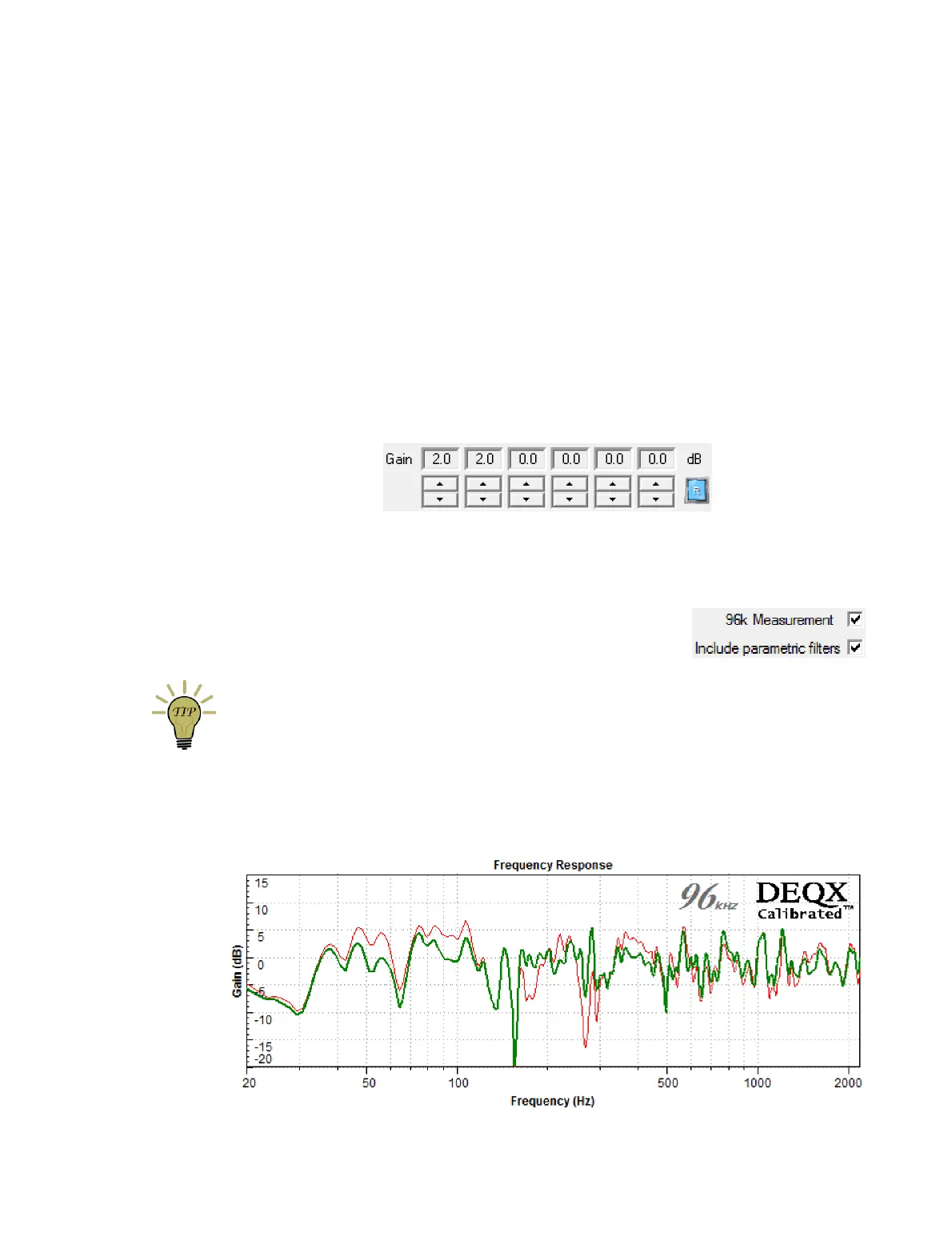
The new measurement can be compared to the original. While (as mentioned on
page 81) room measurements will always look “rough,” you can see in the example
below how room EQ has mitigated the worst effects of the room – “before” is in red and
“after” in green. (Remember also that this is just one of two speakers.)



 To Next Page