DEQX User Manual
12.4 UPDATE THE CONFIGURATION
With room EQ and levels adjusted to your satisfaction, these new settings need to be
copied to the configuration and saved.
1. Open the configuration if it is not already open (page 80).
2. In the configuration window, select the same profile that you
have been applying EQ to.
3. Click the Read EQ from DEQX button:
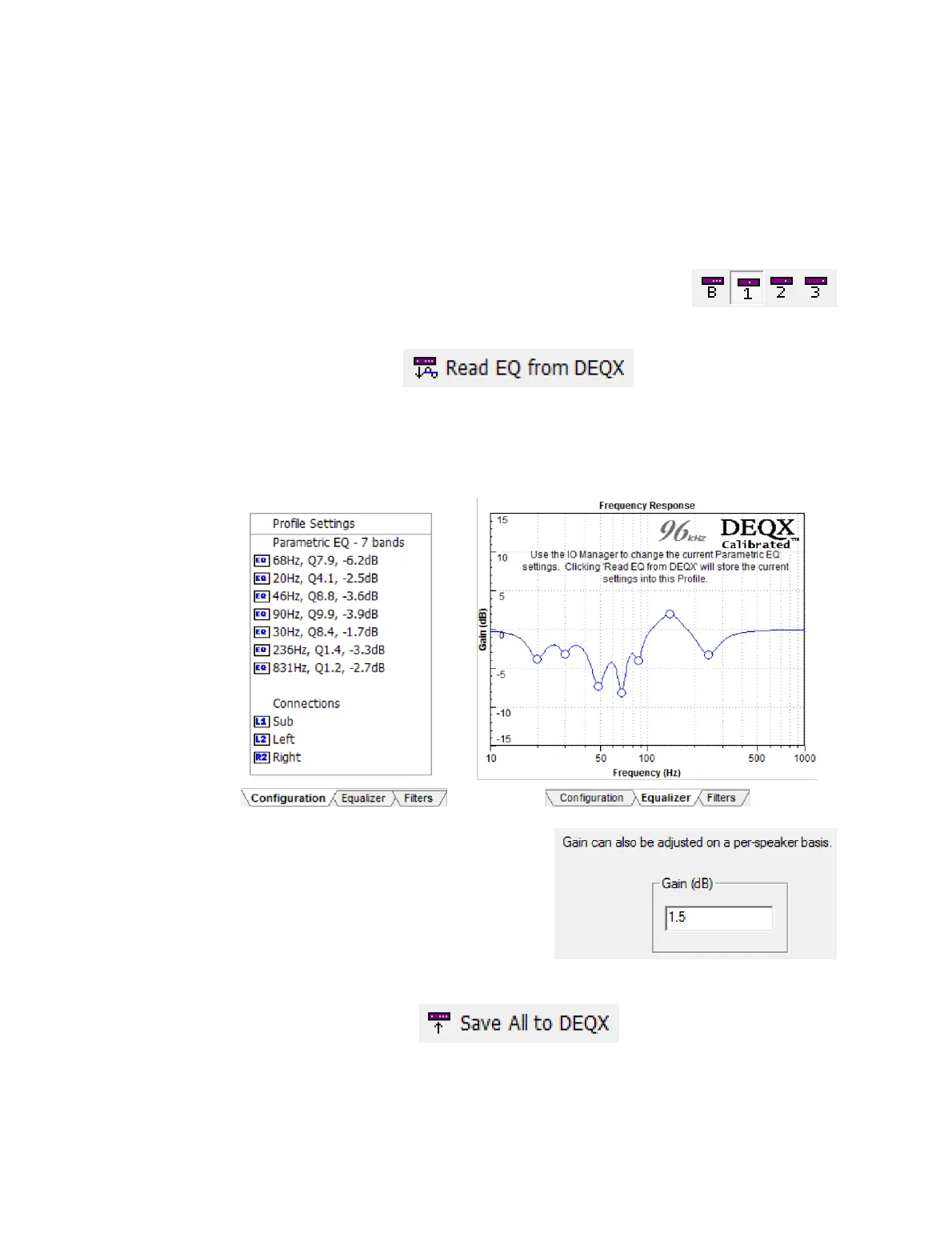
4. The EQ points for all four profiles will be downloaded from the DEQX. On the
Configuration tab, the parameters of the EQ filter bands will be shown numerically
(below left). On the Equalizer tab, the EQ filters will be shown graphically (below
right).
5. If you have changed subwoofer channel
levels in the IO Manager, adjust gain in the
Filter Properties dialog box of each
subwoofer by the same amount. After
doing this, return to the IO Manager and
reset the channel gains back to zero.
6. Click Save All to DEQX to upload the updated configuration to the DEQX.
7. Save the project.



 To Next Page