12 ROOM EQ
The DEQX uses parametric equalization (EQ) to correct for the effects of the room.
Room EQ can be applied anywhere in the frequency range, but is typically most
effective in the modal region (below 200 to 300 Hz, depending on the room).
Room EQ starts based on room measurements, but these measurements are only a
guide. Always confirm your EQ settings by listening to a variety of music and making
further adjustments as needed. You will never get a “perfect” room measurement.
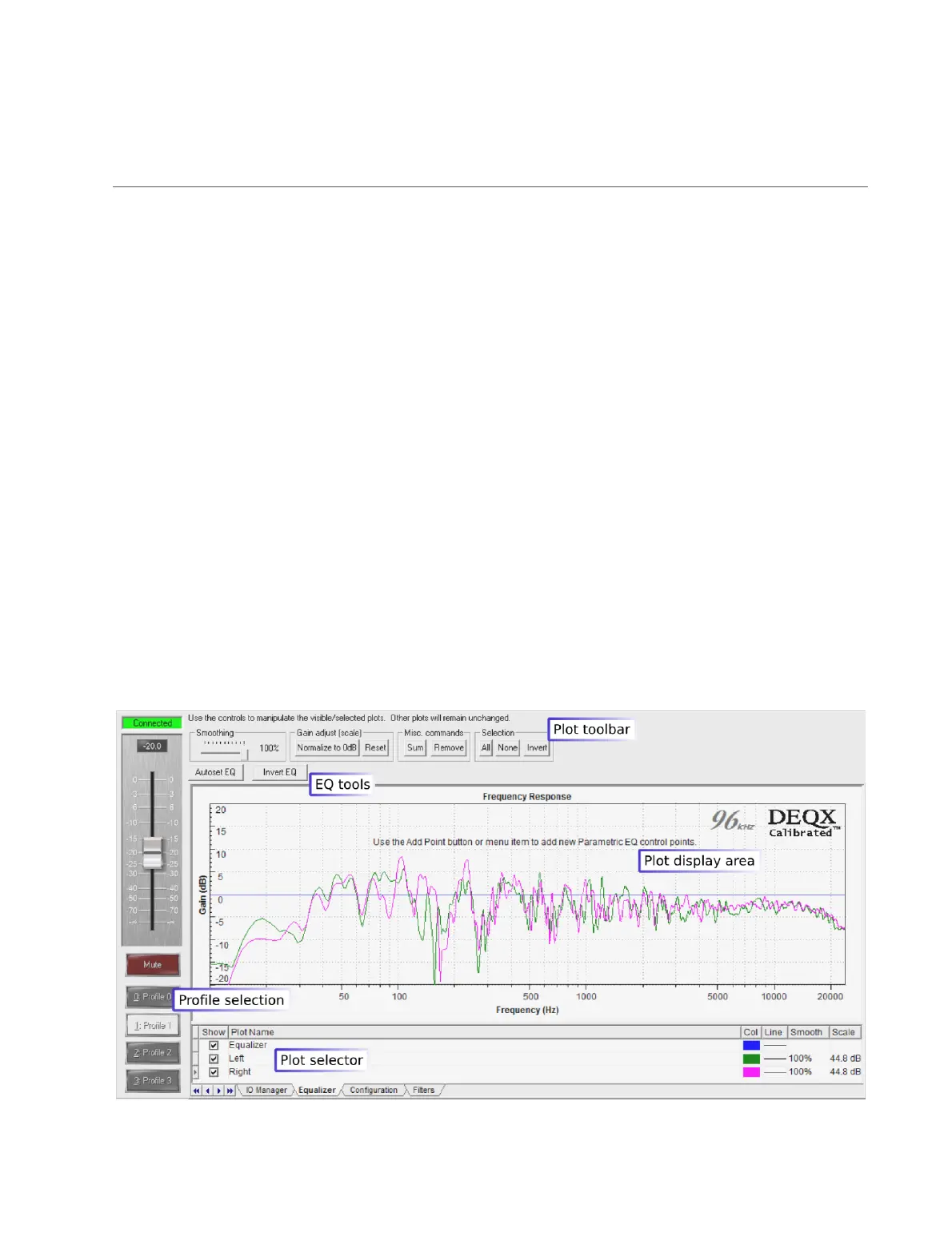
Room EQ is done in the Equalizer tab of the Control Panel – see the annotated
screenshot below. This is a customized version of the data viewer that adds two buttons
for EQ control, Autoset EQ and Invert EQ. There is also a plot for the equalization
curve, named “Equalizer” and displayed in blue (by default).
Room EQ is done per-profile, so use the Profile buttons to select the same profile that
you used when making this room measurement (“Profile Selection” on page 84). In the
example screenshot below, Profile 1 is selected.



 To Next Page