DEQX User Manual
5.2.1 The DEQX-Cal user interface
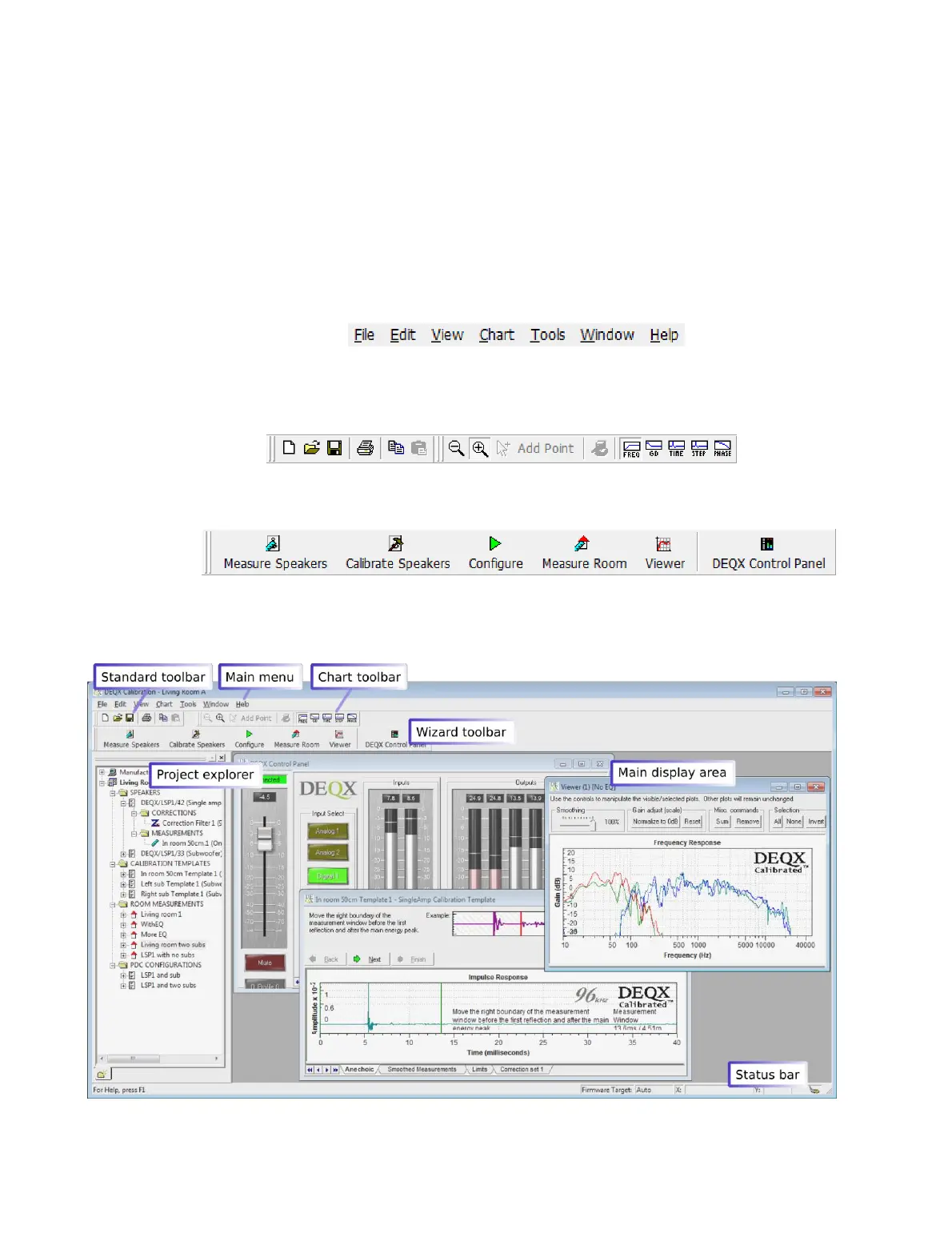
The major areas of the DEQX-Cal user interface are shown in the annotated screenshot
at the bottom of this page. The menus and toolbars shown here and in the rest of this
manual are the defaults but can be customized if desired (see Chapter 18).
The main menu bar contains menus for managing projects, windows and wizards, and
for configuring DEQX-Cal:
The standard toolbar contains buttons for creating, opening and saving a project. The
chart toolbar to its right contains buttons that are used to manipulate measurement
plots – these are described in Chapter 16.
The wizard toolbar contains buttons that start the various wizards used to perform key
functions in DEQX-Cal. The wizards are described in following chapters.
The status bar at the bottom of the window contains context-aware information, such
as the current location of the cursor on a plot and the status of the DEQX connection.



 To Next Page