DEQX User Manual
15.1.4 Setup
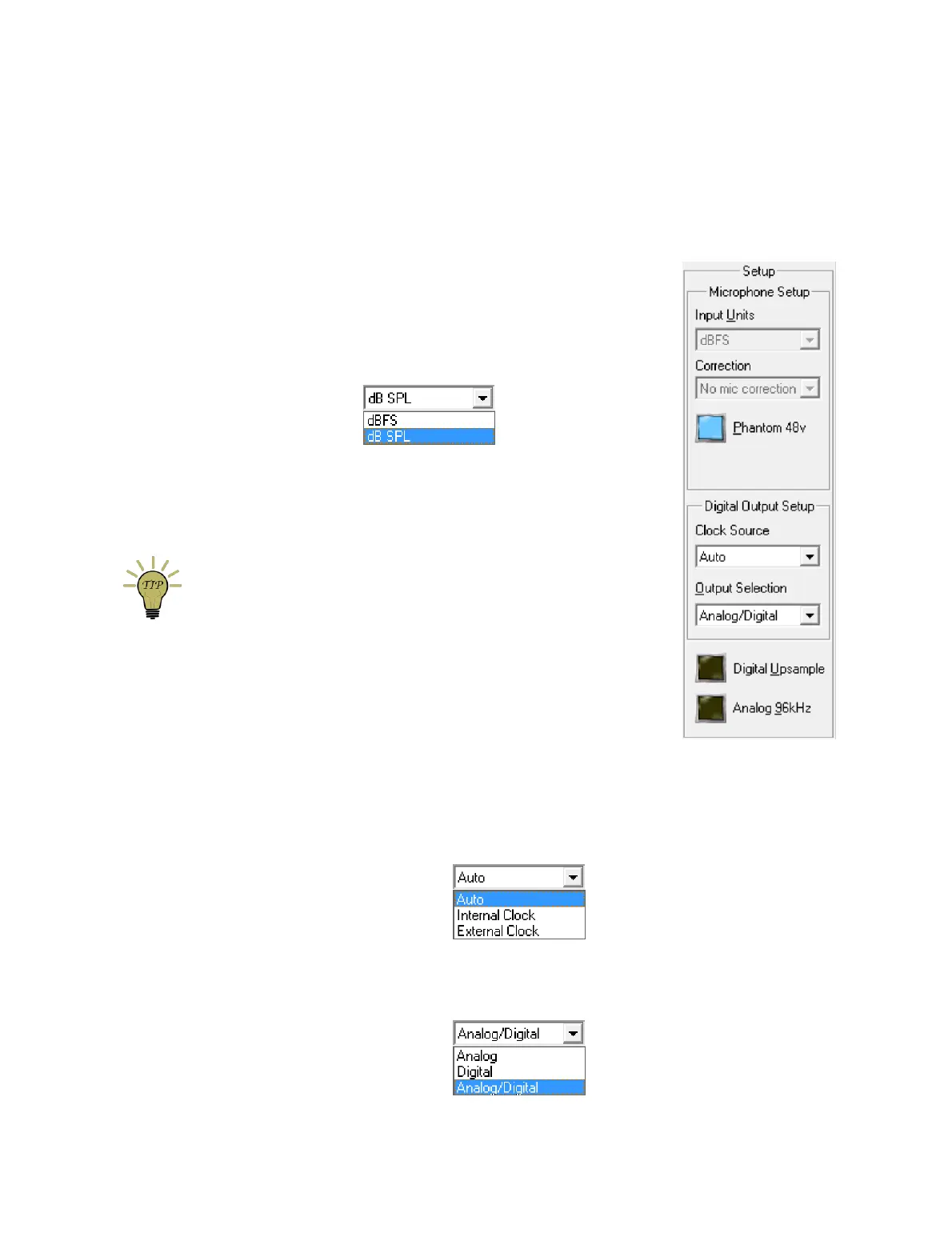
Microphone Setup
The Microphone must be selected as the input source to change these settings.
Input Units
If dBFS is selected, the input meter will display the
microphone input volume relative to a full scale signal (in
the same manner as for other inputs). If dB SPL is
selected, the input meter will display the actual sound
pressure level (SPL) measured by the microphone.
Correction
Use the drop-down menu to select the microphone
correction to use. The microphone correction must have
been previously loaded from a calibration file with “Install
Microphone...” (page 44).
For accurate results with your DEQX, you must select a
microphone correction.
Phantom 48V
Enable phantom power to the microphone. This must be
enabled for the DEQX Standard and Reference Calibration
Kits. (If you are not using a DEQX Calibration Kit, check
whether your microphone requires 48V phantom power.)
Digital Output Setup
Clock Source
This drop-down menu is to support DEQX legacy products with an external word
clock input. For current generation products, leave this set to “Auto.”
Output Selection
This drop-down menu is to support DEQX legacy products. For current generation
products, leave this setting at the default, “Analog/Digital.”



 To Next Page