DEQX User Manual
7.5 SET CORRECTION PARAMETERS
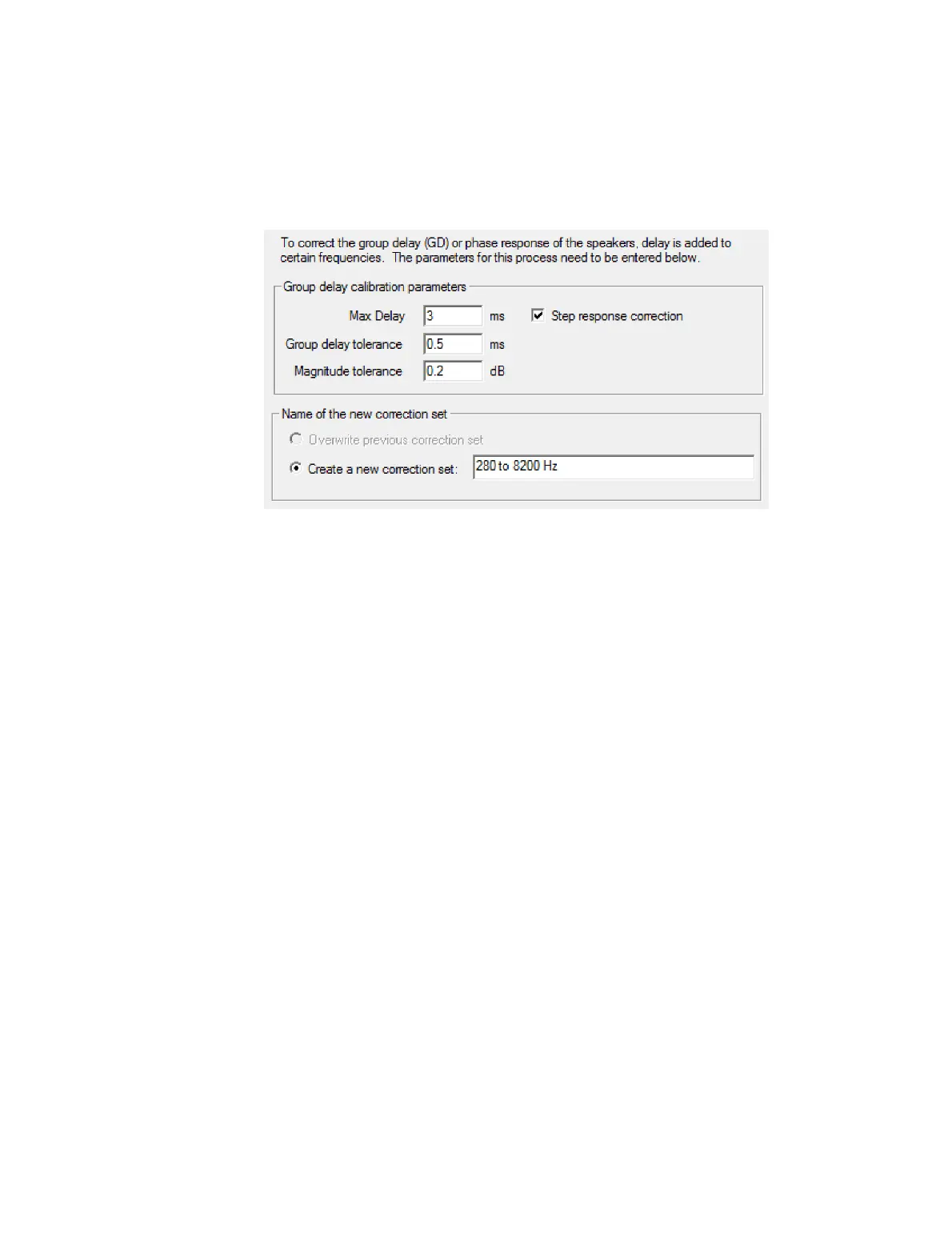
Screen 4. DEQX-Cal will ask you to confirm parameters that set how tightly it attempts
to correct for amplitude and group delay:
Max Delay
Sets the maximum delay that can be introduced by the correction filter. If using
the DEQX with video, the default of 3 ms is recommended in order to avoid
introducing video sync errors. Otherwise, this parameter can be increased if
desired, up to the maximum of 24 ms (in the single amp configuration modes).
See the tip box on page 79 for more information on delays.
Step response correction
Check this option for speakers, and uncheck it for subwoofers. If this option is
checked and the correction algorithm fails to complete, uncheck it and try again.
Group delay tolerance
Sets the target group delay variation of the corrected speaker. The default value
represents a tight tolerance that will usually succeed. This can be set tighter than
the default, although the algorithm may not always succeed.
Magnitude tolerance
Sets the target magnitude variation of the corrected speaker. The default value
represents a tight tolerance that will usually succeed. This can be set tighter than
the default, although the algorithm may not always succeed.
Name of the new correction set
If “Create a new correction set” is selected, provide a name for it here. The default
is “Correction set 1” and so on, but a more meaningful name will help with
navigating the project later. (The option “Overwrite previous correction set”
becomes available on subsequent runs.)



 To Next Page