DEQX User Manual
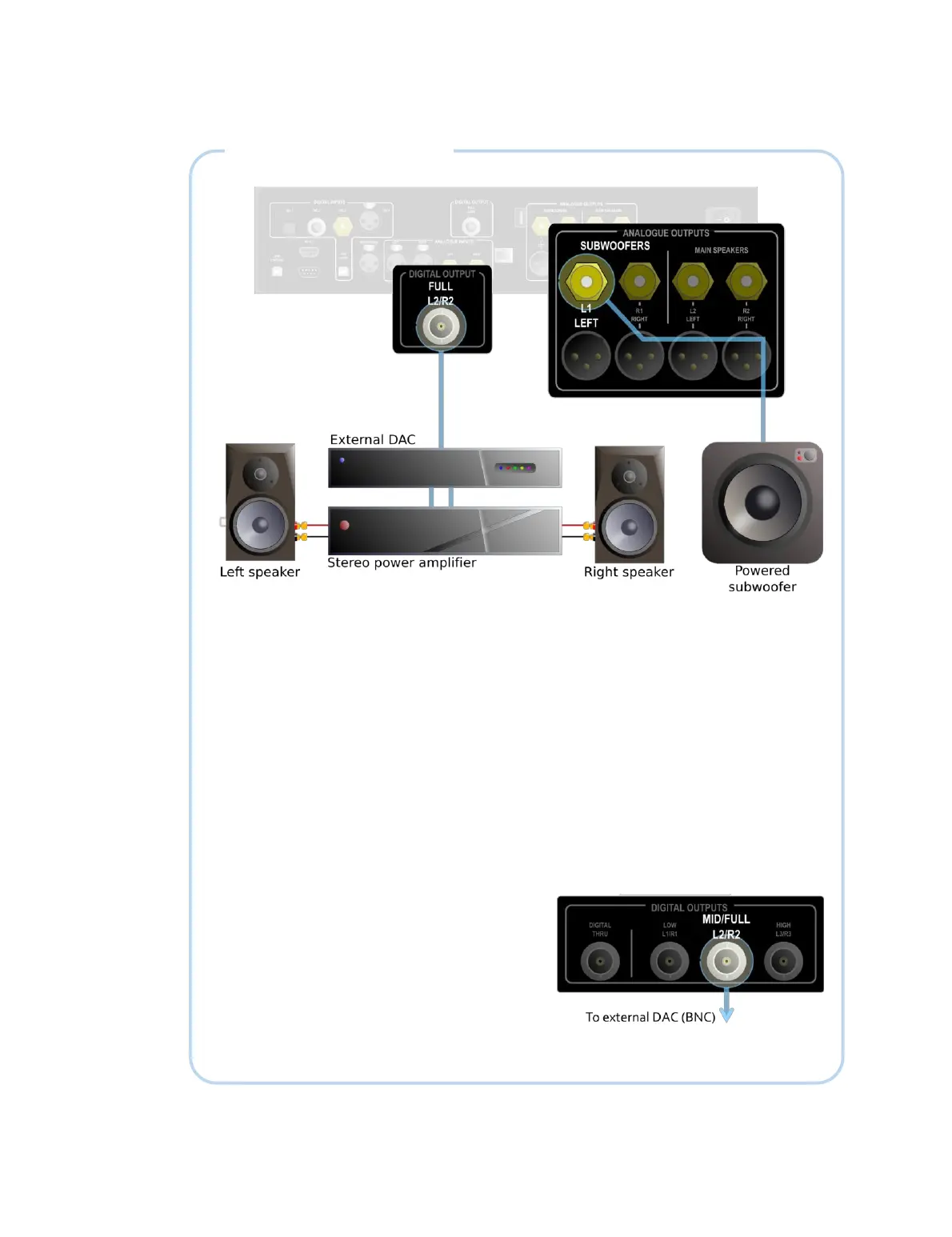
DIGITAL OUTPUT EXAMPLE
The diagram above illustrates the use of the digital output of the PreMATE or
PreMATE+. Connect the digital output, labeled Full L2/R2, to an external DAC via a BNC
cable (or an RCA cable with a BNC-RCA adapter). The outputs of the DAC are
connected to the power amplifier, which in turn drives the left and right speakers. Note
that the external DAC must be capable of decoding a 24-bit 96 kHz signal.
If a single (mono) subwoofer is used (as shown above), connect it to the L1 analog
output (either unbalanced or balanced) and in DEQX-Cal, set the speaker configuration
mode to “Single amp with optional mono subwoofer.” If stereo subwoofers are used,
connect them to the L1 and R1 analog outputs (either unbalanced or balanced), and set
the speaker configuration mode to “single amp with optional stereo subwoofers.” If not
using a subwoofer, simply leave the subwoofer outputs disabled when configuring the
DEQX in DEQX-Cal.
If using an HDP-4 or HDP-5, connect the DAC
to the Mid/Full L2/R2 digital output (at right).
With the HDP-4 and HDP-5, an external DAC
can be used for the subwoofer(s) as well, if
desired. In that case, connect the digital
output Low L1/R1 to the DAC being used for
the subwoofer(s).



 To Next Page