DEQX User Manual
Standard View
This refers to most charts: the data viewer, the Equalizer tab of the control panel,
and the Anechoic and Smoothing tabs of the calibration template.
Correction View
This refers to the tabs of the calibration template that display the correction filter
sets (named “Correction Set 1” and so on by default).
Limit Design View
This refers to the Limits tab of the calibration template.
Crossover Design View
This refers to the Crossovers tab of the calibration template.
Use the checkboxes on the left of the dialog to set the items displayed by default on the
selected chart type. Most of these can also be disabled and enabled for individual charts
(see page 143).
The right side of the dialog box is used to set colors and fonts. To change colors and
fonts specifically for DEQX-Cal, uncheck “Sync with system colors,” then click the Font
or Color button to make the desired changes.
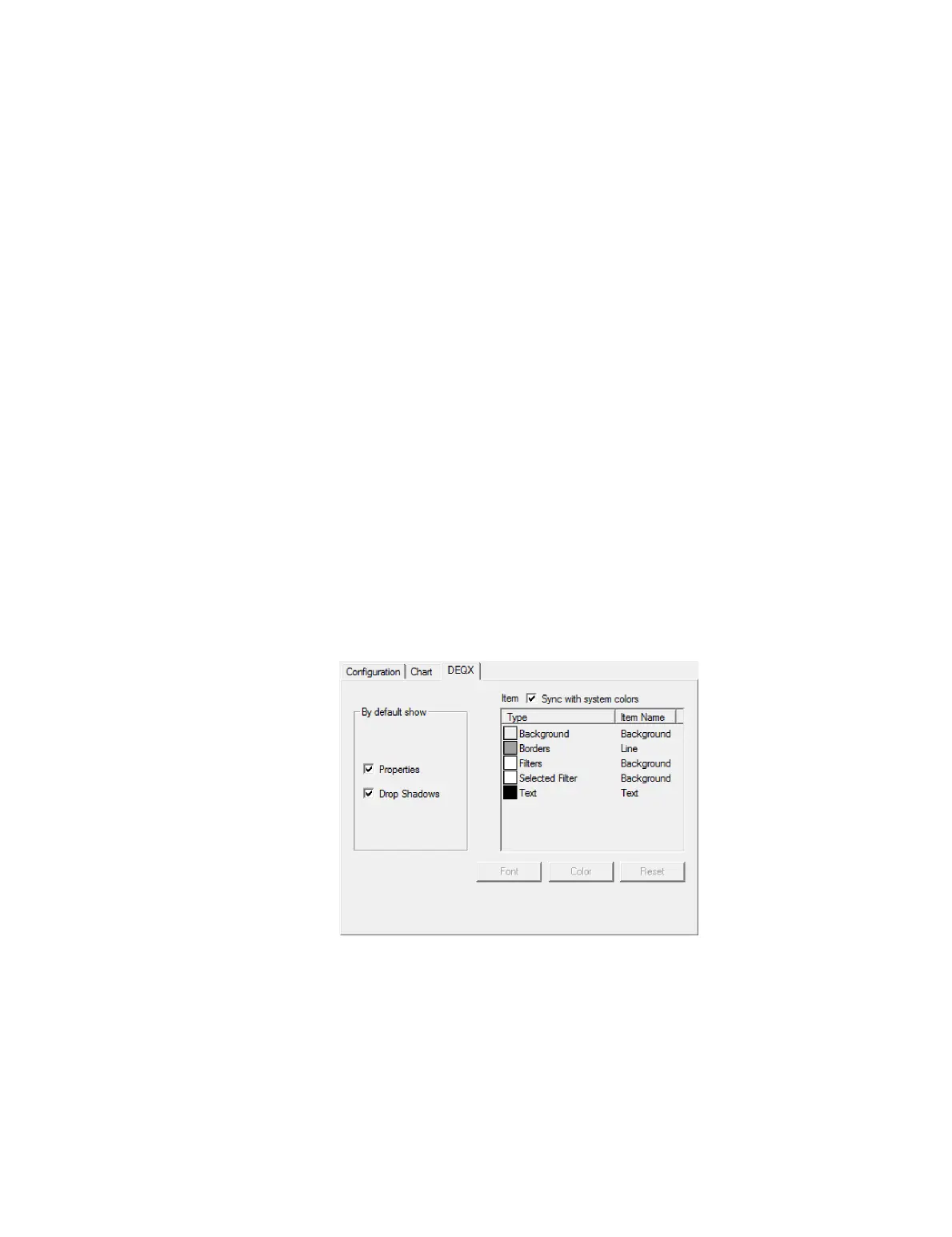
18.1.3 DEQX tab
This tab controls the appearance of the configuration window.
If the Properties option is checked, the configuration window displays the parametric
room EQ filter settings and the key correction and limit filter parameters (in text). If
unchecked, this information is not displayed. It is checked by default.
The right side of this tab can be used to change the colors and fonts of items in the
configuration window. Uncheck “Sync with system colors,” select the item from the list,
then click the Font or Color button to make the desired changes.



 To Next Page