DEQX User Manual
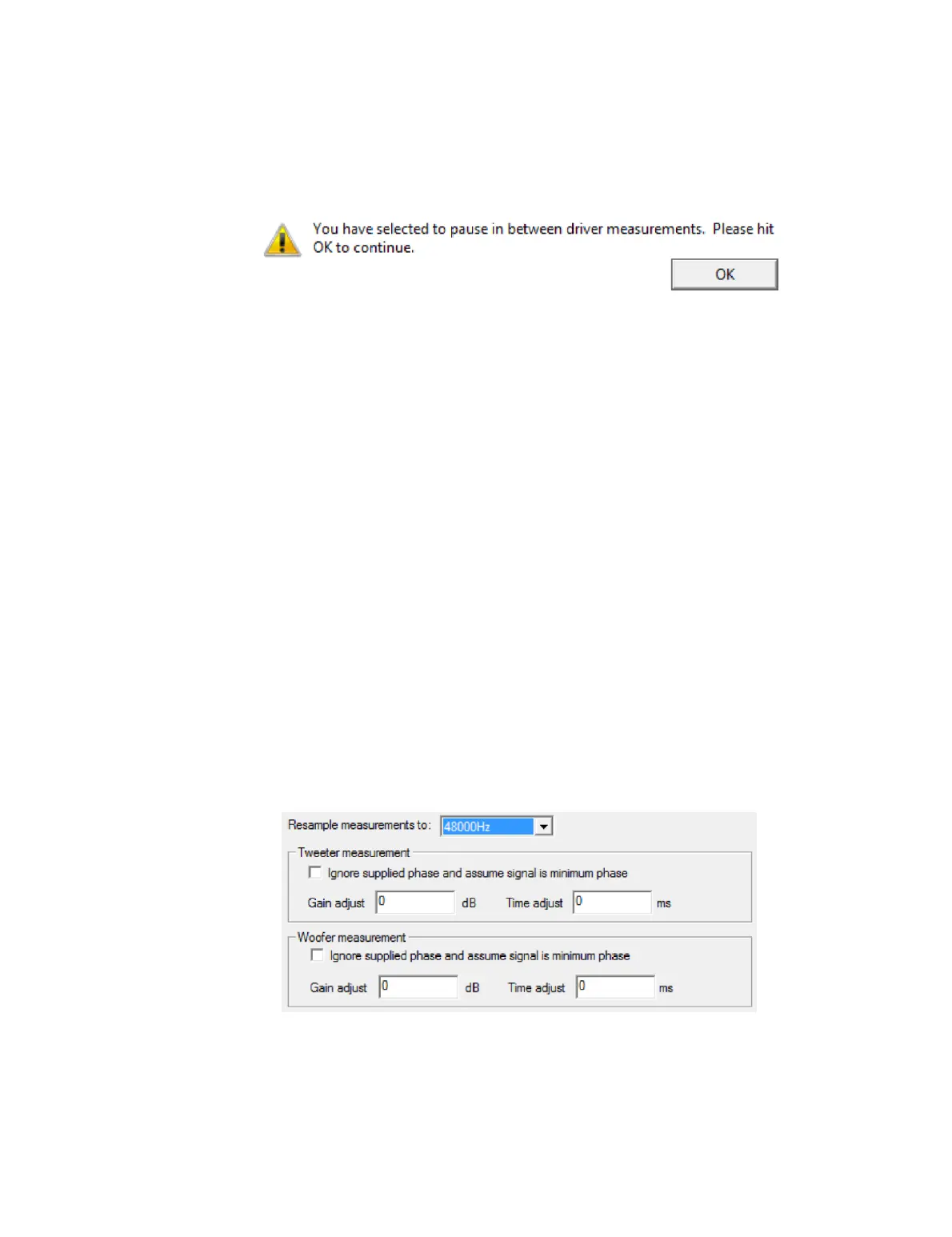
Screen 7a: If the option “Display prompt between drivers” was selected, the following
prompt appears after the woofer and midrange measurements. Move the microphone
to the correct location for the next driver, then click OK.
Screen 8: After the tweeter measurement completes, you can accept the measurement
or retry. The response thumbnail on this screen will show all (two or three) driver
responses.
13.3 IMPORTING MEASUREMENTS
Measurements can be imported from a third-party measurement program. This feature
is intended for use by speaker designers who may need to import measurements taken
by a third party or in a different location. The primary intended format is an MLSSA
“.TIM” format (binary impulse response) file.
In addition to the MLSSA “.TIM” format, text files in FRD format (textual frequency
response) can also be imported. This is, however, intended only for comparative
viewing of measurements, not for speaker calibration. Poor calibration results may be
obtained if imported text files are used for calibration.
To begin, select “Import Measurement” from the File menu. The measurement import
wizard is similar to the speaker measurement wizard, except that existing
measurement files are selected. After you select the speaker configuration mode, the
wizard will ask you to select the measurement files (one per driver).
On the next screen, set the resampling frequency to be the same frequency at which
the measurement was taken. The option is also available to have minimum phase
response inferred from each driver’s amplitude response.
After entering a set of informational parameters (similar to screen 3 on page 47), the
measurement will be imported. Open the imported measurement in a new data viewer
to check for successful import prior to starting a calibration.



 To Next Page