Chapter 18. Options and Customization
18.2.4 Menu tab
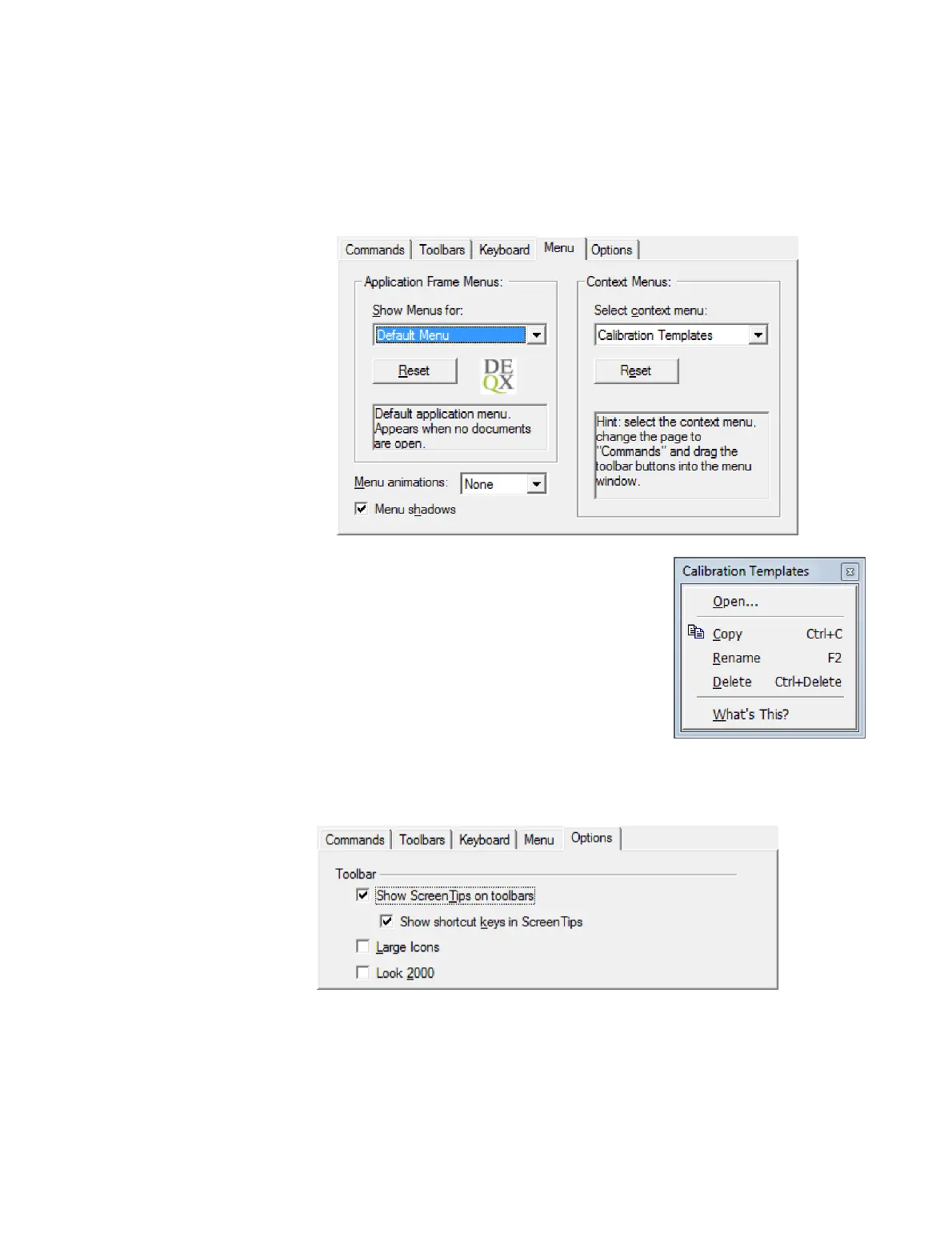
Use this tab to customize the context menus that appear in various places in DEQX-Cal
when the right mouse button is clicked (such as the project explorer and data viewer).
To edit a context menu, select it with the drop-down on the
right-hand side. It will appear as a separate window as
shown at right. Then go back to the Commands tab and
drag commands from it onto this separate window. Or,
right-click on an entry in this window to delete or edit it.
To reset the selected menu to its defaults, click the Reset
button (while the window is still open).
18.2.5 Options tab
This tab contains a small number of additional options.
The “Show Screen Tips on toolbars” option controls the tooltip that appears when
hovering the mouse over any toolbar item. The “Show shortcut keys in Screen Tips”
option also enables display of the relevant shortcut key.



 To Next Page