Chapter 12. Room EQ
Gain
The gain of the filter band in dB. (Positive is boost and negative is cut.) As a
general rule, gains greater than 6 dB should be used with caution, as doing so
may require substantial additional amplifier power.
Q
The width of the filter band. High values represent a narrow filter, low values a
broad filter. When Q is set, Bandwidth automatically updates.
Bandwidth
This drop-down menu selects the bandwidth of the filter either in Hertz or in
octaves. When Bandwidth is set, Q automatically updates.
You can add up to ten points to the EQ curve. If you add more than seven, you will
receive a warning that Preference EQ (pages 34 to 37) will no longer work.
TIPS FOR MANUAL ROOM EQ
Room measurements typically exhibit a downward “tilt” from low bass to high treble of
6 up to 15 dB. This is caused by a number of factors including reduced dispersion and
greater absorption in the room at high frequencies. Do not attempt to EQ your room
measurement completely flat – that will most likely sound overly bright.
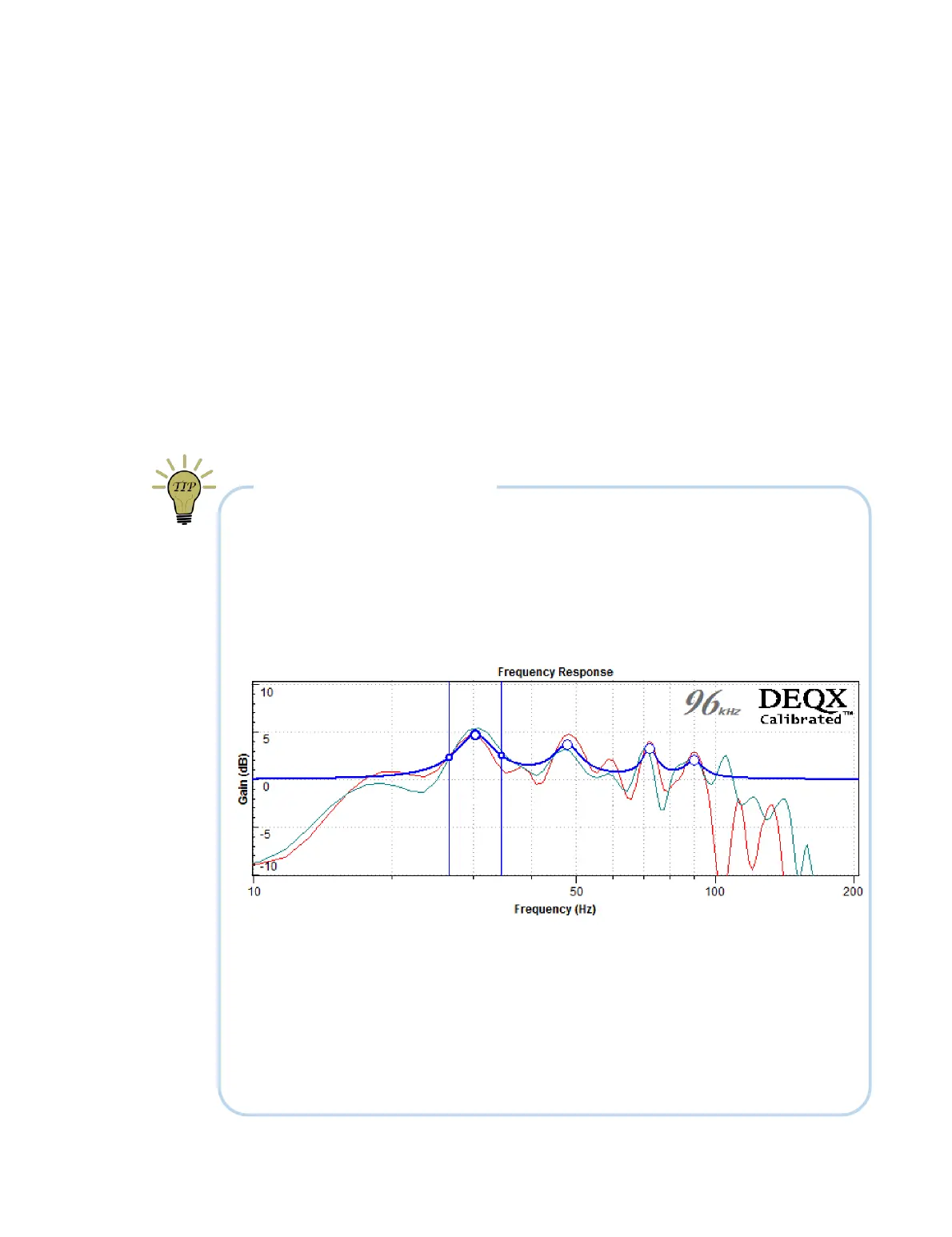
Here is a simple and effective way to create a suitable manual EQ curve. First, create
control points that “follow the curve,” as in this example:
Then click the Invert EQ button to obtain the “right way up” EQ curve as shown on the
previous page. (If you use this method, be sure to always set the EQ curve to the correct
orientation before re-measuring or listening to the effect of the EQ.)
If you have difficulty creating a suitable EQ curve, adjust the Scale parameters in the
right-most column of the plot selector – this may result in a simpler curve.
Always audition the effect of any EQ. Using multiple profiles to set up different EQ
curves can be helpful to find the optimum settings.



 To Next Page