Chapter 2. Installation and Connectivity
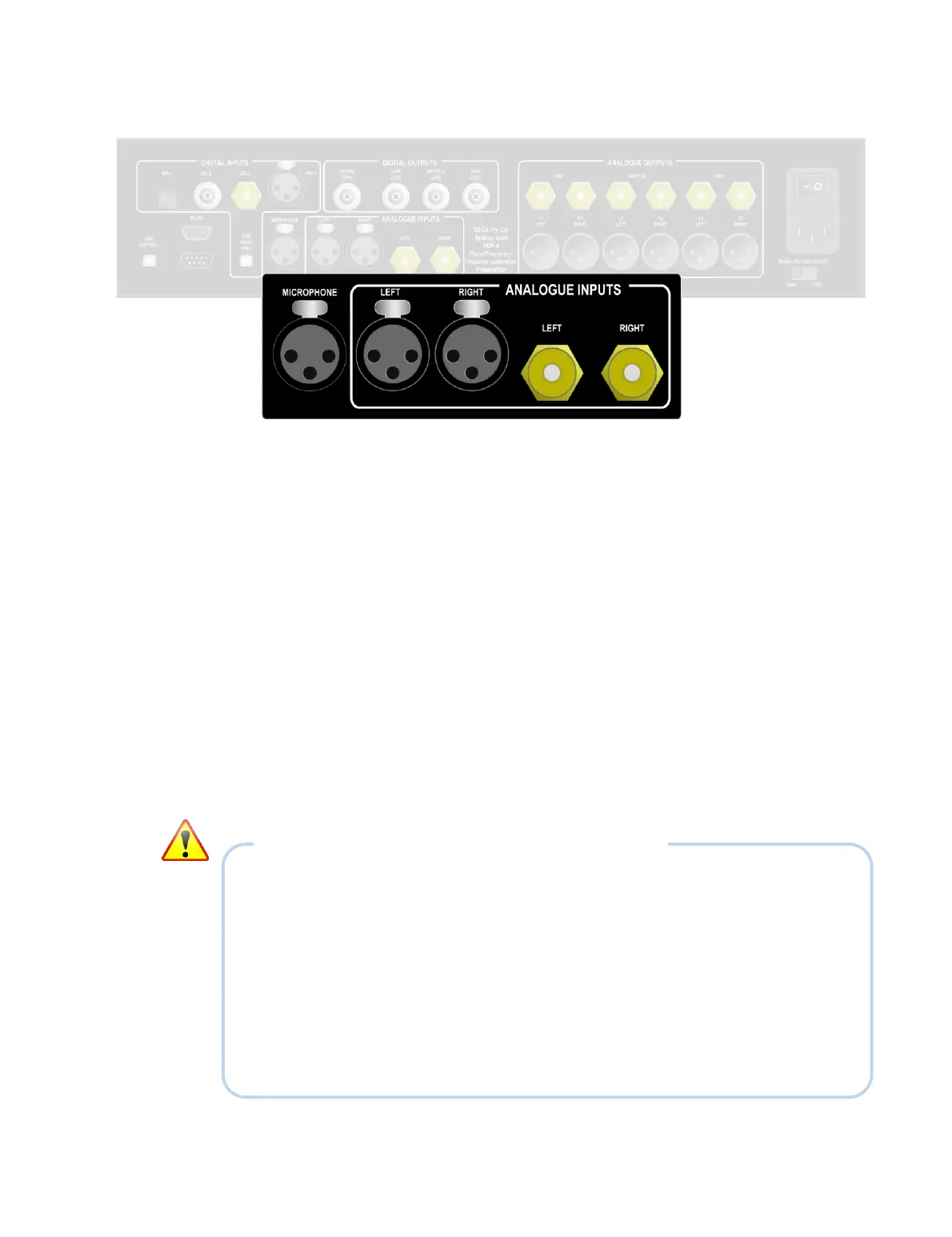
2.3 ANALOG INPUTS
All DEQX units have two stereo analog input pairs: unbalanced and balanced. The two
input pairs are independent, and are selectable with the DEQX Remote and from within
DEQX-Cal. On the HDP-5 and PreMATE+, inputs can also be selected with the
touchscreen display.
Unbalanced input (Analog 1)
This is a stereo input pair on standard RCA connectors. Use a suitable pair of RCA
line-level interconnect cables to connect an analog source. Alternatively, this
input can be connected to an analog preamp. If necessary, the sensitivity of this
input can be adjusted by hardware jumpers (see Appendix D).
Balanced input (Analog 2)
This is a stereo input pair for connecting to balanced equipment. Use a suitable
pair of high quality balanced XLR cables to connect an analog source.
Alternatively, this input can be connected to an analog preamp.
NOTES ON MAKING AND BREAKING CONNECTIONS
1. Power off the DEQX with the rear panel switch before changing any input or
output audio connections. All connected equipment should also be powered off.
2. When connecting to the rear panel, double-check that the connections are made
correctly. If the DEQX is installed in a rack or cabinet, use good light so that the
labeling is clearly visible.
3. Confirm output connections using the diagrams on pages 23, 107, and 108.
4. Push RCA connectors straight on and pull them straight off – avoid twisting them
to get them on and off.



 To Next Page