DEQX User Manual
2.9 MEASUREMENT MICROPHONE
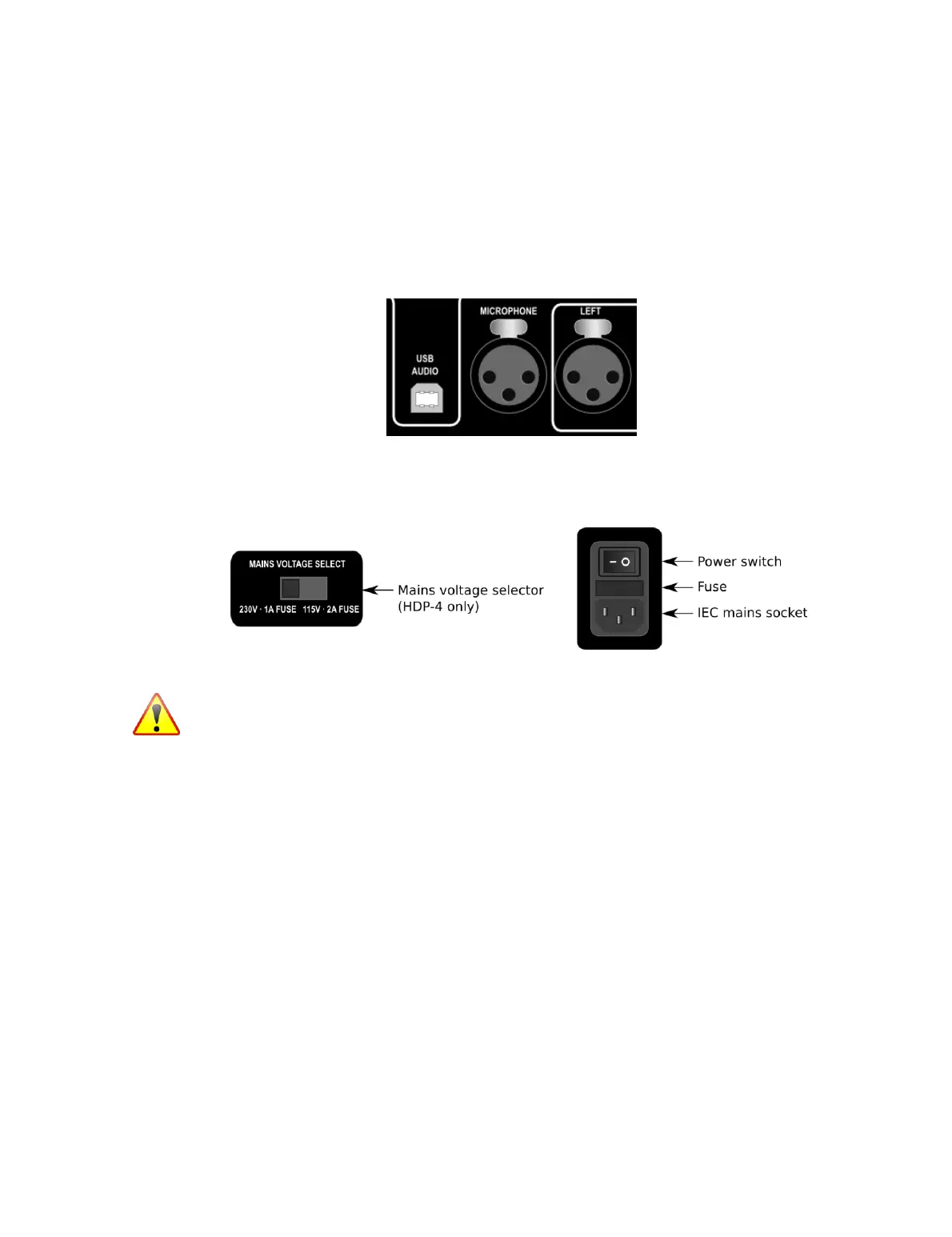
The input connector for the measurement microphone is located between the stereo
analog input block and the USB Audio input. For information about connecting and
setting up the measurement microphone, see page 44. When connecting the
measurement microphone, always double-check that the cable is inserted into the
correct socket.
2.10 POWER
The rear panel contains the AC mains power block:
Mains voltage selector (HDP-4 only)
The mains voltage selector switch should be set upon delivery to the correct
voltage for your country. Double-check this before powering on the DEQX for the
first time.
IEC mains socket
This socket accepts a standard IEC (IEC 60320 C13) mains plug. The specified AC
mains voltage is 100-120 or 220-240 V at 50 to 60 Hz as set by the mains selector
switch (HDP-4 only), or 1o0 to 240 V at 50 to 60 Hz (all products except HDP-4).
Power switch
The power switch applies power to the unit. This is typically left switched on and
the standby mode invoked from the front panel or with the DEQX Remote. Use
the power switch to physically remove power from the unit when connecting or
disconnecting cables or when changing analog gain jumpers (Appendix D).
Fuse
The fuse holder uses a standard 5x20 mm glass fuse. In the event that the fuse
needs to be replaced, it must be rated at 2A for 100–120 V or 1A for 220–240 V.



 To Next Page