DEQX User Manual
11.2 LEVEL MATCHING
To determine level adjustments, the Scale parameter of each plot (lower right of the
window) will be adjusted to visually equalize the level of all plots.
As a starting point, you can use the Normalize to 0 dB button. Deselect the subwoofers
(so only the speaker plots are displayed) and click on Normalize to 0 dB. Then select
the subwoofers, deselect the speakers, and click on Normalize to 0 dB again.
11.2.1 Level matching stereo subwoofers
Display the plots for the left speaker and left subwoofer. Adjust the Scale value of the
left subwoofer so that its baseline is at or slightly above the average level of the speaker
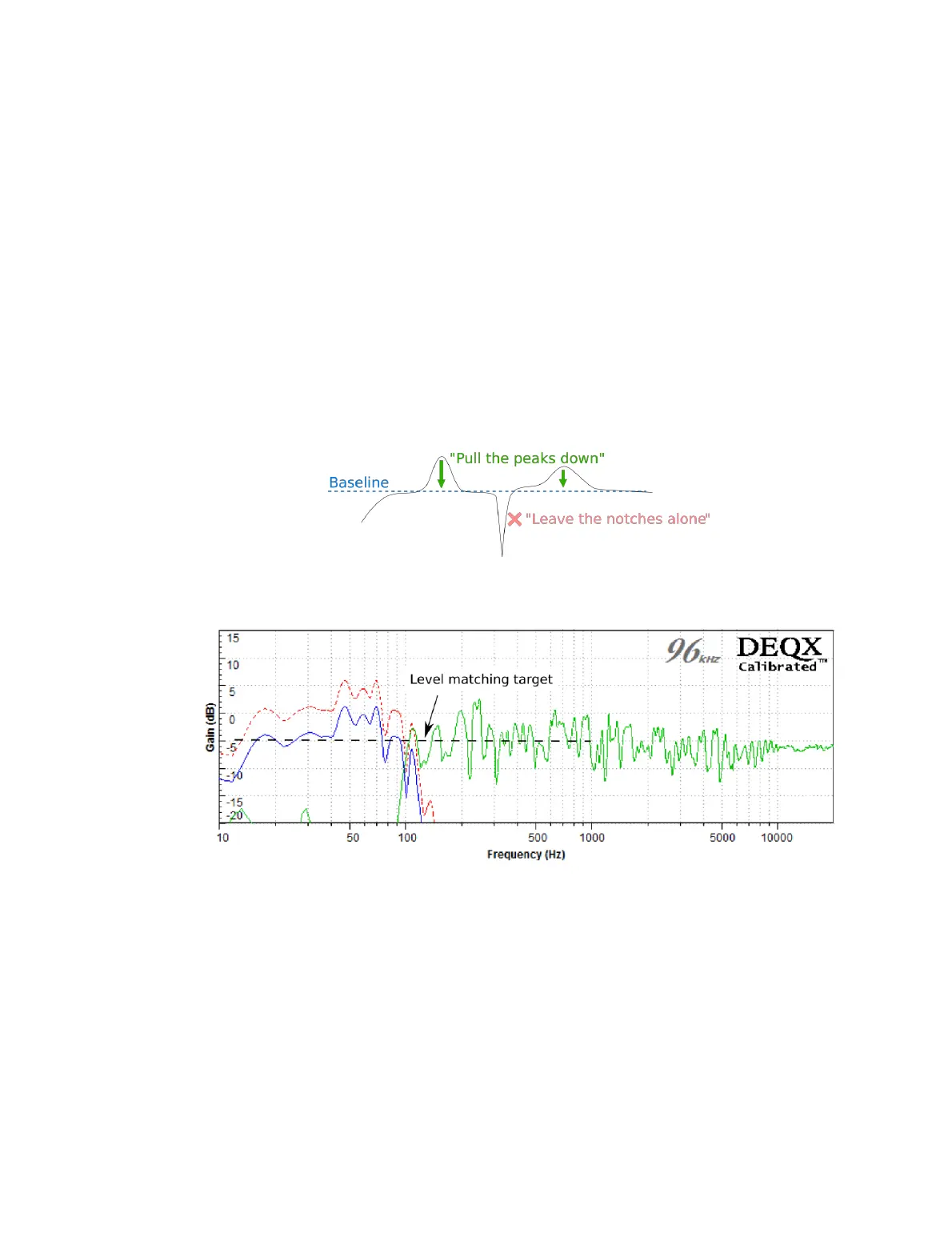
in the region from 100 to 1000 Hz. This diagram illustrates what we mean by “baseline”
– it allows for subsequent EQ that “pulls the peaks down”:
For example, the plot below shows the left speaker in green, the left subwoofer before
adjustment in dashed red, and the left subwoofer after adjustment in solid blue:
Repeat for the right speaker and right subwoofer.
11.2.2 Level matching a mono subwoofer
Because the mono subwoofer carries signal from both input channels, the way that
initial level matching is performed is slightly different to that for stereo subwoofers.
Display the plots for the left speaker and the subwoofer together. Adjust the Scale
value for the subwoofer so that the baseline level of the subwoofer plot is about 5 dB
higher than the average level of the speaker in the region from 100 to 1000 Hz. (5 dB is
one division on the vertical scale.)



 To Next Page