Chapter 9. Configuring the DEQX
9.4 THE FILTER PROPERTIES DIALOG
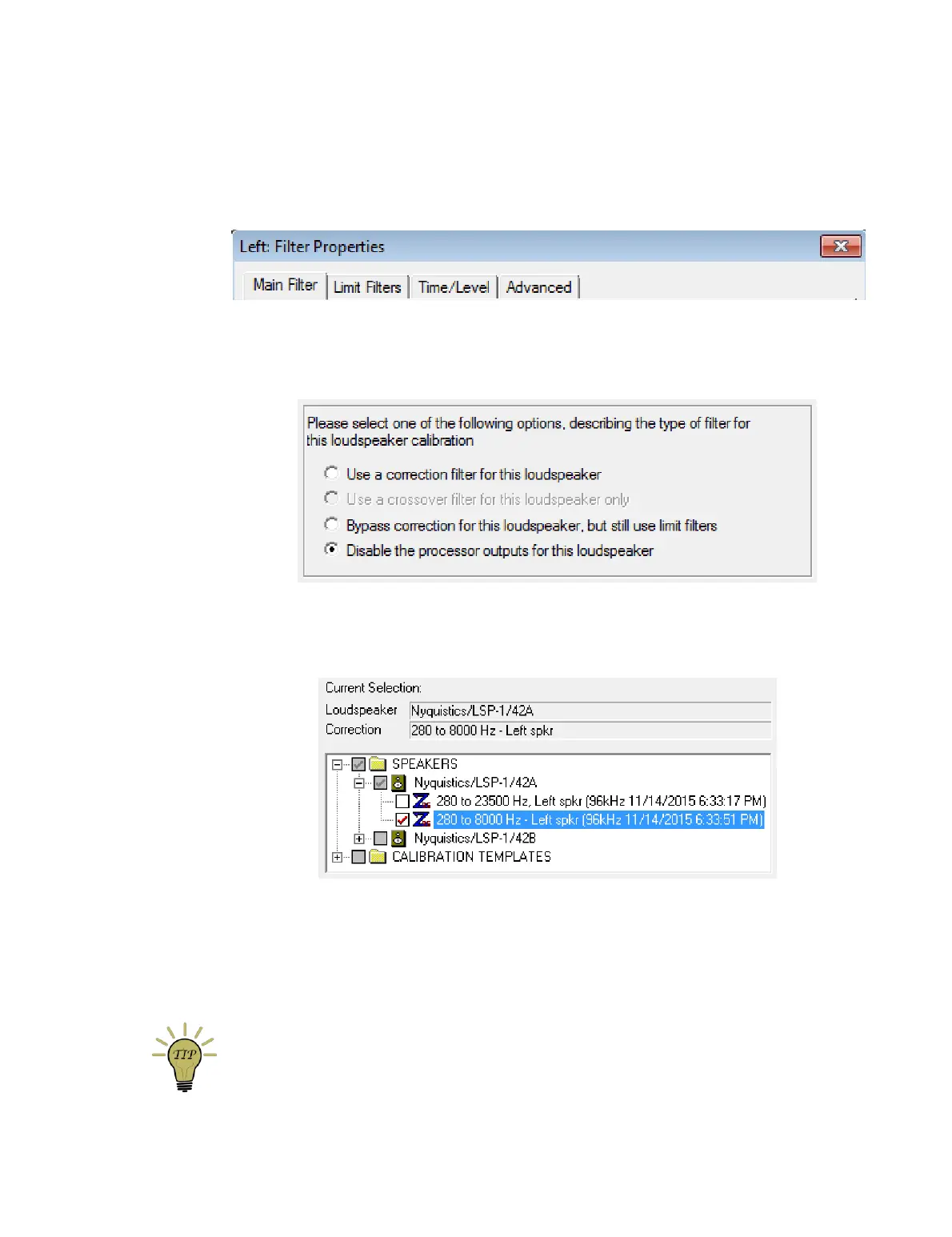
The filtering applied to each individual speaker is set in its Filter Properties dialog,
opened by double-clicking on the speaker (or subwoofer) icon. It contains four tabs:
9.4.1 Main Filter tab
This tab selects the main correction filter (if any). There are four options:
Use a correction filter for this loudspeaker
Select this option if you have generated a correction filter for the speaker. A pane
will open underneath, from which you can select the correction filter:
(In this example screenshot, the correction filters have been made easier to find
by renaming them during calibration, as described in the tip box on page 63.)
Note that the selection pane will only show filters that match the speaker and the
speaker configuration mode. You cannot, for example, load a filter generated for
a subwoofer into a speaker, or a filter generated from a bi-amp measurement into
a single-amp configuration.
You can also select a correction filter by navigating to it in the project explorer
and then dragging and dropping it onto the speaker (or subwoofer) icon.



 To Next Page