DEQX User Manual
13.9 ADVANCED CONFIGURATION OPTIONS
The Advanced tab of the Filter Properties dialog provides settings for each of the
individual channel outputs.
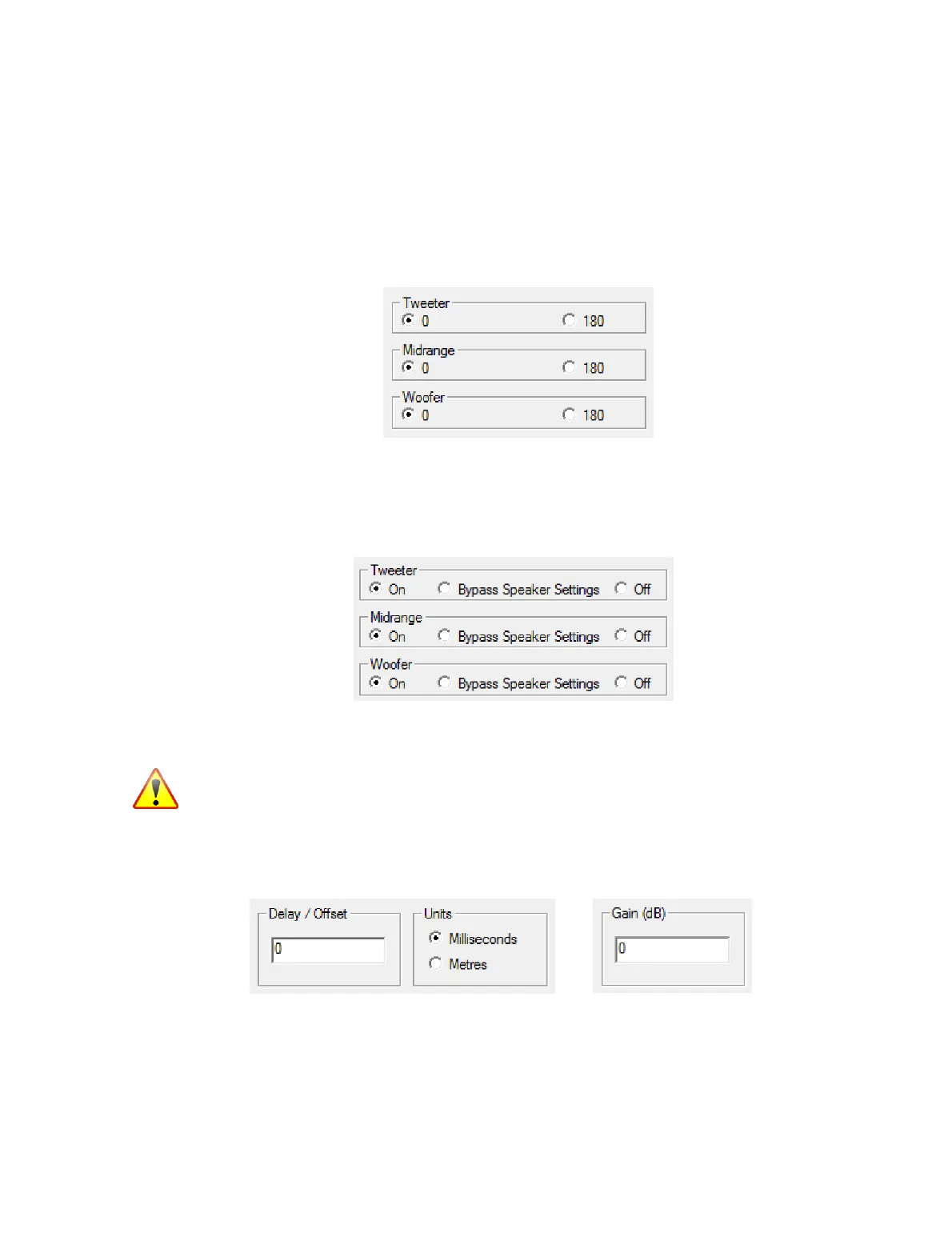
The polarity of each channel can be inverted. This may be necessary with some types of
crossover, or to correct for absolute phase with some types of amplification.
Note: during testing of a speaker, the individual outputs can be inverted in the IO
Manager. However, for permanent storage into a configuration, any polarity inversion
must be set on this tab.
Individual outputs can have their filtering disabled:
While normally left at “On,” setting a driver to “Bypass Speaker Settings” sends the
unfiltered signal to that driver. Setting it to “Off” turns off that driver.
Use “Bypass Speaker Settings” with great caution, as the driver will receive the full
frequency range signal. This can potentially damage a driver.
The Time/Level tab has adjustments for delay and gain. These values apply to the
whole “speaker” – that is, both drivers in a bi-amp configuration, or all three drivers in a
tri-amp configuration.
(The delay and gain of individual drivers cannot be set here because DEQX-Cal
calculates them when creating the correction/crossover filter.)



 To Next Page