DEQX User Manual
16.2 TO OPEN MEASUREMENTS WITH THE VIEWER WIZARD
The viewer wizard makes it easy to open multiple measurements at once.
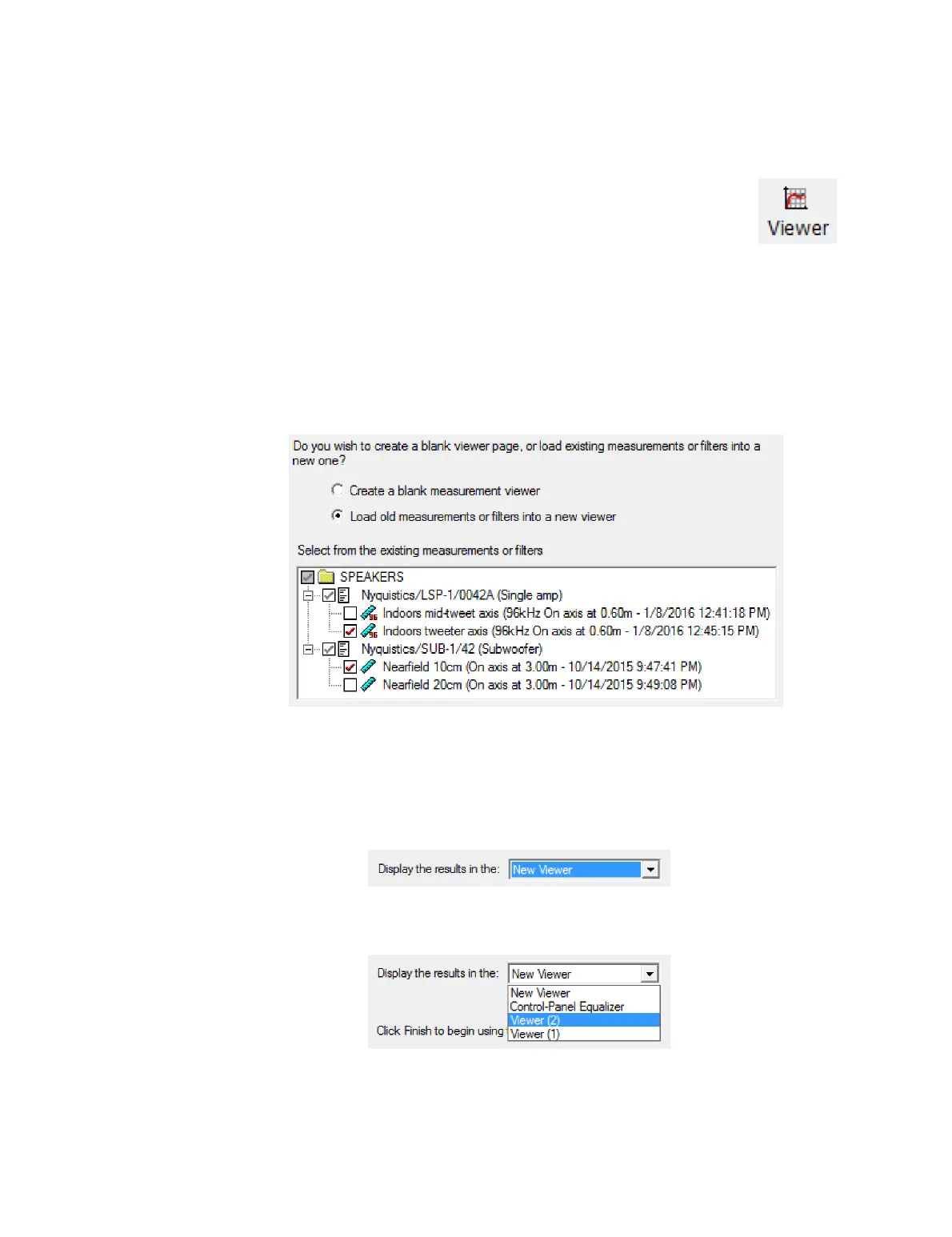
Start the wizard by clicking on the Viewer button in the Wizard toolbar, or
by selecting it from the Tools menu. The wizard proceeds through three
screens, as follows:
Screen 1. If you have more than one project open (page 149), select the project
containing the measurements that you wish to view. Otherwise, this is just an
informational screen.
Screen 2. To open existing measurements for viewing, select “Load old measurements
or filters into a new viewer.” From the pane that appears underneath, unfold folders and
select the measurement or measurements that you wish to open:
Alternatively, to create a new data viewer into which measurements can be loaded
later, select “Create a blank measurement viewer.”
Screen 3. If you opted for a blank data viewer, just click Finish. If you selected
measurements to display, the wizard will by default suggest that you open the selected
measurements in a new data viewer window:
You can instead use the drop-down menu to open the selected measurements in an
existing data viewer window or in the Equalizer tab of the Control Panel:
Click Finish to open the selected measurements.



 To Next Page