DEQX User Manual
6.5 SET THE MEASUREMENT SIGNAL LEVEL
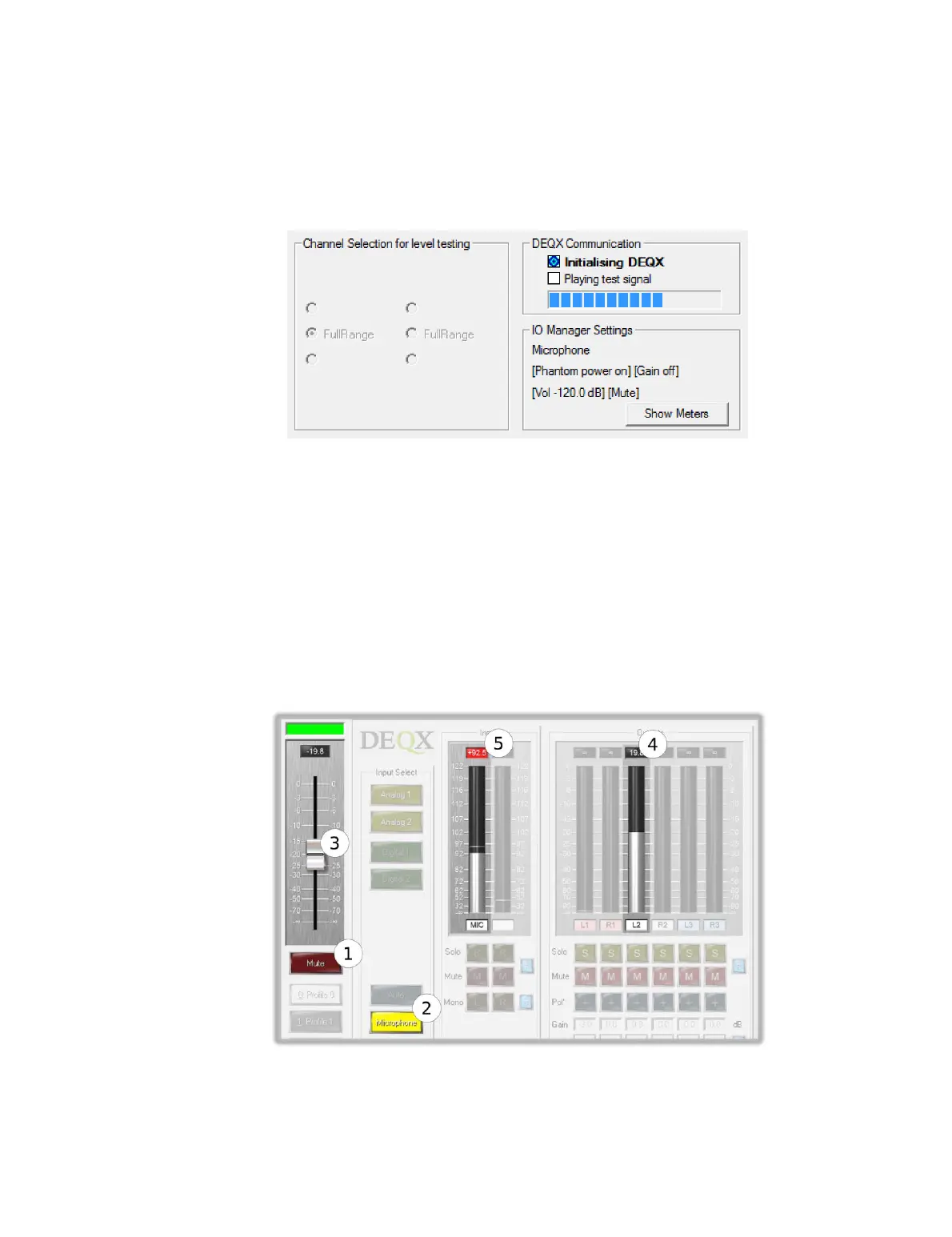
Screen 6. DEQX-Cal will upload the test signal to the DEQX, as shown by the
“Initializing DEQX” indicator.
When the screen switches to the “Playing test signal” indicator, switch to the IO
Manager to view the meters. (Click the Show Meters button if it is not visible.)
1. Confirm that the DEQX is not muted. (Click the Unmute button if it is.)
2. Confirm that the microphone is selected as the input source.
3. Raise the output level slider slightly.
4. Confirm output signal on the L2 or R2 output. You should hear a frequency sweep
test tone at low volume from the speaker being measured.
5. Raise the output level slider slowly until the test tone is moderately loud and the
microphone input level is peaking in the range of 90–95 dB.
To proceed, go back to the measurement wizard and click Run.



 To Next Page