ANALOG GAINS
All DEQX units have settable analog gain on inputs
and outputs
. Changing the analog
gain is accomplished by removing the top cover and moving a set of jumpers.
Power off the DEQX with the rear panel switch and disconnect AC mains power before
performing this procedure. Remove the IEC plug from the rear of the unit. If you are not
confident in your ability to perform this procedure safely, contact DEQX Support.
TO CHANGE ANALOG GAIN
1. Remove 14 screws from the sides and top of the unit. Depending on date of
manufacture, a small Philips screwdriver or 2 mm Allen (hex) key will be required.
2. Lift the cover straight up. You may need to pull the sides out slightly to do this.
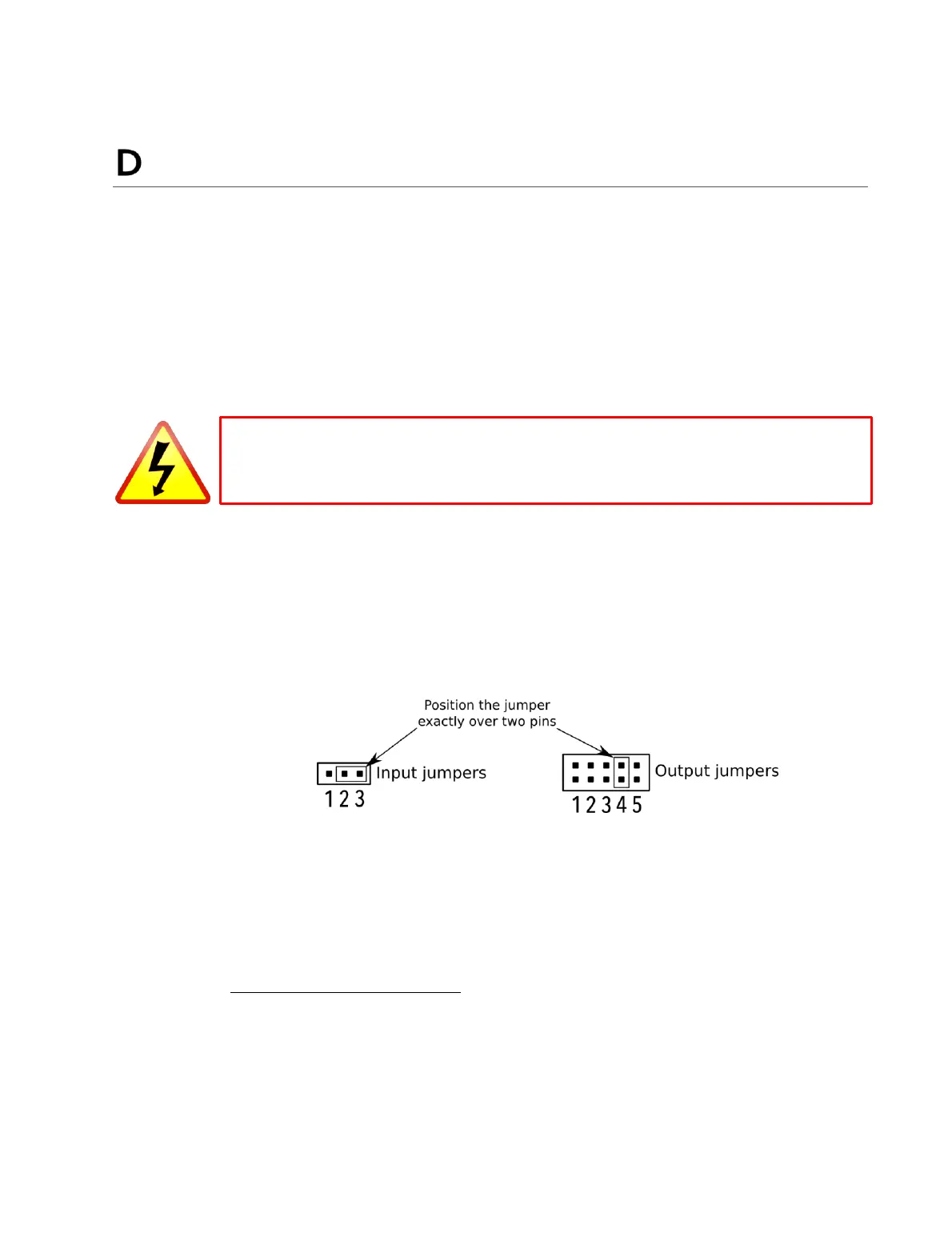
3. Change the jumpers for each channel to the desired positions (see Table 5 and
Table 6 on page 166). Be sure that the jumpers are positioned correctly over both
pins, as illustrated here:
Do not force jumpers – they will slide easily when positioned correctly.
4. Carefully replace the top cover. You may need to pull the sides out slightly as you
do this. Be sure that the front edge of the top cover is flat against the rear of the
front panel.
5. Replace the 14 screws. Do not over tighten.
Input gain/sensitivity applies to the single-ended (RCA) inputs only. If even lower sensitivity is
required than provided by jumpers, use the balanced inputs with a suitable RCA-XLR adapter.
The DEQX has a 6 dB insertion loss to provide headroom for equalization. Therefore, with a
bypass profile (page 75), full scale input gives half the listed output voltage. To obtain the listed
full scale analog output for testing purposes, set channel gains in the IO Manager to +6 dB.



 To Next Page