Chapter 13. Active Multi-way Speakers
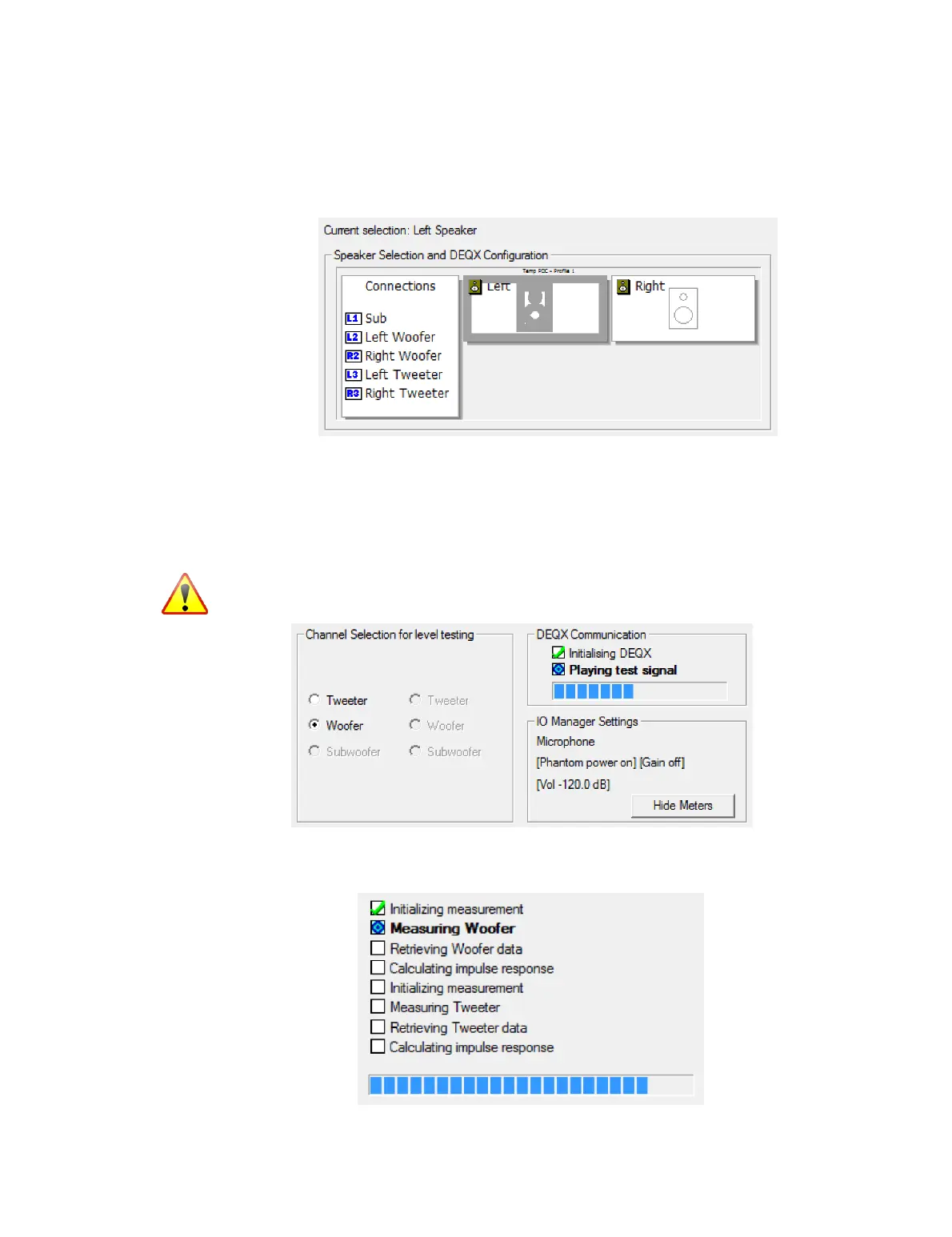
Screen 5. Select the speaker to be measured. If this is the first measurement, this is a
good time to confirm that you have made your output connections to the rear panel
correctly, as indicated in the “Connections” list on the left:
Screen 6. Any of the (two or three) drivers can be selected for test signal playback (left-
hand side of the example screenshot below). The woofer is the default, but a different
driver can be selected by clicking on its radio button. This will result in a short pause
while a new test signal is uploaded to the DEQX. The test signal will then resume from
the selected driver.
If you have not previously checked driver levels, first select each driver in turn while
playing the test signal at a low volume. Only then increase the volume.
Screen 7: Measurement sweeps execute for each driver in turn, starting with the
woofer:



 To Next Page