Chapter 7. Speaker Calibration
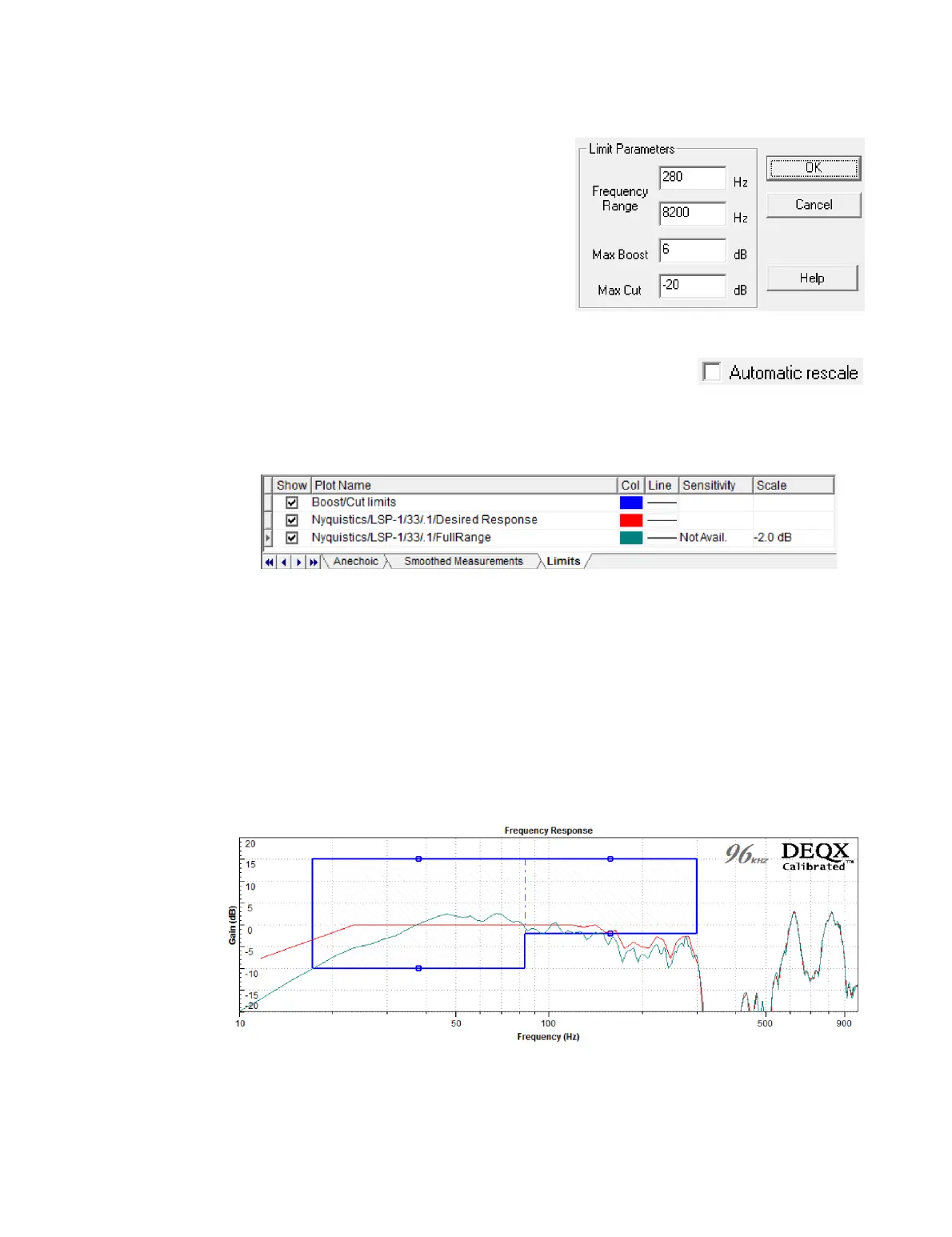
You can also double-click on the limits
rectangle to bring up a dialog box that allows
you to enter the limits directly (shown at
right). As a general rule, increasing Max
Boost beyond the default of 6 dB is not
recommended.
Above the plot area is a checkbox to enable automatic rescale
of the plot. If checked, the graph is automatically adjusted
vertically so that the left edge of the limit box is at 𝟢 dB. If unchecked, the scale value
can be set manually (in the example below, it is set to −2.0 dB). If in any doubt as to the
behavior of this option, it is best to leave it unchecked.
In some cases, you may require different maximum cut and boost limits in different
frequency ranges. This is usually required only by advanced users, such as when using
an in-room measurement as the basis for speaker correction (page 121).
To set up multiple limit regions:
1. Click the Add Point button in the chart toolbar.
2. Click in the plot area between the left and right edges of the limit box. A dashed
vertical line will appear.
3. Click and drag the edges and dashed line(s) to change the limits.
Once the frequency limits have been set to your satisfaction, click Finish to proceed.



 To Next Page