DEQX User Manual
Windows
Microsoft Windows requires that a driver be installed in order to stream audio from the
PC to the DEQX. Once installed, the DEQX output driver (“XMOS USB AUDIO 2.0”) can
be selected as the audio output device in any audiophile-quality music player.
Before installing, check the upgrades section of the DEQX website
(http://deqx.com/upgrades.php) for the latest version of the driver.
To install the driver, first connect the USB Audio input of the DEQX to a USB port on
your computer using the supplied cable. Turn on the DEQX with the rear panel switch,
wait a few seconds and then take it out of standby by pressing the I/O button on the
front panel.
Navigate to the XS-1 USB Board -> USB Audio Windows Stereo Driver folder on the
installation CD, and double-click on the installation program to start it. It will have a
name similar to XMOS-Stereo-USB-Audio-Class2-Driver-2017(v2.23.0).exe. Step
through the installer until it completes.
The PC must be connected to the USB Audio input of the DEQX, and the DEQX
powered on and not in standby, before starting the USB Audio driver installer.
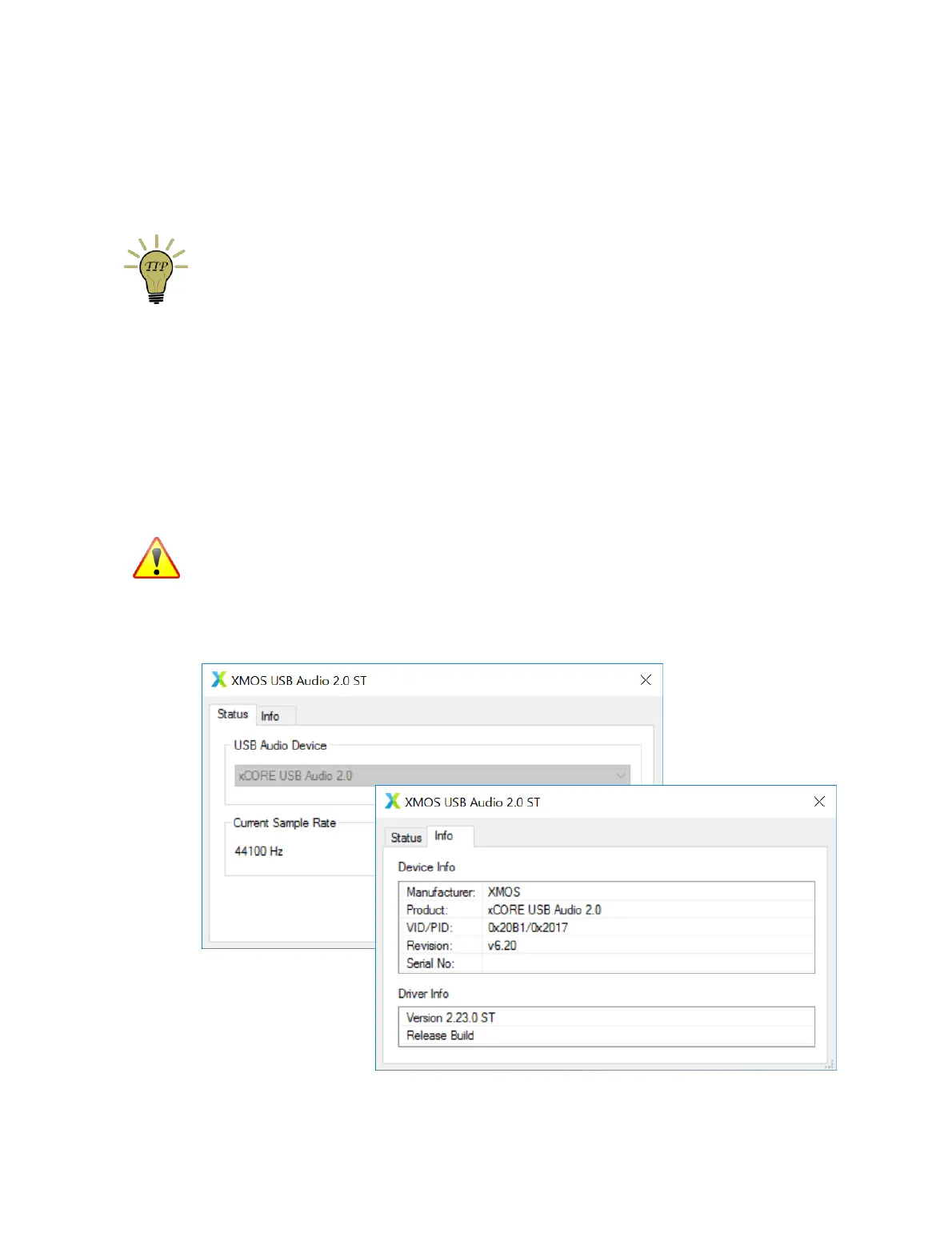
Correct installation of the USB audio driver can be viewed by starting the XMOS USB
Audio 2.0 ST Control Panel (under DEQX Pty Ltd in the Windows Start Menu).



 To Next Page